

Cursive: Learn Cursive
Cursive: Learn Cursive is made and published by enoiu. AppBrain is an independent app data site and isn't affiliated with enoiu. The app name, icon, screenshots and description belong to enoiu and are shown as published on the App Store.
AppBrain's verdict
Loved by users- Rating on App Store
- 4.56
- 5,169 ratings
- Last updated
- June 25, 2026
Users love it: 4.6 stars from 5,169 ratings.
Rankings
App Store top chartsApp Store Rankings for Cursive: Learn Cursive
Competitors
Similar apps and more from enoiu











Releases
Updates seen on the App Store- Version
- 7.3.0
- Launched
- September 2022
No changelog data
User feedback
Ratings and reviews on the App StoreComments on Cursive: Learn Cursive for iOS
We don't have enough comments to show example comments. Please check back later.
Technology
Found in the app by AppBrain- Price
- Free
- App size
- 49.5 MB
- Content rating
- Everyone
Technologies used by Cursive: Learn Cursive
About the app and developer
About Cursive: Learn Cursive
Cursive: Learn Cursive is an education app developed by enoiu.
User Ratings
Cursive: Learn Cursive is rated 4.56 out of 5 stars. The rating is based on 5.2 thousand ratings.
App Information
Cursive: Learn Cursive is freely available from the App Store. The app size is 49.52 MB. The latest version available is 7.3.0. The last update was on June 25, 2026.
Technical Requirements
The app has a content rating of Everyone. The app has been available on the App Store since September 2022.
Developer information for enoiu
Address:
Store listing
By enoiu, from the App Store



Description by enoiu Written by the developer, not by AppBrain. Click to read.
It includes uppercase and lowercase letters, as well as words in multiple languages.
You can also add your own words for custom practice.
Practice Cursive
- Trace to practice cursive writing.
- Practice both uppercase and lowercase letters.
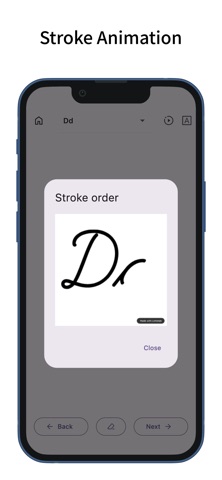
- View animated stroke order for each letter.
- Supports special characters in German and Spanish (ä, ö, ß, ü, ñ).
- Practice words in multiple languages.
- Includes over 100 words per language.
- Supports words with accent marks.
Cursive Languages
- Switch between different cursive languages.
- Supports English, German, Spanish, French, Italian, and Portuguese.
- The app’s display language can be linked to the selected cursive language.
- Use the search button to look up word meanings (opens in external browser).
- You can also switch the search button to a share button.
Custom Words
- In “Custom,” you can display typed text in cursive.
- Add typed text to "Custom Words" for practice.
- Custom Words can be sorted and deleted.
- Custom Words are shared across all cursive languages.
Cursive Settings
- Change the font of the example text.
- Adjust the font size of the example text.
- Switch example styles (with line, without line, or none).
- Toggle between pen and eraser.
- Change the pen’s thickness and color.
- Enable or disable zooming.
Customization
- Supports dark mode.
- You can also change the theme color.
- Features a simple design based on Material Design.