

DayMosaic: Visual Day Planner
DayMosaic: Visual Day Planner is made and published by 小祯 汪. AppBrain is an independent app data site and isn't affiliated with 小祯 汪. The app name, icon, screenshots and description belong to 小祯 汪 and are shown as published on the App Store.
AppBrain's verdict
- Last updated
- October 2, 2026
Rankings
App Store top chartsApp Store Rankings for DayMosaic: Visual Day Planner
Competitors
Similar apps and more from 小祯 汪Alternatives to DayMosaic: Visual Day Planner


More from 小祯 汪


Releases
Updates seen on the App Store- Version
- 1.12
- Launched
- June 2026
No changelog data
User feedback
Ratings and reviews on the App StoreComments on DayMosaic: Visual Day Planner for iOS
We don't have enough comments to show example comments. Please check back later.
Technology
Found in the app by AppBrain- Price
- Free
- App size
- 4.63 MB
- Content rating
- Everyone
Technologies used by DayMosaic: Visual Day Planner
About the app and developer
About DayMosaic: Visual Day Planner
DayMosaic: Visual Day Planner is a productivity app developed by 小祯 汪.
User Ratings
The app has no ratings yet.
App Information
DayMosaic: Visual Day Planner is freely available from the App Store. The app size is 4.63 MB. The latest version available is 1.12. The last update was on October 2, 2026.
Technical Requirements
The app has a content rating of Everyone. The app has been available on the App Store since June 2026.
Developer information for 小祯 汪
Address:
Frequently asked questions about DayMosaic: Visual Day Planner
Is DayMosaic: Visual Day Planner free?
Yes. DayMosaic: Visual Day Planner is free on the App Store.
Is DayMosaic: Visual Day Planner still available?
Yes. DayMosaic: Visual Day Planner is on the App Store, and the last update we saw was on October 2, 2026.
How large is DayMosaic: Visual Day Planner?
DayMosaic: Visual Day Planner is 4.63 MB.
Is DayMosaic: Visual Day Planner suitable for children?
App Store rates the content of DayMosaic: Visual Day Planner as suitable for everyone.
Who made DayMosaic: Visual Day Planner?
DayMosaic: Visual Day Planner was developed by 小祯 汪. It is listed in the productivity category on the App Store.
What are the best alternatives to DayMosaic: Visual Day Planner?
People looking at DayMosaic: Visual Day Planner also look at these productivity apps: AI Nursery Room Design, Online Notepad, Mom Clock: Focus Alarm, Transync AI - Translator, Snipd | AI Podcast Player.
Store listing
By 小祯 汪, from the App Store


Description by 小祯 汪 Written by the developer, not by AppBrain. Click to read.
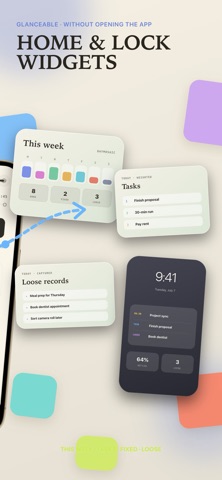
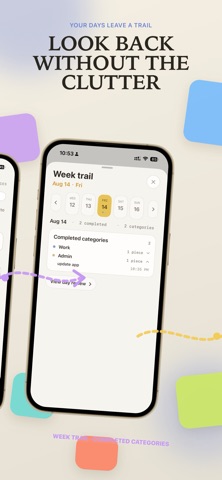
It combines a daily calendar, a focused today list, visual task blocks, voice capture, and a Day Story that helps you understand how your day unfolded.
Instead of managing your day as an endless to-do list, DayMosaic turns each task into a visible piece of space. Small tasks stay small. Bigger tasks take up more room. Time becomes less abstract, and your day becomes easier to read before it slips away.
Use DayMosaic to:
- Plan your day with a clear daily calendar
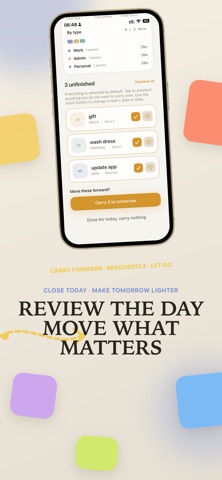
- Keep today's tasks in a focused daily list
- Turn tasks into visual blocks with different sizes
- Understand what your day can realistically hold
- Add fixed-time tasks when something has a clear time
- Capture new tasks quickly with your voice
- Drop uncertain ideas into loose pieces
- Create a Day Story to reflect on your day
DayMosaic is built for daily planning, time awareness, focus, time blocking, quick capture, and realistic task management.
It is not a heavy project management tool. It is a quiet place to shape today's work, notice where your time is going, and avoid overfilling your day.
Best for:
- People who feel overwhelmed by long to-do lists
- Visual thinkers who need to see their day, not just read it
- Anyone who loses track of time during busy or scattered days
- Students, makers, freelancers, and independent workers
- People who want a simple daily planner with calendar, tasks, voice capture, and reflection in one place
Plan today by what it actually takes, not just by what fits on a list.
Terms of Use: https://legal.daypieces.zanderwang.com/terms