

DEFA Power Setup is made and published by DEFA AS. AppBrain is an independent app data site and isn't affiliated with DEFA AS. The app name, icon, screenshots and description belong to DEFA AS and are shown as published on the App Store.
AppBrain's verdict
- Last updated
- February 5, 2026
Rankings
App Store top chartsApp Store Rankings for DEFA Power Setup
Competitors
Similar apps and more from DEFA ASAlternatives to DEFA Power Setup



More from DEFA AS





Releases
Updates seen on the App Store- Version
- 3.2.1
- Launched
- May 2023
No changelog data
User feedback
Ratings and reviews on the App StoreComments on DEFA Power Setup for iOS
We don't have enough comments to show example comments. Please check back later.
Technology
Found in the app by AppBrain- Price
- Free
- App size
- 24.7 MB
- Content rating
- Medium
Technologies used by DEFA Power Setup
About the app and developer
About DEFA Power Setup
DEFA Power Setup is a business app developed by DEFA AS.
User Ratings
The app has no ratings yet.
App Information
DEFA Power Setup is freely available from the App Store. The app size is 24.73 MB. The latest version available is 3.2.1. The last update was on February 5, 2026.
Technical Requirements
The app has a content rating of Medium Maturity. The app has been available on the App Store since May 2023.
Developer information for DEFA AS
Address:
Frequently asked questions about DEFA Power Setup
Is DEFA Power Setup free?
Yes. DEFA Power Setup is free on the App Store.
Is DEFA Power Setup still available?
Yes. DEFA Power Setup is on the App Store, and the last update we saw was on February 5, 2026.
How large is DEFA Power Setup?
DEFA Power Setup is 24.73 MB.
Is DEFA Power Setup suitable for children?
App Store gives DEFA Power Setup a medium maturity rating, so it is not meant for young children.
Who made DEFA Power Setup?
DEFA Power Setup was developed by DEFA AS. It is listed in the business category on the App Store.
What are the best alternatives to DEFA Power Setup?
People looking at DEFA Power Setup also look at these business apps: Kivra, Call List: Job Scheduler App, TeamViewer Assist AR (Pilot), F-Secure FREEDOME VPN, TapeACall: Call Recorder.
Store listing
By DEFA AS, from the App Store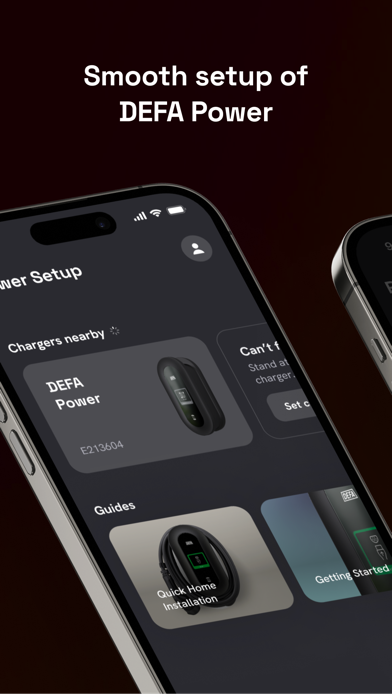
Description by DEFA AS Written by the developer, not by AppBrain. Click to read.
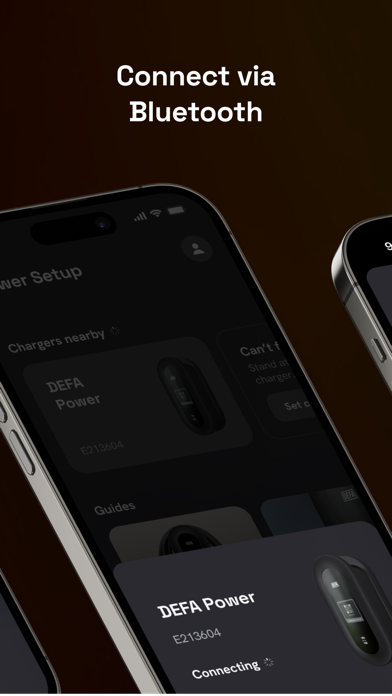
• Connect via Bluetooth: By using BLE (Bluetooth low energy), you will be able to connect to your charging station. The app will automatically search for DEFA Power devices nearby after you are onboarded. Select your device, and a connection will be established.
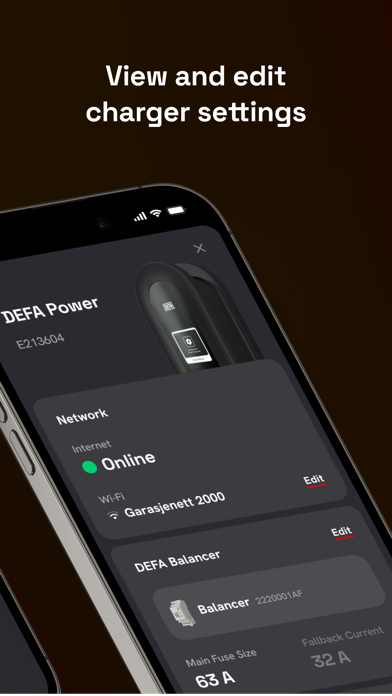
• View and edit charger settings: Get an overview of the settings on the device in the dashboard overview. Select for example between network settings, charger-specific settings or settings related to load balancing.
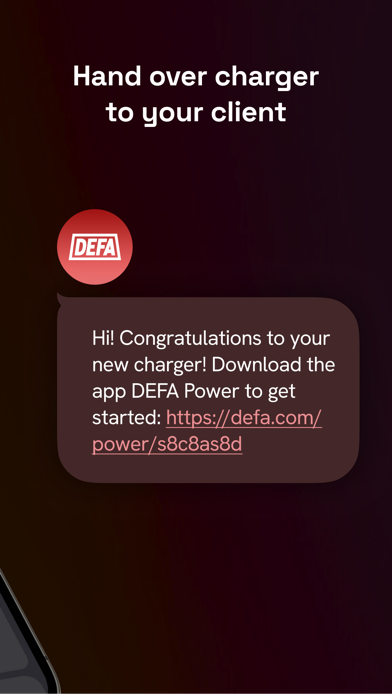
• Handover charger to your client: trigger a quick test with the app to verify your settings and the proper functionality of your device before you hand over the charger to you client so they can be onboarded to use their new DEFA Power.