

Dev Calc -Developer Calculator
Dev Calc -Developer Calculator is made and published by Toshiya Hondo. AppBrain is an independent app data site and isn't affiliated with Toshiya Hondo. The app name, icon, screenshots and description belong to Toshiya Hondo and are shown as published on the App Store.
AppBrain's verdict
Established- Rating on App Store
- 2.00
- 2 ratings
- Last updated
- December 14, 2025
It doesn't have enough ratings yet to judge what users think.
Rankings
App Store top chartsApp Store Rankings for Dev Calc -Developer Calculator
Competitors
Similar apps and more from Toshiya HondoAlternatives to Dev Calc -Developer Calculator






More from Toshiya Hondo


Releases
Updates seen on the App Store- Version
- 2.1.4
- Launched
- July 2021
No changelog data
User feedback
Ratings and reviews on the App StoreComments on Dev Calc -Developer Calculator for iOS
We don't have enough comments to show example comments. Please check back later.
Technology
Found in the app by AppBrain- Price
- Free
- App size
- 51.0 MB
- Content rating
- Everyone
Technologies used by Dev Calc -Developer Calculator
About the app and developer
About Dev Calc -Developer Calculator
Dev Calc -Developer Calculator is a productivity app developed by Toshiya Hondo.
What is the rating of Dev Calc -Developer Calculator?
Dev Calc -Developer Calculator is rated 2.00 out of 5 stars, based on 2 ratings.
Is Dev Calc -Developer Calculator free?
Dev Calc -Developer Calculator is free. The app size is 50.99 MB. The latest version available is 2.1.4. The last update was on December 14, 2025.
What are the requirements for Dev Calc -Developer Calculator?
The app has a content rating of Everyone. The app has been available on the App Store since July 2021.
Developer information for Toshiya Hondo
Address:
Store listing
By Toshiya Hondo, from the App Store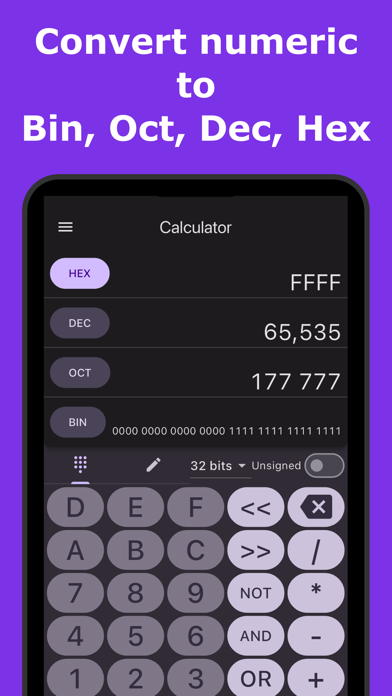



Description by Toshiya Hondo Written by the developer, not by AppBrain. Click to read.
** Introduction **
This is a calculator app to help System Developers and Programmers.
Convert numeric to binary, octal, decimal, hex immediately.
You can set conversion bit number and signed/unsigned, so you can adjust settings for binary, short, int, long.
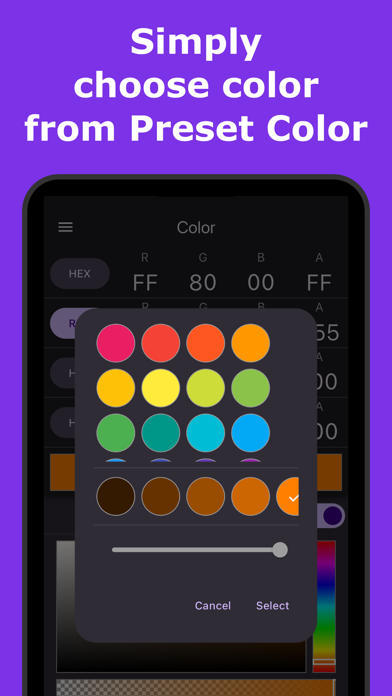
Also you can get clolor code for system application from RGB and Color Picker.
And you can choose preset color simply.
** Overview **
- Convert numeric to binary, octal, decimal, hex immediately.
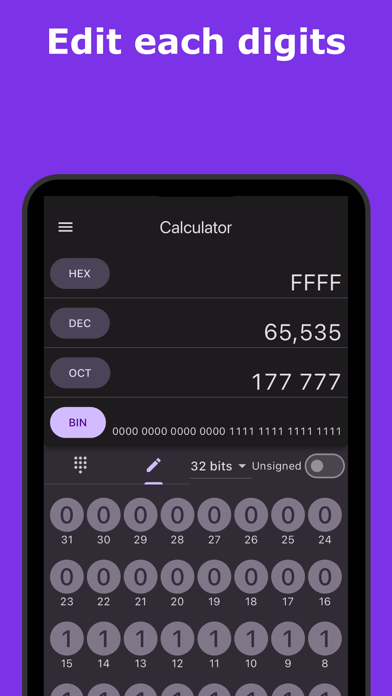
- You can edit each digits for detailed confirmation.
- You can get color code from RGB, HSL, HSV and Color Picker.
- Using preset color, you can get color code quickly.
** Characteristics **
>> Numeric conversion
- You can input numeric in binary, octal, decimal, hex.
- You can choose bits size from 8bits, 16bits, 32bits, 64bits.
- You can choose signed numeric or unsigned numeric.
- you can edit each digits directly.
>> Color code
- You can see a color code in Hex, RGB, HSL and HSV.
- Support alpha channel of color.
- You can get a color code from RGB, HSL, HSV adjuster and Color Picker.
- You can get a color code just by choosing a preset color.
** Terms of Use **
https://coconutsdevelop.com/en/terms/terms_of_use.html
** Developer website **
https://coconutsdevelop.com/