

Digi ConnectCore Quick Setup
Digi ConnectCore Quick Setup is made and published by Digi International Inc. AppBrain is an independent app data site and isn't affiliated with Digi International Inc. The app name, icon, screenshots and description belong to Digi International Inc. and are shown as published on the App Store.
AppBrain's verdict
- Last updated
- July 9, 2026
Rankings
App Store top chartsApp Store Rankings for Digi ConnectCore Quick Setup
Competitors
Similar apps and more from Digi International Inc.Alternatives to Digi ConnectCore Quick Setup






More from Digi International Inc.


Releases
Updates seen on the App Store- Version
- 1.2.4
- Launched
- March 2023
No changelog data
User feedback
Ratings and reviews on the App StoreComments on Digi ConnectCore Quick Setup for iOS
We don't have enough comments to show example comments. Please check back later.
Technology
Found in the app by AppBrain- Price
- Free
- App size
- 71.9 MB
- Content rating
- Everyone
Technologies used by Digi ConnectCore Quick Setup
About the app and developer
About Digi ConnectCore Quick Setup
Digi ConnectCore Quick Setup is an utilities app developed by Digi International Inc.
User Ratings
The app has no ratings yet.
App Information
Digi ConnectCore Quick Setup is freely available from the App Store. The app size is 71.89 MB. The latest version available is 1.2.4. The last update was on July 9, 2026.
Technical Requirements
The app has a content rating of Everyone. The app has been available on the App Store since March 2023.
Developer information for Digi International Inc.
Address:
Store listing
By Digi International Inc., from the App Store


Description by Digi International Inc. Written by the developer, not by AppBrain. Click to read.
Get started with your Digi ConnectCore Kit:
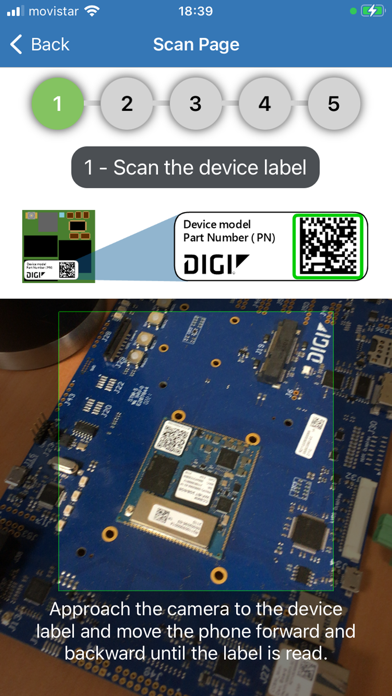
- Look for and connect to nearby ConnectCore devices through Bluetooth Low Energy by scanning the device QR label.
- Step by step guided initial setup of your ConnectCore development kit, including the creation of your ConnectCore Cloud Services first account.
- Provision the device within Digi ConnectCore Cloud Services.
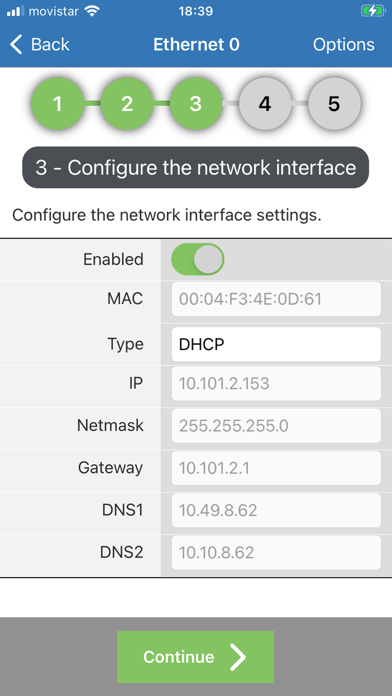
- Initial configuration of the ConnectCore device main network interface.
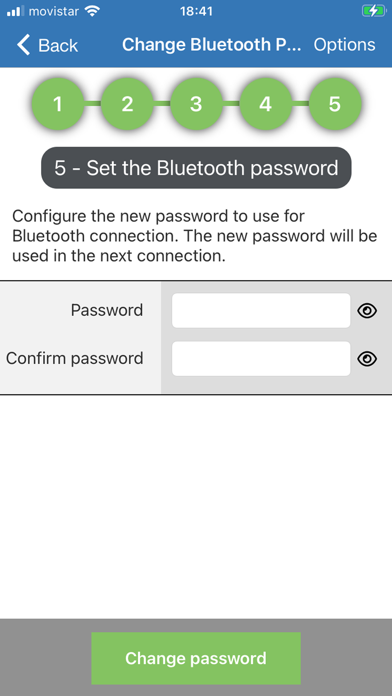
- Initial configuration of the ConnectCore device Bluetooth password.
Provision ConnectCore devices within Digi Remote Manager using multiple methods:
- Scan QR Code – Quickly add a device by scanning its QR code.
- Manual Entry – Input device details manually for greater flexibility.
- File Import – Bulk provision devices by loading their information from a file in the file system.