

Distance Routes Navigation
Distance Routes Navigation is made and published by Mudarmeen Munlin. AppBrain is an independent app data site and isn't affiliated with Mudarmeen Munlin. The app name, icon, screenshots and description belong to Mudarmeen Munlin and are shown as published on the App Store.
AppBrain's verdict
- Last updated
- November 12, 2024
- Size
- 12.3 MB
User feedback
Ratings and reviews on the App StoreComments on Distance Routes Navigation for iOS
We don't have enough comments to show example comments. Please check back later.
Store listing
By Mudarmeen Munlin, from the App Store



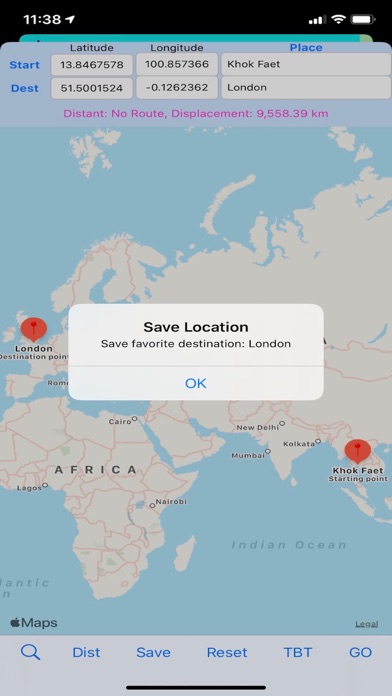
Description by Mudarmeen Munlin Written by the developer, not by AppBrain. Click to read.
-auto set destination
-measure distance and displacement between current location and destination
-set point1 and point2
-measure distance and displacement between point1 and point2
-measure distance and displacement manually by entering latitude and longitude in the textfield.
-Display current location place name, latitude and longitude.
-Tap anywhere on map to retrieve place name, latitude and longitude.
-Local search places display place name in table view along with latitude and longitude.
-If you want to draw route, compute the distance (road travel) and displacement (air travel), marking coordinates and place name, pin annotation for outside plant work.
-Bookmark favorite places for frequently used for one click navigation.
-measure the distance (by road) or the displacement (shortest direct distance) between two locations.
App Features
-Display map and your current location, latitude, longitude, accuracy, altitude, Traveled walking distance, current place name and address.
-Local search places near by.
-Display search results annotation in map view.
-Search places on earth or long press on map then tap pin to compute the distance from the current location.
-Choose start and destination point latitude and longitude from the favourite places to compute the distance, ETA, Turn by turn navigation, and displacement.
-Manually input latitude and longitude of the start and destination points to compute the distant.
-Edit or load the starting point latitude and longitude.
-Edit or load the destination point latitude and longitude.
-Compute the new distance and displacement of any start and end point.
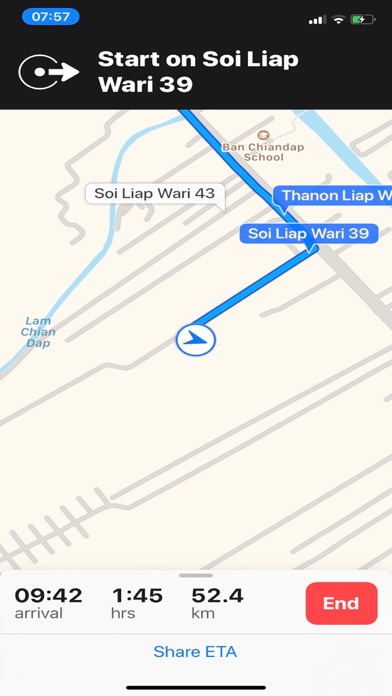
-Navigate to destination using Apple map.
How to use
Search View
-Open app, map displays all pins, display current address, latitude, longitude, accuracy, altitude, distance traveled.
-Pan to move map.
-Pinch map to zoom in, zoom out.
-Tap on DistantTraveled label to zero distance and change map region to 100 m.
-Tap on address label to toggle map type.
-Tap on horizontal acc label to change map region to 2,500 km.
-Tap Refresh button to display all pins.
-Enter search key in WhereTo textfield and hit Search to search places and display pins.
-Tap each pin to compute the distance from the current location.
-Tap Folder button to view search result.
-Tap Share button to share current location.
-Tap Bookmark button to show the favourite places.
-Tap + button to return to current location map view.
Search Result
-Tap on destination place name to calculate distance and displacement from current location to destination and ready to navigate.
-Tap Back button to return to map search.
Favorite places
-Places display with coordinate latitude and longitude sorted in alphabetical order along with table index, easier to browse.
-Tap on destination place to calculate distance and displacement from current location to destination and ready to navigate.
-Tap key index to display places at the top of table view
-Swipe left to delete.
Distance View
-Tap Save button to save the current destination point into favourite places.
-Tap Start button to load the start point from favourite places.
-Tap Dest button to load the destination from favourite places.
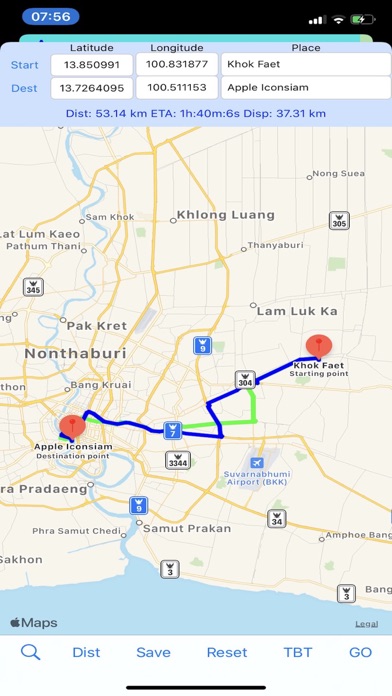
-Tap Dist button to compute the distance, Estimated Time of Arrival (ETA) and displacement from start to dest point.
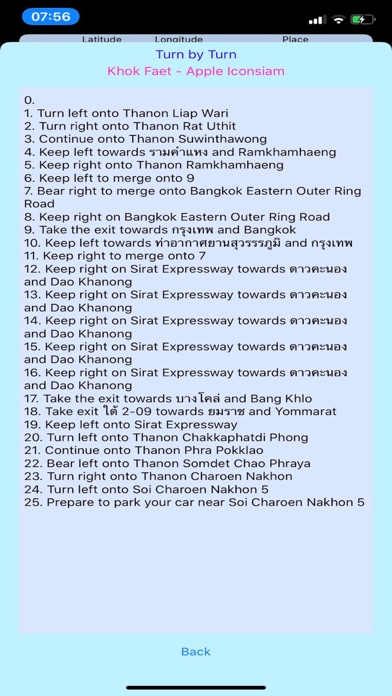
-Tap TBT button to see the overview of the turn by turn navigation.
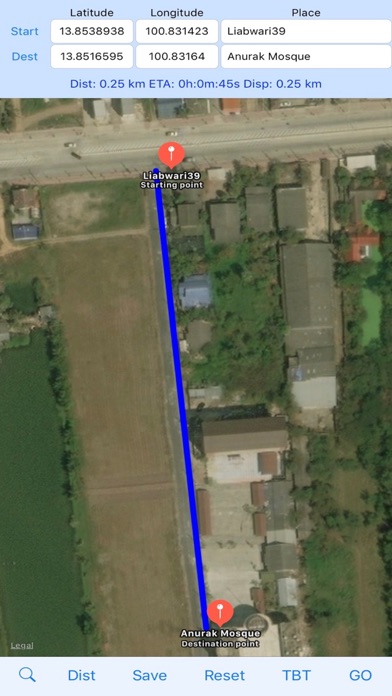
-Edit latitude, longitude and place name to manually change the coordinates and name of the start and dest points. It can manually mark and compute distance or displacement between two end points along with visual route and pin name.
-Tap Dist button to recompute dist, disp, ETA, and pins.
Move around the map using pan, pinch, or double tap.
-Tap Reset button to center map on the start and destination point.
-Tap Place label to toggle map type.
-Tap Go button to navigate using Apple Map.
-Tap magnify glass to return to Search View.
Safety and technology
Found in the app by AppBrain- Price
- Free
- App size
- 12.3 MB
- Content rating
- Everyone
Technologies used by Distance Routes Navigation
Releases
Updates seen on the App Store- Version
- 2.55
- Launched
- September 2018
No changelog data
Alternatives
Similar apps and more from Mudarmeen MunlinAlternatives to Distance Routes Navigation








More from Mudarmeen Munlin




Rankings
App Store top chartsApp Store Rankings for Distance Routes Navigation
About the app and developer
About Distance Routes Navigation
Distance Routes Navigation is a travel app developed by Mudarmeen Munlin.
User Ratings
The app has no ratings yet.
App Information
Distance Routes Navigation is freely available from the App Store. The app size is 12.33 MB. The latest version available is 2.55. The last update was on November 12, 2024.
Technical Requirements
The app has a content rating of Everyone. The app has been available on the App Store since September 2018.
Developer information for Mudarmeen Munlin
Address:
Frequently asked questions about Distance Routes Navigation
Is Distance Routes Navigation free?
Yes. Distance Routes Navigation is free on the App Store.
Is Distance Routes Navigation still available?
Yes. Distance Routes Navigation is on the App Store, and the last update we saw was on November 12, 2024.
How large is Distance Routes Navigation?
Distance Routes Navigation is 12.33 MB.
Is Distance Routes Navigation suitable for children?
App Store rates the content of Distance Routes Navigation as suitable for everyone.
Who made Distance Routes Navigation?
Distance Routes Navigation was developed by Mudarmeen Munlin. It is listed in the travel category on the App Store.
What are the best alternatives to Distance Routes Navigation?
People looking at Distance Routes Navigation also look at these travel apps: My Pin Address, Outdoor Explorer Utah - Map, Retrace AR, Polesitter, LocateMeUp.