

GPS Photos Lite
GPS Photos Lite is made and published by Mudarmeen Munlin. AppBrain is an independent app data site and isn't affiliated with Mudarmeen Munlin. The app name, icon, screenshots and description belong to Mudarmeen Munlin and are shown as published on the App Store.





AppBrain's verdict
Established- Rating on App Store
- 2.00
- 1 ratings
- Last updated
- July 18, 2026
- Size
- 5.20 MB
It doesn't have enough ratings yet to judge what users think.
User feedback
Ratings and reviews on the App StoreComments on GPS Photos Lite for iOS
We don't have enough comments to show example comments. Please check back later.
Store listing
By Mudarmeen Munlin, from the App StoreDescription by Mudarmeen Munlin Written by the developer, not by AppBrain. Click to read.
-Taking photo, checking in and stamping existing old memory photos with place and date.
-Long press on any location on map to get the full street address, location, temperature and pm2.5 pollution.
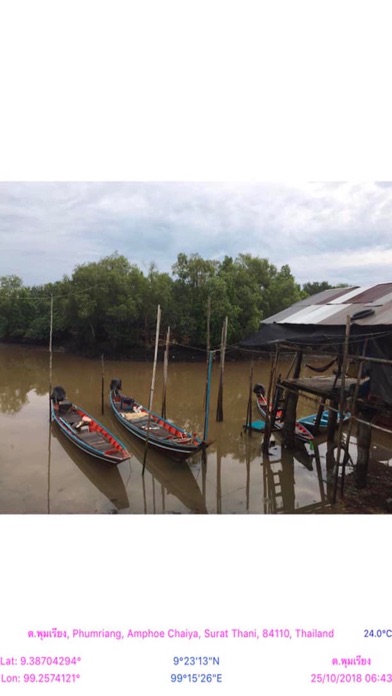
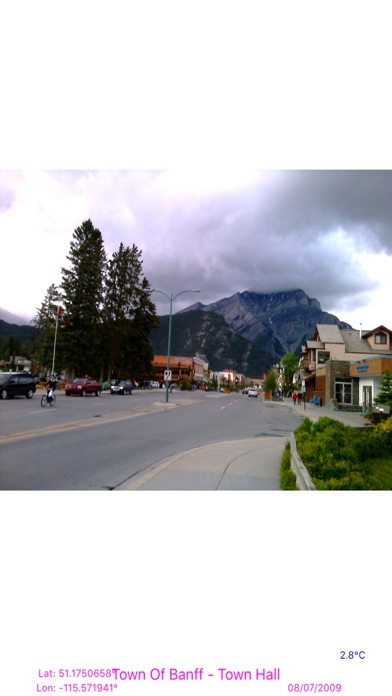
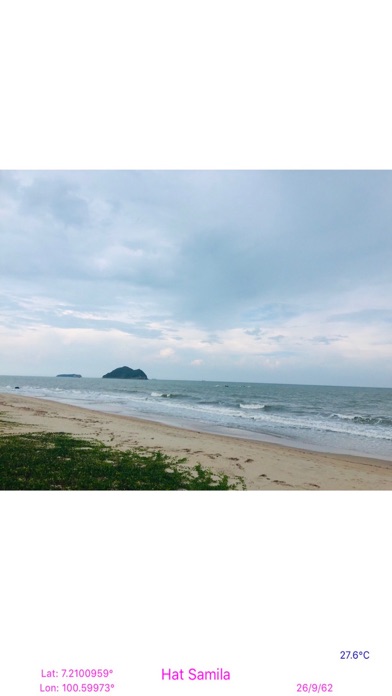
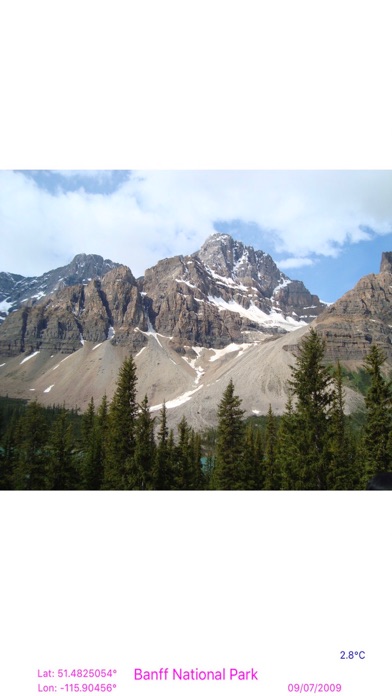
-Open app, Take photo, the current location address, place name, latitude, longitude, date, time and temperature are written at the bottom of the photo to remember, who, where and when they are.
-Set the specific place name to get exact point of interested (POI) on the photo.
-Auto save photo with embedded GPS data.
-Transform photo (pan, scale, rotate) and save to camera roll.
-Use for every check in activities, e.g. all purpose delivery, inspection jobs, start/finish outside plant jobs, tourist attraction, etc.
-Search any place on map to get the full address and place name, then stamps existing old memories photos with new date, place and location from selected place.
-retrieve coordinate latitude, longitude and address from search place.
-auto add full address Street, SubDistrict, District, City, State, ZIP, Country decoded from latitude and longitude of search place result.
- Take picture and stamp with latitude and longitude, DMS, place name, address and the current date, time and temperature.
- Import existing picture from the photo library and stamp with the place name and date.
- Capture the map screen with GPS data stamped on it.
- Save current location data, e.g. latitude and longitude, DMS, place name, and address from any place on map.
- Good for keeping picture as your memories in time.
- Upload GPS photo to other app or drive.
- Useful for all kind of prove and inspection using picture embedded with place or address, current date and time, and latitude and longitude, e.g. police patrol, court warrant delivery, check in, postman, Kerry, etc.,
- Useful for outside plant work, to initiate job or close job with picture stamping with location, latitude, longitude, DMS, address and contractor name as well as location map.
- Also useful for stamping existing old memory photos with place and date.
- Optional to hide address, location and current time.
- Stamp place name and date for old stock of photos.
- Display current temperature.
- Three colors temperature: blue (less than 20 celsius), orange (20-30 celsius) and red (> 30 celsius).
-Three colors pm2.5 pollution: green (less than 50) orange (50-100), and red (>100).
- Current location address will display automatically by detecting the current location.
How to use App
1. Address will display automatically by detecting the current location.
Tap on any GPS label item to hide it.
Single tap on map to toggle zoom in/zoom out.
Double tap on the map to toggle map type.
Tap Share button on the default map to save map with the current GPS label items and share it.
2. Tap Camera button to take photo. Tap Use Photo to save the image and we can Pinch on image to zoom in/zoom out, Pan on image to move an image, Turn image with two fingers to rotate, Double tap on image to reset.
3. Tap home button to set the new place label.
4. Tap Share button to share the current photo with embedded GPS text to other app.
5. Tap Folder button to import photo form the photo library to stamp with the user defined place and date.
6. Tap Save button to save the current screen image.
7. Tap + to return to default map view and show all GPS label items.
8. Tap airplane button to flyover current location or selected pin or search result to view amazing 3D metropolitan city.
To stamp existing photo with pace and date
1. enter search keyword.
2. select place from tableview, and click Back.
3. place name, latitude, longitude, temperature and current date time display on label and center map on selected place
4. tap on folder button to open photo from photo gallery.
5. tap on Calendar button to set the new date when that photo was taken.
6. tap Save.
7. tap New (+) button to return to current location mapview and default gps labels.
Safety and technology
Found in the app by AppBrain- Price
- Free
- App size
- 5.20 MB
- Content rating
- Everyone
Technologies used by GPS Photos Lite
Releases
Updates seen on the App Store- Version
- 1.91
- Launched
- December 2019
No changelog data
Alternatives
Similar apps and more from Mudarmeen MunlinAlternatives to GPS Photos Lite







More from Mudarmeen Munlin





Rankings
App Store top chartsApp Store Rankings for GPS Photos Lite
About the app and developer
About GPS Photos Lite
GPS Photos Lite is a photo & video app developed by Mudarmeen Munlin.
What is the rating of GPS Photos Lite?
GPS Photos Lite is rated 2.00 out of 5 stars, based on one rating ratings.
Is GPS Photos Lite free?
GPS Photos Lite is free. The app size is 5.20 MB. The latest version available is 1.91. The last update was on July 18, 2026.
What are the requirements for GPS Photos Lite?
The app has a content rating of Everyone. The app has been available on the App Store since December 2019.
Developer information for Mudarmeen Munlin
Address: