

DocScanner - Document Scan
DocScanner - Document Scan is made and published by Skyraan Technologies. AppBrain is an independent app data site and isn't affiliated with Skyraan Technologies. The app name, icon, screenshots and description belong to Skyraan Technologies and are shown as published on the App Store.
AppBrain's verdict
- Last updated
- March 13, 2026
Rankings
App Store top chartsApp Store Rankings for DocScanner - Document Scan
Competitors
Similar apps and more from Skyraan TechnologiesAlternatives to DocScanner - Document Scan


More from Skyraan Technologies






Releases
Updates seen on the App Store- Version
- 1.0.4
- Launched
- December 2024
No changelog data
User feedback
Ratings and reviews on the App StoreComments on DocScanner - Document Scan for iOS
We don't have enough comments to show example comments. Please check back later.
Technology
Found in the app by AppBrain- Price
- Free
- App size
- 75.9 MB
- Content rating
- Everyone
Technologies used by DocScanner - Document Scan
About the app and developer
About DocScanner - Document Scan
DocScanner - Document Scan is a reference app developed by Skyraan Technologies.
What is the rating of DocScanner - Document Scan?
DocScanner - Document Scan has no ratings yet.
Is DocScanner - Document Scan free?
DocScanner - Document Scan is free. The app size is 75.92 MB. The latest version available is 1.0.4. The last update was on March 13, 2026.
What are the requirements for DocScanner - Document Scan?
The app has a content rating of Everyone. The app has been available on the App Store since December 2024.
Developer information for Skyraan Technologies
Address:
Store listing
By Skyraan Technologies, from the App Store




Description by Skyraan Technologies Written by the developer, not by AppBrain. Click to read.
Introducing Docs Scanner, your all-in-one solution for effortless document management! With advanced scanning capabilities, you can easily digitize documents, photos, ID cards, and business cards in seconds. Our app features powerful Optical Character Recognition (OCR) technology, enabling you to convert images into editable text, while the QR scan feature makes accessing information a breeze. Whether you need to sign documents digitally or capture high-quality scans with auto or manual options, Docs Scanner has you covered. Experience the convenience of organizing your files with a favorite feature, ensuring you have quick access to your most important documents. Transform the way you handle paperwork with Docs Scanner today!
Docs Scanner contains and Features-
Document Scan: Easily digitize any document.
Photo Scan: Capture and save high-quality photos and make them into documents..
ID Card Scan: Scan and store ID cards effortlessly.
Book Scan: Convert book pages into digital files.
Business Card Scan: Keep digital copies of business cards.
OCR: Turn images into text.
QR Scan: Quickly read QR codes for information.
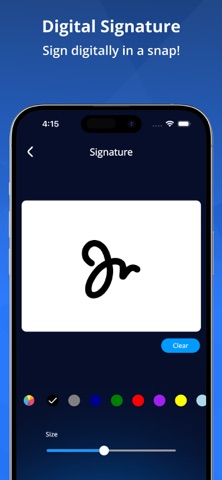
Digital Signature: Sign documents on your device.
Auto Capture: Automatically scan documents with one tap.
Manual Capture: Choose manual scanning for precision.
Favorites: Save important scans for easy access.
Secure Document: Share and download your files securely for peace of mind.
Export to Zip File: Easily compress and export documents into a single zip file.
Experience the power of seamless scanning with Docs Scanner! Transform your documents, photos, and more into digital files effortlessly. Download now and take the first step toward efficient document management!