


AppBrain's verdict
EstablishedLoved by users- Rating on App Store
- 4.53
- 1,039 ratings
- Last updated
- November 13, 2026
- Size
- 101.9 MB
Users love it: 4.5 stars from 1,039 ratings.
User feedback
Ratings and reviews on the App StoreComments on Documents: File Manager, PDF for iOS
We don't have enough comments to show example comments. Please check back later.
Store listing
By Khanh Le, from the App StoreDescription by Khanh Le Written by the developer, not by AppBrain. Click to read.
** Documents (PC File Explore): Manage files and using Multiple Select, Cut/Copy/Paste, Move, Create, Delete, Rename, Search, Share, Send. All operations can be performed on local files app manager.
* Explorer file: File storage can containt file organizer in folder and the folders are organized under a hierarchy of directories and subdirectories.
FEATURES
# My Manager Files, File commander:
- Create new folder? - Copy, cut, paste, delete, rename operations
- Create file text/Note and file sharing it
- Sort files by "Name", "Size", "Type", "Modified Date"
- "Open in" feature allows you to open files in other apps
- Take photo or video inside the app.
- Support iTunes USB File Sharing
- Transfer files from your PC/Mac using Wi-Fi
- Multiple clouds(Google Drive, Dropbox and more)
- Backup the images, video from to clouds, drive
- Support multi selection files
- Built-in search feature
- Support shortcut long press selected item
in Header Section: Add photo or video
- Share folder and Share Files by email, bluetooth ...
# Shows thumbnails: For Videos and images
# Text viewers(txt) and editors
- Control font and size
- File sharing through to cloud
# Powerful media player
- Play all audio file in current a folder
- Save videos in any folders
- Support mov, m4v, mp4, flv, avi
# Music player, File Player
- Music manager in my folders or list song and can create my music folder of your
- Save Music in cloud or folders
- Suppor multimedia and background play
- Play control
- Support mp3, wav, wma with timelock
- Suport music transfer, imedia share to other device
# Recorder audio
- Unlimited recording time
- Loop recordings
- Trim recodings
# Document viewer
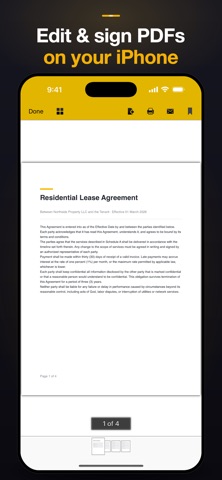
- Pdf viewer and Integrated PDF Reader(support open with password in pdf files) are good reader
- Support document: Microsoft Office, Excel, Power Point
- Send file as email attachment with folder, file
- Share any files on airdrop
# Support open ebook
#Built-in ZIP and RAR support: Allows you to compress and decompress ZIP folder, zip files (zip extractor), unpack RAR files with lock pass, and create ZIP lock files and share it
# Privacy Protection
- Passcode protect files(lock app)
and much more ...
if you need to contact or comments for app please send mail: khanhlv.it@gmail.com
File Manager Premium Subscriptions:
- Subscribed users have an ad-free experience.
- Auto-renewing subscription plans:
• Weekly (with 3-day free trial) — USD 4.99 / week after the trial
• Yearly — USD 19.99 / year
A one-time Lifetime purchase (USD 29.99, non-renewing) is also available.
- For the Weekly plan with a free trial: the trial lasts 3 days. If you do not cancel at least 24 hours before the trial ends, it automatically converts to a paid Weekly subscription at USD 4.99 per week.
- Payment will be charged to your iTunes/Apple ID account at confirmation of purchase.
- Subscription automatically renews unless auto-renew is turned off at least 24 hours before the end of the current period.
- Your account will be charged for renewal within 24 hours prior to the end of the current period, at the cost indicated for your selected plan.
- Subscriptions may be managed by the user, and auto-renewal may be turned off by going to the user's Account Settings after purchase.
- Any unused portion of a free trial period will be forfeited when the user purchases a subscription, where applicable.
Privacy Policy: https://tapfiles.blogspot.com/2019/09/privac-policy.html
Terms of Use (EULA): https://tapfiles.blogspot.com/2019/09/licensed-application-end-user-license.html
Safety and technology
Found in the app by AppBrain- Price
- Free
- App size
- 101.9 MB
- Content rating
- High
Technologies used by Documents: File Manager, PDF
Releases
Updates seen on the App Store- Version
- 2.5
- Launched
- October 2018
No changelog data
Alternatives
Similar apps and more from Khanh LeAlternatives to Documents: File Manager, PDF


More from Khanh Le





Rankings
App Store top chartsApp Store Rankings for Documents: File Manager, PDF
About the app and developer
About Documents: File Manager, PDF
Documents: File Manager, PDF is an entertainment app developed by Khanh Le.
What is the rating of Documents: File Manager, PDF?
Documents: File Manager, PDF is rated 4.53 out of 5 stars, based on 1 thousand ratings.
Is Documents: File Manager, PDF free?
Documents: File Manager, PDF is free. The app size is 101.87 MB. The latest version available is 2.5. The last update was on November 13, 2026.
What are the requirements for Documents: File Manager, PDF?
The app has a content rating of High Maturity. The app has been available on the App Store since October 2018.
Documents: File Manager, PDF is made and published by Khanh Le. AppBrain is an independent app data site and isn't affiliated with Khanh Le. The app name, icon, screenshots and description belong to Khanh Le and are shown as published on the App Store.
Developer information for Khanh Le
Address: