It doesn't have enough ratings yet to judge what users think.
PDF Scanner App・Scan Document is made and published by
Khanh Le.
AppBrain is an independent app data site and isn't affiliated with Khanh Le.
The app name, icon, screenshots and description belong to Khanh Le and are shown as
published on the App Store.
About PDF Scanner App・Scan Document
PDF Scanner App・Scan Document is an utilities app developed by Khanh Le.
User Ratings
PDF Scanner App・Scan Document is rated 5.00 out of 5 stars. The rating is based on 14 ratings.
App Information
PDF Scanner App・Scan Document is freely available from the App Store. The app size is 37.02 MB. The latest version available is 1.8. The last update was on July 7, 2026.
Technical Requirements
The app has a content rating of Everyone. The app has been available on the App Store since May 2024.
Description by Khanh Le(from the App Store)
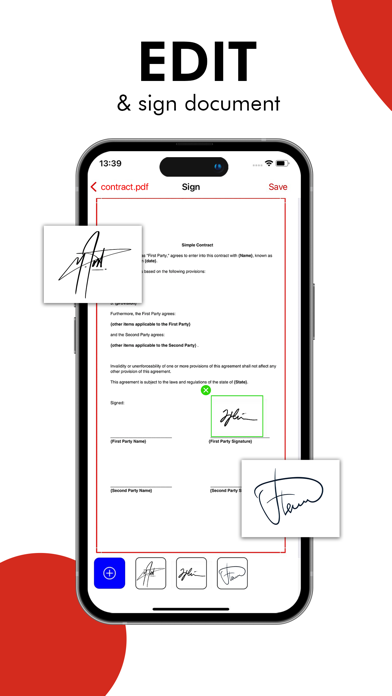
Scan PDF is a handy scanner app that will turn your iOS device into a powerful mobile scanner. Easily scan, save and share any document in PDF or PNG format. Save even more time with the e-sign feature – add your signature to electronic documents with just a few taps. Take this portable document scanner anywhere you go for your daily business needs. It doesn't require an Internet connection as all scans are stored locally on your device.
APP FEATURES:
Advanced PDF Scanner App:
– Scan to high-quality PDF or JPEG – Save scans in grayscale, black and white or color – Recognize and edit any text from your scans – Automatic shutter and border detection for any scannable object – Multipage scanning – scan as many pages as you like
Document Editor:
– E-sign any document by adding your signature to scans within the app
File Manager:
– Sort documents by name, date, type or size
– Choose between table and collection view modes
Document Sharing Tools:
– Share your scans via email
– Easy print your scans with any Wi-Fi printer
– Save scans to Photos
All scanned documents are stored locally on your device, they are inaccessible to us and to any third-party. You can easily share the documents by using the Share option.
Privacy Policy: https://tapfiles.blogspot.com/2019/09/privac-policy.html Terms of Use: https://tapfiles.blogspot.com/2019/09/licensed-application-end-user-license.html
Each subscription will automatically renew 3 days before the expiration date for
the same time period. Subscriptions can be cancelled at any time before the renewal.