

Docus Scan & Sign PDF Docs
Docus Scan & Sign PDF Docs is made and published by DANIIL SNADKIN, IE. AppBrain is an independent app data site and isn't affiliated with DANIIL SNADKIN, IE. The app name, icon, screenshots and description belong to DANIIL SNADKIN, IE and are shown as published on the App Store.
AppBrain's verdict
- Last updated
- May 1, 2026
Rankings
App Store top chartsApp Store Rankings for Docus Scan & Sign PDF Docs
Competitors
Similar apps and more from DANIIL SNADKIN, IEMore from DANIIL SNADKIN, IE


Releases
Updates seen on the App Store- Version
- 1.0
- Launched
- May 2026
No changelog data
User feedback
Ratings and reviews on the App StoreComments on Docus Scan & Sign PDF Docs for iOS
We don't have enough comments to show example comments. Please check back later.
Technology
Found in the app by AppBrain- Price
- Free
- App size
- 12.3 MB
- Content rating
- Everyone
Technologies used by Docus Scan & Sign PDF Docs
About the app and developer
About Docus Scan & Sign PDF Docs
Docus Scan & Sign PDF Docs is an utilities app developed by DANIIL SNADKIN, IE.
User Ratings
The app has no ratings yet.
App Information
Docus Scan & Sign PDF Docs is freely available from the App Store. The app size is 12.28 MB. The latest version available is 1.0. The last update was on May 1, 2026.
Technical Requirements
The app has a content rating of Everyone. The app has been available on the App Store since May 2026.
Developer information for DANIIL SNADKIN, IE
Address:
Frequently asked questions about Docus Scan & Sign PDF Docs
Is Docus Scan & Sign PDF Docs free?
Yes. Docus Scan & Sign PDF Docs is free on the App Store.
Is Docus Scan & Sign PDF Docs still available?
Yes. Docus Scan & Sign PDF Docs is on the App Store, and the last update we saw was on May 1, 2026.
How large is Docus Scan & Sign PDF Docs?
Docus Scan & Sign PDF Docs is 12.28 MB.
Is Docus Scan & Sign PDF Docs suitable for children?
App Store rates the content of Docus Scan & Sign PDF Docs as suitable for everyone.
Who made Docus Scan & Sign PDF Docs?
Docus Scan & Sign PDF Docs was developed by DANIIL SNADKIN, IE. It is listed in the utilities category on the App Store.
Store listing
By DANIIL SNADKIN, IE, from the App Store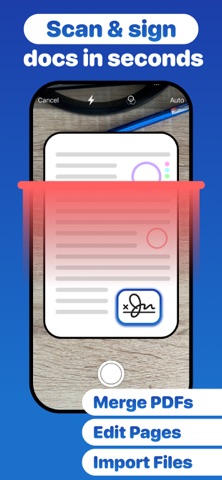



Description by DANIIL SNADKIN, IE Written by the developer, not by AppBrain. Click to read.
Turn any paper into a crisp, shareable PDF in seconds. Point your camera, scan, sign, and send — all in one app.
Whether you're a student scanning lecture notes, a professional signing contracts, or just someone who needs to deal with paperwork — Docus has everything you need.
SCAN
• Scan any document with your camera
• Auto edge detection & perspective correction
• Multi-page scanning in one session
• Import from Photos or Files
SIGN
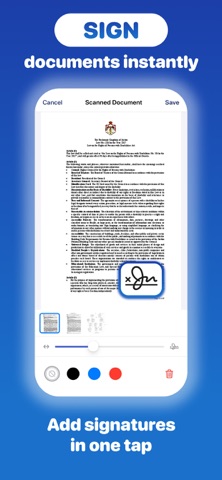
• Draw your signature with your finger
• Save multiple signatures, initials & stamps
• Place them anywhere on any PDF with precision
• Sign instantly — no printing needed
EDIT & COMBINE
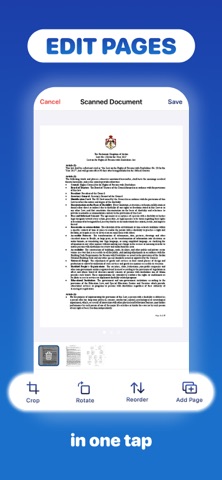
• Crop, rotate and reorder pages
• Merge multiple PDFs into one
• Delete unwanted pages
• Full page editing toolkit
EXPORT & SHARE
• Export finished documents as PDF
• Print directly from your iPhone
• Share via AirDrop, Mail, iCloud, Files and more
• Send to anyone, anywhere in one tap
FREE & PREMIUM
Free users get daily scans, exports, and editing. Go Premium for unlimited everything — weekly, monthly, or lifetime.
Try Docus free today. No fuss, no clutter — just clean PDFs.
Privacy Policy: https://snadkin.tech/apps/pdf-scanner/privacy
Terms of Use: https://snadkin.tech/apps/pdf-scanner/terms