

Draw Pixel Painting is made and published by 秉博 王. AppBrain is an independent app data site and isn't affiliated with 秉博 王. The app name, icon, screenshots and description belong to 秉博 王 and are shown as published on the App Store.
AppBrain's verdict
Established- Rating on App Store
- 5.00
- 10 ratings
- Last updated
- December 3, 2025
- Size
- 19.5 MB
It doesn't have enough ratings yet to judge what users think.
User feedback
Ratings and reviews on the App StoreComments on Draw Pixel Painting for iOS
We don't have enough comments to show example comments. Please check back later.
Store listing
By 秉博 王, from the App Store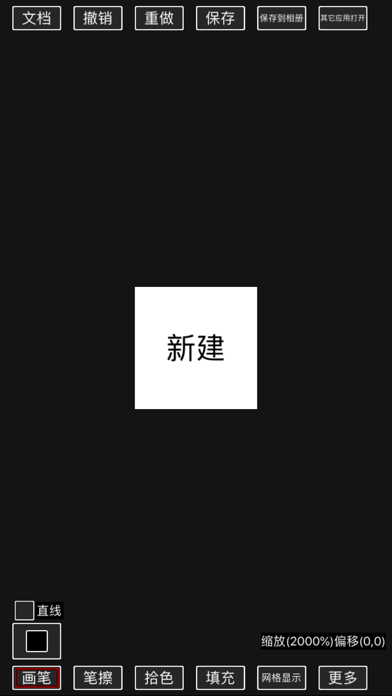

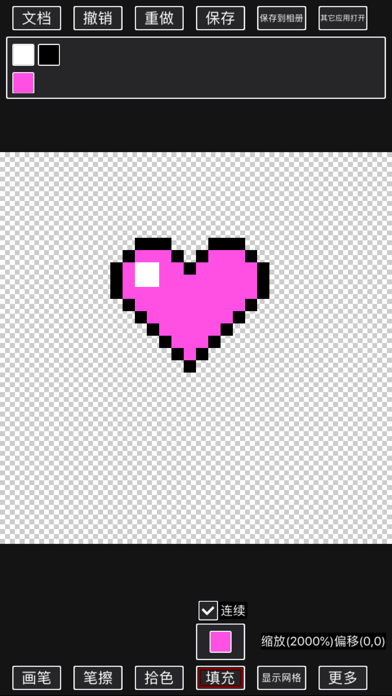
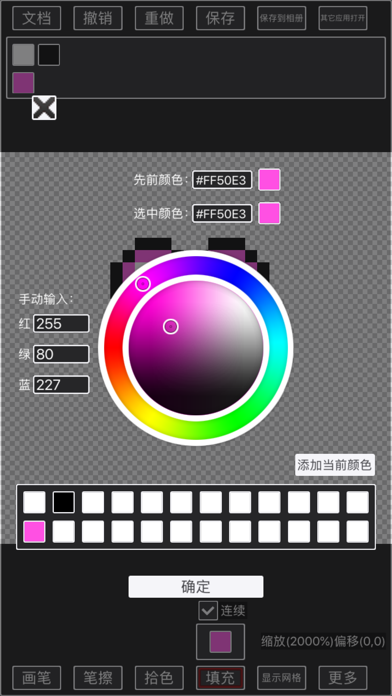
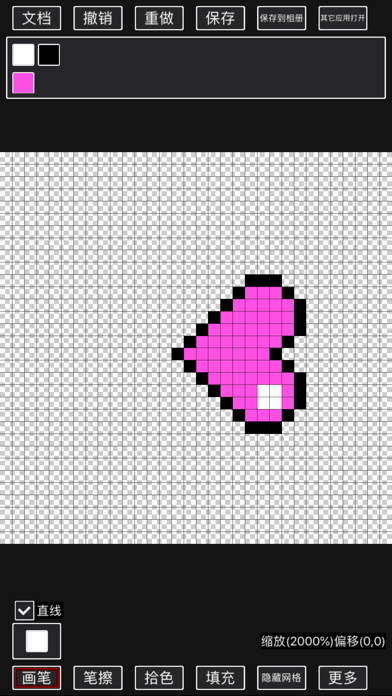
Description by 秉博 王 Written by the developer, not by AppBrain. Click to read.
The pen can draw straight lines, rectangles (can be forced to be square), ellipses (can be forced to be round) and regular polygons;
Various operations on the canvas support sliding operations directly on the canvas, or [press mode] operations;
The filling function can discontinuously replace colors;
Supports flipping and rotating the canvas left and right;
Support canvas size change, when changing, you can specify the direction of increase or decrease;
Support real-time preview function;
Color supports transparent channel, supports palette-related operations, and supports RGB and HSV modes for selecting colors;
Support layer related operations:
New layer;
Copy layer
Layer exchange level;
Layer chain
Layer naming;
Layer modification transparency;
Layer merging (the merging operation of invisible layers is equivalent to deleting layers, so only visible layers can be merged) includes upward merging, downward merging, all merging, and chain merging;
Delete the layer.
Support selection function:
In the selection mode, you can select the area;
The frame selection tool is used to directly select or increase or decrease the rectangular area;
The magic wand tool is used to directly select or increase or decrease adjacent areas of the same color;
After selecting an area, you can move the selection, or copy or cut the content of the selection to a new layer.
Support animation function:
(1). You can edit the animation by adding key frames on the timeline;
(2). Currently, it supports displaying and hiding key attributes and displacement key attributes, and supports popular easing interpolation effects between displacement key frames;
(3). Support exporting your work as gif animation. Please note that the gif format does not support translucency, and one pixel can only be completely transparent or completely opaque.
Support block function:
(1). You can save the entire document or a selection as a block;
(2). The block can be pasted into your current creation, and a new layer will be automatically created for the block;
(3). The picture block list is arranged in reverse order, so that the newly added picture blocks are the easiest to use.
Support opening the pixel art in the album and the pixel art shared from other applications, and support the resolution of the pixel art into the smallest pixel block;
When there is unsaved document content, the document can be automatically saved in the background to prevent the loss of creative content;
The built-in document module can be saved as a document (as a document), and the operation can be continued next time when it is closed. It can be saved to an album or sent to other applications.
Suggestions or comments are welcome to add QQ group 1018390234
Or send an email to the developer 758420631@qq.com
Safety and technology
Found in the app by AppBrain- Price
- Free
- App size
- 19.5 MB
- Content rating
- Low
Technologies used by Draw Pixel Painting
Releases
Updates seen on the App Store- Version
- 1.13.2
- Launched
- October 2019
No changelog data
Alternatives
Similar apps and more from 秉博 王Alternatives to Draw Pixel Painting





More from 秉博 王



Rankings
App Store top chartsApp Store Rankings for Draw Pixel Painting
About the app and developer
About Draw Pixel Painting
Draw Pixel Painting is an utilities app developed by 秉博 王.
User Ratings
Draw Pixel Painting is rated 5.00 out of 5 stars. The rating is based on 10 ratings.
App Information
Draw Pixel Painting is freely available from the App Store. The app size is 19.46 MB. The latest version available is 1.13.2. The last update was on December 3, 2025.
Technical Requirements
The app has a content rating of Low Maturity. The app has been available on the App Store since October 2019.
Developer information for 秉博 王
Address:
Frequently asked questions about Draw Pixel Painting
Is Draw Pixel Painting free?
Yes. Draw Pixel Painting is free on the App Store.
Is Draw Pixel Painting still available?
Yes. Draw Pixel Painting is on the App Store, and the last update we saw was on December 3, 2025.
How large is Draw Pixel Painting?
Draw Pixel Painting is 19.46 MB.
Is Draw Pixel Painting suitable for children?
App Store gives Draw Pixel Painting a low maturity rating, so it is meant for older children and up.
How do people rate Draw Pixel Painting?
Draw Pixel Painting scores 5.00 out of 5 stars, from 10 ratings on the App Store.
Who made Draw Pixel Painting?
Draw Pixel Painting was developed by 秉博 王. It is listed in the utilities category on the App Store.
What are the best alternatives to Draw Pixel Painting?
People looking at Draw Pixel Painting also look at these utilities apps: 像素鱼画家, 羊驼CG绘画-原画插画专业学习平台, HiDays - Countdown Tracker, 有爱清单-愿望清单和习惯打卡工具, Ordinary Calculator.