

Duo Bonsai - Close to Grow
Duo Bonsai - Close to Grow is made and published by tasuku nayuki. AppBrain is an independent app data site and isn't affiliated with tasuku nayuki. The app name, icon, screenshots and description belong to tasuku nayuki and are shown as published on the App Store.
AppBrain's verdict
- Last updated
- October 23, 2026
Rankings
App Store top chartsApp Store Rankings for Duo Bonsai - Close to Grow
Competitors
Similar apps and more from tasuku nayukiMore from tasuku nayuki


Releases
Updates seen on the App Store- Version
- 1.0
- Launched
- October 2026
No changelog data
User feedback
Ratings and reviews on the App StoreComments on Duo Bonsai - Close to Grow for iOS
We don't have enough comments to show example comments. Please check back later.
Technology
Found in the app by AppBrain- Price
- Free
- App size
- 4.61 MB
- Content rating
- Everyone
Technologies used by Duo Bonsai - Close to Grow
About the app and developer
About Duo Bonsai - Close to Grow
Duo Bonsai - Close to Grow is a productivity app developed by tasuku nayuki.
User Ratings
The app has no ratings yet.
App Information
Duo Bonsai - Close to Grow is freely available from the App Store. The app size is 4.61 MB. The latest version available is 1.0. The last update was on October 23, 2026.
Technical Requirements
The app has a content rating of Everyone. The app has been available on the App Store since October 2026.
Developer information for tasuku nayuki
Address:
Frequently asked questions about Duo Bonsai - Close to Grow
Is Duo Bonsai - Close to Grow free?
Yes. Duo Bonsai - Close to Grow is free on the App Store.
Is Duo Bonsai - Close to Grow still available?
Yes. Duo Bonsai - Close to Grow is on the App Store, and the last update we saw was on October 23, 2026.
How large is Duo Bonsai - Close to Grow?
Duo Bonsai - Close to Grow is 4.61 MB.
Is Duo Bonsai - Close to Grow suitable for children?
App Store rates the content of Duo Bonsai - Close to Grow as suitable for everyone.
Who made Duo Bonsai - Close to Grow?
Duo Bonsai - Close to Grow was developed by tasuku nayuki. It is listed in the productivity category on the App Store.
Store listing
By tasuku nayuki, from the App Store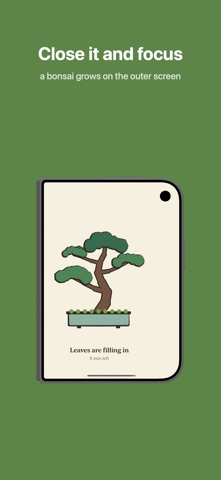


Description by tasuku nayuki Written by the developer, not by AppBrain. Click to read.
- Close it. It grows.
Pick 25, 50 or 90 minutes (or any time from 5 to 180 minutes) and close your phone. No start button. It begins 3 seconds after you set it down, and a vibration tells you when time is up.
- Open it. It wilts.
If you open your phone midway, you get 10 seconds of grace. After that, the tree slowly wilts. Close it quickly and it keeps growing from where it left off. In Normal mode it never dies; after 2 minutes it goes on the shelf at the size it reached. In Strict mode it starts wilting after 3 seconds and dies in a minute.
- A different tree every time
Every bonsai is a hand-drawn illustration with its own shape and branches. There are 5 classic styles: Formal upright (Chokkan), Slanting (Shakan), Informal upright (Moyogi), Literati (Bunjingi) and the rare Cascade (Kengai), which only grows in sessions of 50 minutes or more.
- Trees change with the seasons
Japanese apricot and cherry in spring, zelkova and trident maple in summer, Japanese maple and persimmon in autumn, black pine and shimpaku juniper in winter. The background follows the time of day, from morning to night.
- Your effort fills a shelf
Finished trees line up on your bonsai shelf, day by day. See your focus time for the week, collect all 40 entries in the collection, and keep a weekly goal. One rest day card per week means a day off won't break your streak.
- Take a break, then keep going
Stand your phone half-open after a session for a short break. Close it again to start the next one.
- Share your day
Make an image of today's bonsai or a short video of it growing, right on your device.
- On other iPhones
On an iPhone without a hinge, place it face down to start, or tap Start.
- Data
Your records stay on this device only. No account is needed, and nothing is sent to the developer.
- Price
Free. A banner ad appears only on the Shelf and Collection screens, never while you focus. A one-time "Remove Ads" purchase removes it.
Terms of Use: https://nayukitecture.com/works/duo-focus-terms-of-use.html