

Eagle Bank - Mobile
Eagle Bank - Mobile is made and published by Eagle Bank & Trust. AppBrain is an independent app data site and isn't affiliated with Eagle Bank & Trust. The app name, icon, screenshots and description belong to Eagle Bank & Trust and are shown as published on the App Store.
AppBrain's verdict
EstablishedLoved by users- Rating on App Store
- 4.79
- 580 ratings
- Last updated
- April 2, 2026
Users love it: 4.8 stars from 580 ratings.
Rankings
App Store top chartsApp Store Rankings for Eagle Bank - Mobile
Competitors
Similar apps and more from Eagle Bank & TrustAlternatives to Eagle Bank - Mobile




Releases
Updates seen on the App Store- Version
- 7.104.0.17083
- Launched
- September 2013
No changelog data
User feedback
Ratings and reviews on the App StoreComments on Eagle Bank - Mobile for iOS
We don't have enough comments to show example comments. Please check back later.
Technology
Found in the app by AppBrain- Price
- Free
- App size
- 188.2 MB
- Content rating
- Everyone
Technologies used by Eagle Bank - Mobile
About the app and developer
About Eagle Bank - Mobile
Eagle Bank - Mobile is a finance app developed by Eagle Bank & Trust.
What is the rating of Eagle Bank - Mobile?
Eagle Bank - Mobile is rated 4.79 out of 5 stars, based on 580 ratings.
Is Eagle Bank - Mobile free?
Eagle Bank - Mobile is free. The app size is 188.20 MB. The latest version available is 7.104.0.17083. The last update was on April 2, 2026.
What are the requirements for Eagle Bank - Mobile?
The app has a content rating of Everyone. The app has been available on the App Store since September 2013.
Developer information for Eagle Bank & Trust
Address:
Store listing
By Eagle Bank & Trust, from the App Store


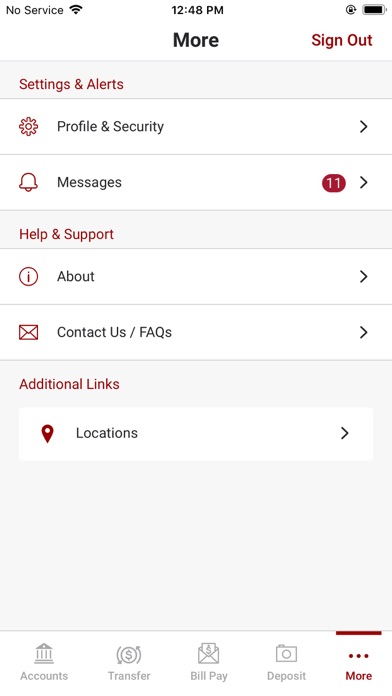
Description by Eagle Bank & Trust Written by the developer, not by AppBrain. Click to read.
Available features include:
Accounts:
•Check your latest account balance and search recent transactions by date, amount, or check number.
Transfers:
•Easily transfer cash between your accounts.
Bill Pay:
•Make payments and view recent and scheduled payments.
Deposits:
•Submit check deposits using your device’s camera.
Touch ID/Face ID:
•Touch ID/Face ID allows you to use a secure and more efficient sign-on experience using your fingerprint or facial recognition.