

Easy CSV Editor Mobile
Easy CSV Editor Mobile is made and published by VDT LABS S.R.L. AppBrain is an independent app data site and isn't affiliated with VDT LABS S.R.L. The app name, icon, screenshots and description belong to VDT LABS S.R.L. and are shown as published on the App Store.
AppBrain's verdict
- Rating on App Store
- 4.19
- 37 ratings
- Last updated
- August 15, 2026
It doesn't have enough ratings yet to judge what users think.
Rankings
App Store top chartsApp Store Rankings for Easy CSV Editor Mobile
Competitors
Similar apps and more from VDT LABS S.R.L.Alternatives to Easy CSV Editor Mobile





More from VDT LABS S.R.L.


Releases
Updates seen on the App Store- Version
- 1.26
- Launched
- August 2022
No changelog data
User feedback
Ratings and reviews on the App StoreComments on Easy CSV Editor Mobile for iOS
We don't have enough comments to show example comments. Please check back later.
Technology
Found in the app by AppBrain- Price
- Free
- App size
- 15.2 MB
- Content rating
- Everyone
Technologies used by Easy CSV Editor Mobile
About the app and developer
About Easy CSV Editor Mobile
Easy CSV Editor Mobile is an overall app developed by VDT LABS S.R.L.
User Ratings
Easy CSV Editor Mobile is rated 4.19 out of 5 stars. The rating is based on 37 ratings.
App Information
Easy CSV Editor Mobile is freely available from the App Store. The app size is 15.24 MB. The latest version available is 1.26. The last update was on August 15, 2026.
Technical Requirements
The app has a content rating of Everyone. The app has been available on the App Store since August 2022.
Developer information for VDT LABS S.R.L.
Address:
Frequently asked questions about Easy CSV Editor Mobile
Is Easy CSV Editor Mobile free?
Yes. Easy CSV Editor Mobile is free on the App Store.
Is Easy CSV Editor Mobile still available?
Yes. Easy CSV Editor Mobile is on the App Store, and the last update we saw was on August 15, 2026.
How large is Easy CSV Editor Mobile?
Easy CSV Editor Mobile is 15.24 MB.
Is Easy CSV Editor Mobile suitable for children?
App Store rates the content of Easy CSV Editor Mobile as suitable for everyone.
How do people rate Easy CSV Editor Mobile?
Easy CSV Editor Mobile scores 4.19 out of 5 stars, from 37 ratings on the App Store.
Who made Easy CSV Editor Mobile?
Easy CSV Editor Mobile was developed by VDT LABS S.R.L. It is listed in the overall category on the App Store.
What are the best alternatives to Easy CSV Editor Mobile?
People looking at Easy CSV Editor Mobile also look at these overall apps: Server: Host Files Locally, Device Info Tool, AWS IoT Sensors, JellyCuts, Trymata Testing.
Store listing
By VDT LABS S.R.L., from the App Store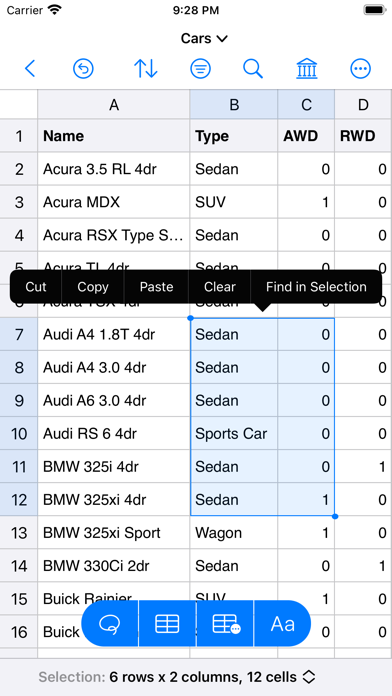



Description by VDT LABS S.R.L. Written by the developer, not by AppBrain. Click to read.
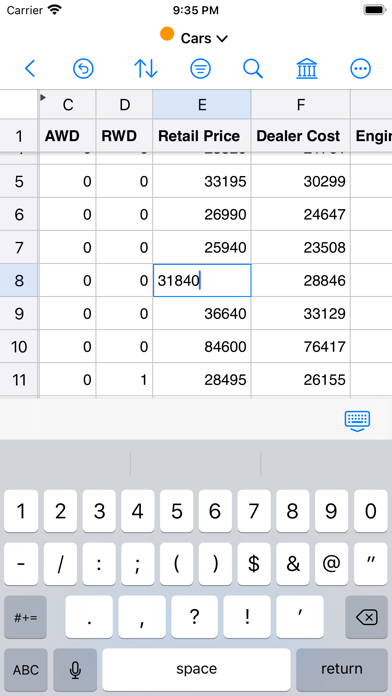
In a clean and user-friendly interface it offers simplicity and flexibility to visualize and edit both small and large documents.
The app is built entirely using the native technologies provided by Apple and specifically optimized for iPhones & iPads. That's why you'll feel right at home from the moment you open the app.
We greatly value your privacy, so everything you do in the app is done locally, nothing leaves your device. No analytics, no servers, no phoning home.
IMPORTANT: Easy CSV Editor is available as free to download, but there are a few limitations: i.e. the number of displayed rows is limited to 20, saving documents is not available.
In order to get the most out of the app, and to remove the aforementioned limitations, "Premium" is recommended to be purchased ("Premium" is a one-time in-app purchase).
Core Features
• Open, create, edit and save CSV files even if they are not properly formatted, like don't have the same number of fields in each row
• Data preservation - your data remains unchanged, exactly as you expect, including numbers with leading zeroes
• Auto-detect CSV format, while providing you the option to adjust the detected parameters
• Auto-detect numbers & dates
• Progress indicator along with a time estimate when loading large files
• Visualize and change the properties of an opened CSV document
• Copy, cut or clear a group of cells or entire rows or columns
• Paste tabular data from other applications or in the same document
• Set as header rows up to 10 rows and up to 10 columns as header columns
• Resize rows and columns so you can easily see the whole content
• Move rows, columns and cell by drag and drop
• Hide rows and columns
• Shuffle entire rows or selected cells by row
• Text transformations for the selected cells: trim, enclose, HTML escape/unescape & more
• Fill the selected cells using text of your choice
• Status bar at the bottom of the window, showing various statistics and calculations
• If your iPhone or iPad has a keyboard connected to it (or you're using "Universal Control" on the iPad) then you can easily navigate the document using well established shortcuts (check "More -> Keyboard Shortcuts" for all of them)
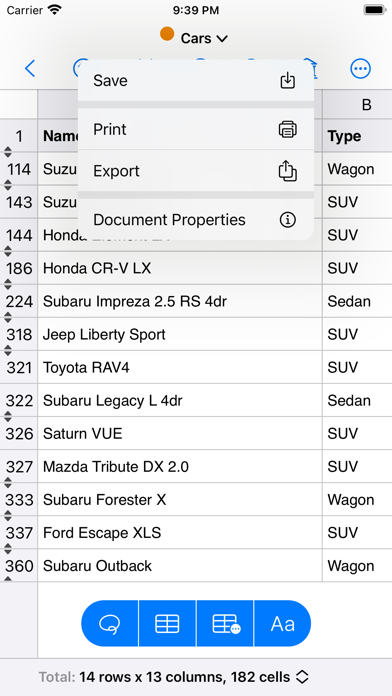
• Export to PDF & CSV/TSV
• Undo & Redo
• Dark mode
• Portrait & landscape
• Split view and slide over for iPad
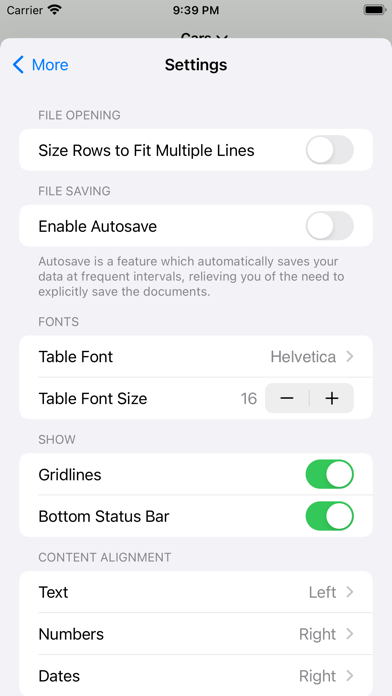
• Many options available in "More -> Settings" to make the app look and behave exactly the way you want
Reformat Dates & Numbers
• Reformat dates - i.e. change from month/day/year to day/month/year
• Reformat numbers - i.e. set a certain number of decimal digits
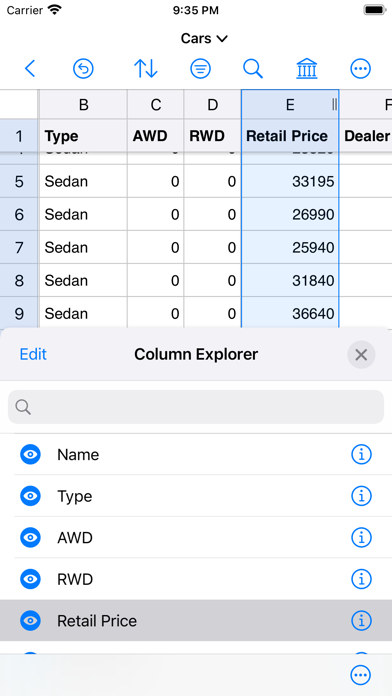
Column Explorer
• Compact interface to explore and manage the columns from the document in a very easy and intuitive way
• Perform various actions on a single or multiple columns: cut copy, delete, duplicate, sort, hide & more
• Reorder the columns and set their content alignment
• Drill down to get more statistics for those columns which are of interest to you
Filter
• Focus on the very specific data that you want to check by using the powerful filtering capabilities existing in the app
• Filter by multiple columns and choose from the many rules which are available
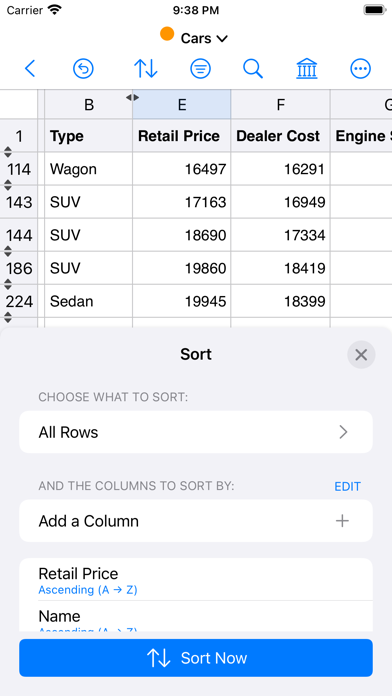
Sort
• Sort selected rows or entire document or just specific cells
• Fine tune the sorting by including multiple columns
Find & Replace
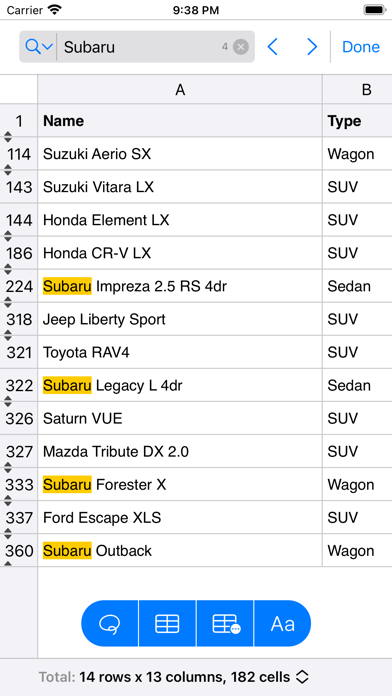
• Find & replace text using a powerful interface
• For power users there's support for ICU regular expressions (both for find & for replace) but there's also support to search for built in patterns (i.e. empty fields, email addresses, phone numbers or web addresses)
• Choose where to search: in the entire document or specific columns, rows or cells
• Search for specific patterns like: emails, phones and web address
For more info & screenshots visit https://vdt-labs.com/easy-csv-editor-mobile
If you're also interested in the Mac version of this app visit https://vdt-labs.com/easy-csv-editor