

Easy Wake Alarm - Today Clock
Easy Wake Alarm - Today Clock is made and published by xsdech. AppBrain is an independent app data site and isn't affiliated with xsdech. The app name, icon, screenshots and description belong to xsdech and are shown as published on the App Store.
AppBrain's verdict
Loved by users- Rating on App Store
- 4.59
- 153 ratings
- Last updated
- October 25, 2026
Users love it: 4.6 stars from 153 ratings.
Rankings
App Store top chartsApp Store Rankings for Easy Wake Alarm - Today Clock
Competitors
Similar apps and more from xsdechAlternatives to Easy Wake Alarm - Today Clock




Releases
Updates seen on the App Store- Version
- 5.2.4
- Launched
- August 2023
No changelog data
User feedback
Ratings and reviews on the App StoreComments on Easy Wake Alarm - Today Clock for iOS
We don't have enough comments to show example comments. Please check back later.
Technology
Found in the app by AppBrain- Price
- Free
- App size
- 40.9 MB
- Content rating
- Everyone
Technologies used by Easy Wake Alarm - Today Clock
About the app and developer
About Easy Wake Alarm - Today Clock
Easy Wake Alarm - Today Clock is an utilities app developed by xsdech.
User Ratings
Easy Wake Alarm - Today Clock is rated 4.59 out of 5 stars. The rating is based on 150 ratings.
App Information
Easy Wake Alarm - Today Clock is freely available from the App Store. The app size is 40.91 MB. The latest version available is 5.2.4. The last update was on October 25, 2026.
Technical Requirements
The app has a content rating of Everyone. The app has been available on the App Store since August 2023.
Developer information for xsdech
Address:
Store listing
By xsdech, from the App Store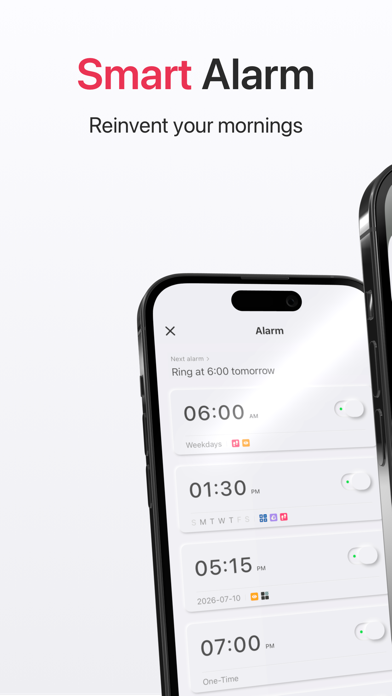


Description by xsdech Written by the developer, not by AppBrain. Click to read.
Heavy sleeper? Press the side button or the volume keys and the alarm rings again, until you are actually up. Set your routine once. Weekdays, days off, or a rotating shift — it rings on the mornings you work and stays quiet on the mornings you don’t. To shut it off for good, finish a short wake-up task. It still sounds when the phone is muted, and the volume rises gently so you wake up at ease.
The alarm that gets you out of bed
A half-asleep tap brings it back
• Press the side button or a volume key and the alarm starts again. It keeps ringing until you are awake. Built for heavy sleepers who turn an alarm off and fall straight back asleep.
Your schedule, set once
• Weekdays on, weekends off. For school mornings and office days. Saturday and Sunday stay quiet on their own.
• Rotating shifts. 2 days on, 1 day off. 4 on, 2 off. Or any cycle of work days and rest days. It repeats on its own.
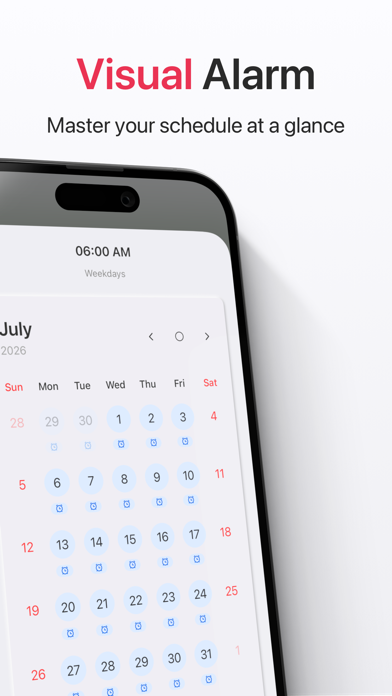
• Days that don’t follow the usual week. Turn it off for a holiday, turn it on for a one-off workday, or alternate weeks — one week you work the weekend, the next you don’t. Mark those days once. The alarm follows your calendar.
It stops when you prove you are awake
• Wake-up tasks: math problems, a shake, memory tiles, steps, an eyes-open check, or a photo and a code scan. Finish the task, and your mind is already on.
Strong enough to wake you, soft enough to feel kind
• It sounds on time even when the phone is in Silent Mode.
• Gentle rise. Volume starts low and builds, so you wake naturally.
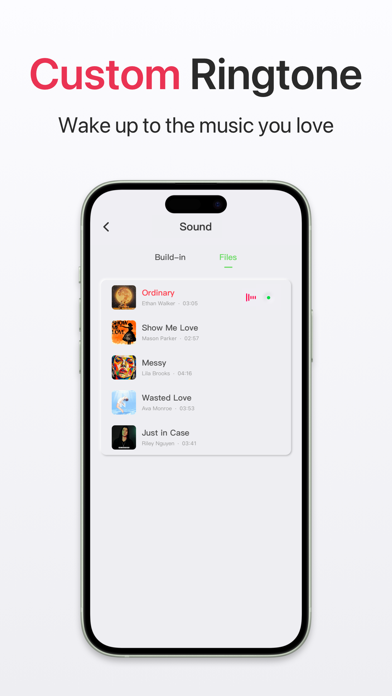
• Your ringtone. Import a file or a song from your library.
See the week before it happens
• Calendar. Ringing days and quiet days, shown with the alarm.
• Night mode. Dims the screen and turns animations off after dark. Easier beside the bed, and lighter on battery.
Made for mornings like these
• An early weekday start. Pair the alarm with a wake-up task and get moving.
• Shift work. A repeating cycle of work days and rest days. You set it once.
• The side-button habit. The side button and the volume keys bring the alarm back.
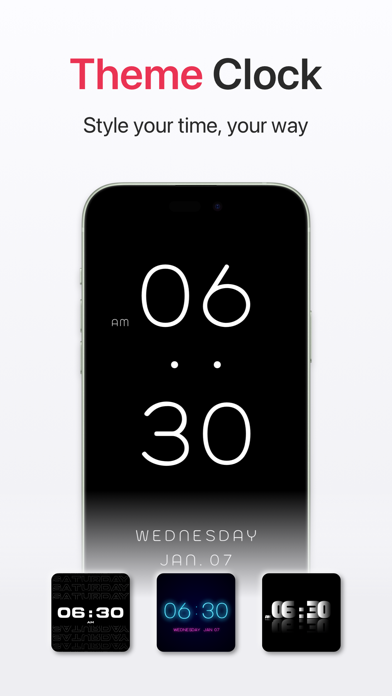
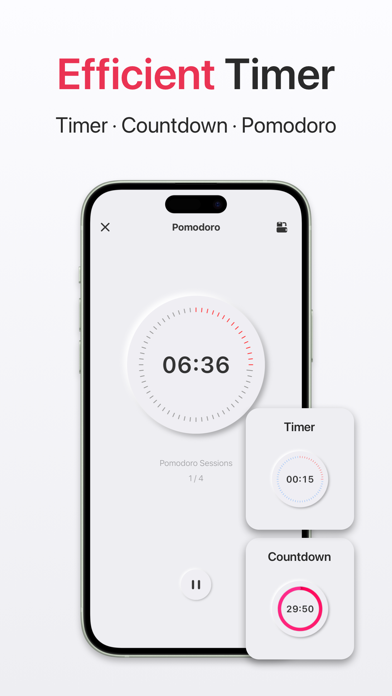
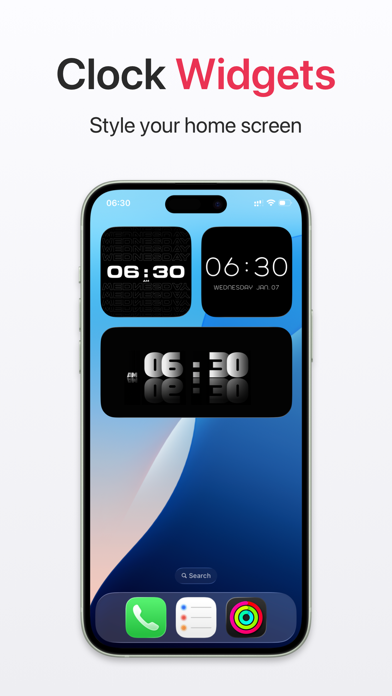
Through the day it also shows a full-screen clock, plus a Pomodoro timer, a stopwatch, a countdown, Home Screen widgets, and StandBy.
Today Clock Premium
• A subscription unlocks every premium feature and future updates.
• Payment is charged to your iTunes account when you confirm the purchase and at the start of each renewal period.
• To cancel, open iTunes settings at least 24 hours before the current period ends. After that, the subscription renews on its own.
Terms of Use: https://www.xsdech.com/terms_of_use_en
Privacy Policy: https://www.xsdech.com/privacy_policy_en
Download Today Clock and leave the hard mornings to it. Up at the right time, and awake in comfort.