

Electronic Signature Scanner
Electronic Signature Scanner is made and published by MANUEL MATAS GALEOTE. AppBrain is an independent app data site and isn't affiliated with MANUEL MATAS GALEOTE. The app name, icon, screenshots and description belong to MANUEL MATAS GALEOTE and are shown as published on the App Store.
AppBrain's verdict
- Last updated
- May 27, 2026
Rankings
App Store top chartsApp Store Rankings for Electronic Signature Scanner
Competitors
Similar apps and more from MANUEL MATAS GALEOTEMore from MANUEL MATAS GALEOTE


Releases
Updates seen on the App Store- Version
- 1.5.0
- Launched
- December 2025
No changelog data
User feedback
Ratings and reviews on the App StoreComments on Electronic Signature Scanner for iOS
We don't have enough comments to show example comments. Please check back later.
Technology
Found in the app by AppBrain- Price
- Free
- App size
- 8.89 MB
- Content rating
- Everyone
Technologies used by Electronic Signature Scanner
About the app and developer
About Electronic Signature Scanner
Electronic Signature Scanner is a productivity app developed by MANUEL MATAS GALEOTE.
User Ratings
The app has no ratings yet.
App Information
Electronic Signature Scanner is freely available from the App Store. The app size is 8.89 MB. The latest version available is 1.5.0. The last update was on May 27, 2026.
Technical Requirements
The app has a content rating of Everyone. The app has been available on the App Store since December 2025.
Developer information for MANUEL MATAS GALEOTE
Address:
Store listing
By MANUEL MATAS GALEOTE, from the App Store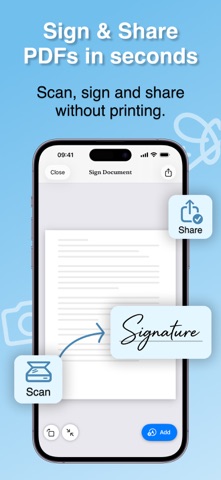
Description by MANUEL MATAS GALEOTE Written by the developer, not by AppBrain. Click to read.
Turn your iPhone or iPad into a complete electronic signature and PDF signing workspace. Create clean, professional signatures, sign documents in minutes, and keep everything organized in one secure app.
Whether you are signing contracts, approving invoices, filling forms, or sending documents on the go, Signature Maker helps you do it quickly and clearly.
CREATE SIGNATURES YOUR WAY
Create both full signatures and initials with flexible tools:
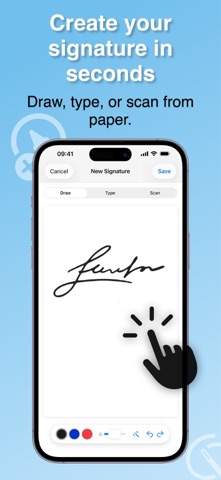
• Draw with your finger or Apple Pencil on a smooth canvas
• Customize stroke width, color, and smoothing for cleaner lines
• Use undo/redo while drawing
• Scan a handwritten signature from paper with the built-in camera scanner
• Auto-clean background and boost contrast for a transparent result
• Crop and refine scanned signatures
• Type your name or initials and choose from a wide handwriting font library
SIGN, FILL, AND EDIT DOCUMENTS
Work with PDFs and document images from multiple sources:
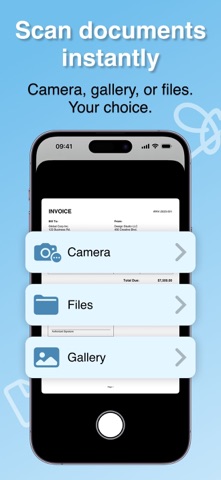
• Import from Files, Photos, or camera scan
• Support for single-page and multi-page documents
• Navigate pages easily and move elements across pages
• Drag, resize, rotate, and reposition signatures with precision
• Add text, date, checkmarks, X marks, and circles
• Rotate pages to fix orientation quickly
• Zoom and pan for accurate placement
• Undo/redo edits while placing and adjusting elements
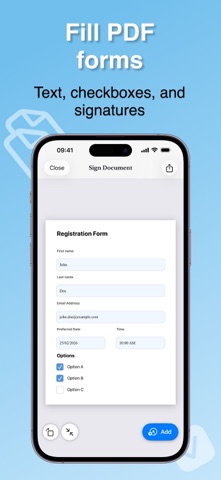
• Detect and fill common PDF form fields, including text, checkboxes, radio buttons, choice fields, and signature fields
EXPORT AND SHARE
• Export polished signed PDFs ready to share
• Share directly from the app
• Save your signed files in My Documents for later access
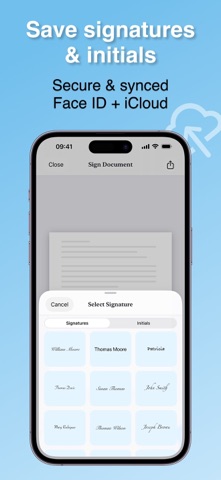
• Keep your saved signatures and initials in a reusable gallery
PRODUCTIVITY + PRO FEATURES
• Manage multiple signature styles and initials
• Choose ink styles for different signing needs
• Professional, distraction-free output
• Upgrade to Pro for features like transparent PNG export and watermark-free PDF export
PRIVACY AND SECURITY
Your documents and signatures are saved on your device.
If iCloud sync is enabled, your data syncs through your own Apple account.
We do not sell your data or share your documents with third parties for advertising.
Terms of Use (EULA):
https://www.apple.com/legal/internet-services/itunes/dev/stdeula/
Privacy Policy:
https://sites.google.com/view/privacysigantureapp/home