

Photo to PDF: Convert & Scan
Photo to PDF: Convert & Scan is made and published by MANUEL MATAS GALEOTE. AppBrain is an independent app data site and isn't affiliated with MANUEL MATAS GALEOTE. The app name, icon, screenshots and description belong to MANUEL MATAS GALEOTE and are shown as published on the App Store.
AppBrain's verdict
- Last updated
- August 22, 2026
Rankings
App Store top chartsApp Store Rankings for Photo to PDF: Convert & Scan
Competitors
Similar apps and more from MANUEL MATAS GALEOTEMore from MANUEL MATAS GALEOTE


Releases
Updates seen on the App Store- Version
- 2.0.1
- Launched
- November 2025
No changelog data
User feedback
Ratings and reviews on the App StoreComments on Photo to PDF: Convert & Scan for iOS
We don't have enough comments to show example comments. Please check back later.
Technology
Found in the app by AppBrain- Price
- Free
- App size
- 11.2 MB
- Content rating
- Everyone
Technologies used by Photo to PDF: Convert & Scan
About the app and developer
About Photo to PDF: Convert & Scan
Photo to PDF: Convert & Scan is a productivity app developed by MANUEL MATAS GALEOTE.
User Ratings
The app has no ratings yet.
App Information
Photo to PDF: Convert & Scan is freely available from the App Store. The app size is 11.20 MB. The latest version available is 2.0.1. The last update was on August 22, 2026.
Technical Requirements
The app has a content rating of Everyone. The app has been available on the App Store since November 2025.
Developer information for MANUEL MATAS GALEOTE
Address:
Store listing
By MANUEL MATAS GALEOTE, from the App Store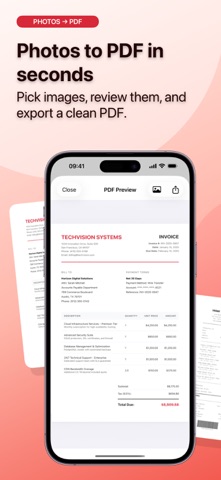
Description by MANUEL MATAS GALEOTE Written by the developer, not by AppBrain. Click to read.
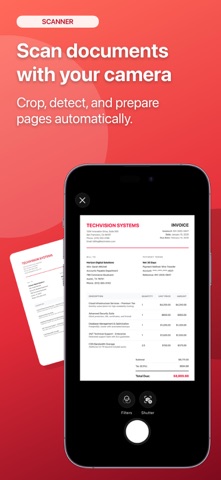
Scan with your camera, import images from Photos, adjust each page, preview the result, and export a polished PDF when everything looks right. You can also open existing PDFs and use built-in tools to organize, protect, sign, watermark, and share them.
CREATE PDFs
• Scan documents with your camera
• Create PDFs from photos
• Choose A4 or Letter paper size
• Export in portrait or landscape
• Preview before sharing
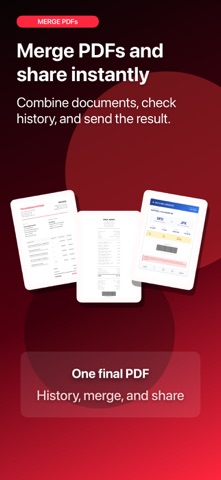
• Keep a history of your PDFs
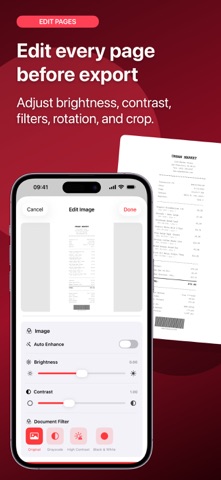
EDIT IMAGES
• Reorder pages
• Rotate images
• Adjust document perspective
• Improve brightness and contrast
• Apply clean document filters
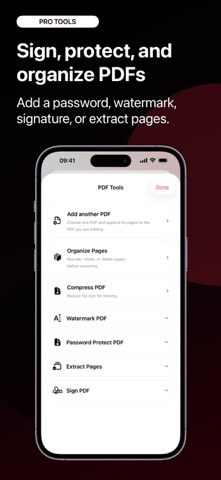
PDF TOOLS
• Import existing PDFs
• Organize, rotate, delete, and extract pages
• Add another PDF to the current document
• Compress PDF files
• Add watermarks
• Draw and place signatures
• Protect PDFs with a password
OCR & RECEIPTS
• Create searchable PDFs with OCR
• Search and copy text from OCR-enabled PDFs
• Use receipt mode for smarter file names with store, date, and amount detection
PRIVACY
Your photos, scans, and PDF files are processed on your device. Photo to PDF: Convert & Scan does not upload your documents for PDF conversion, OCR, editing, signing, watermarking, compression, or password protection.
Photo to PDF: Convert & Scan is useful for invoices, receipts, notes, forms, study material, contracts, travel documents, and everyday paperwork.
Some advanced features may require Photo to PDF: Convert & Scan Pro.
Terms of Use (EULA)
https://www.apple.com/legal/internet-services/itunes/dev/stdeula/