



AppBrain's verdict
- Last updated
- April 29, 2025
- Size
- 26.8 MB
User feedback
Ratings and reviews on the App StoreComments on EVWB Install for iOS
We don't have enough comments to show example comments. Please check back later.
Store listing
By Shanghai Zhuangyian New EnergyTechnology Co.,Ltd, from the App StoreDescription by Shanghai Zhuangyian New EnergyTechnology Co.,Ltd Written by the developer, not by AppBrain. Click to read.
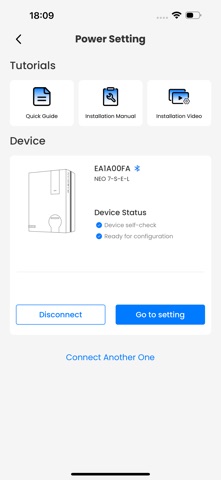
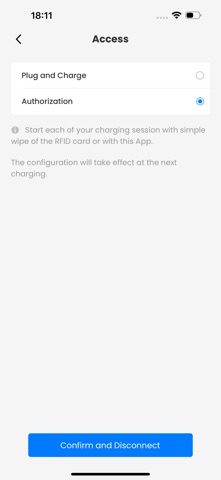
EVWB Install supports all models, including EVII LITE, CLEVER, C&I, C&I PRO, and Twin. Once configured with EVWB Install, the charging station can be connected via the EVwallbox app, third-party apps, or a CMS.
Before connecting the charging station with the EVWB Install app, ensure the following:
Your phone has a stable internet connection and Bluetooth is enabled.
EVWB Install connects and configures an EVWB AC charging station via Bluetooth.
With the EVWB Install app, installers can:
- Power Settings: Configure power grid settings, such as maximum charging current and earthing system.
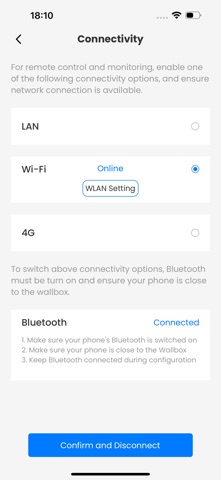
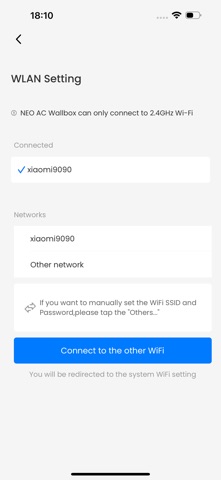
- Connectivity Settings: Choose the connection method for the charging station (Wi-Fi, LAN, or 4G if available).
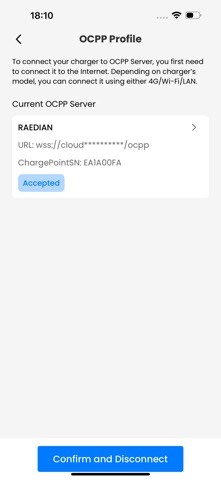
- OCPP Settings: Configure the charging station to connect to a third-party OCPP back-end or default to the EVWB back-end.
When configuring the charging station to connect to a third-party OCPP back-end, please ensure:
-Consult the third-party back-end support to determine whether a specific Charge Point Serial Number is required for connection.
-The charging station takes approximately 3-5 minutes to verify the security of the link. After verification, it will automatically reboot and attempt to establish a connection. Check the target back-end (portal or app) to confirm successful connection.
We are committed to improving the installation, configuration, and maintenance experience. Ensure that the EVWB Install app is updated to the latest version. If necessary, update the charging station firmware as well.
For detailed installation instructions, please refer to the installation manual. The EVWB Install app also provides online documentation for reference. For the latest installation information, visit our official website: https://www.evwallbox.com.
Safety and technology
Found in the app by AppBrain- Price
- Free
- App size
- 26.8 MB
- Content rating
- High
Technologies used by EVWB Install
Releases
Updates seen on the App Store- Version
- 1.0.0
- Launched
- April 2025
No changelog data
Alternatives
Similar apps and more from Shanghai Zhuangyian New EnergyTechnology Co.,LtdAlternatives to EVWB Install


Rankings
App Store top chartsApp Store Rankings for EVWB Install
About the app and developer
About EVWB Install
EVWB Install is an utilities app developed by Shanghai Zhuangyian New EnergyTechnology Co.,Ltd.
What is the rating of EVWB Install?
EVWB Install has no ratings yet.
Is EVWB Install free?
EVWB Install is free. The app size is 26.75 MB. The latest version available is 1.0.0. The last update was on April 29, 2025.
What are the requirements for EVWB Install?
The app has a content rating of High Maturity. The app has been available on the App Store since April 2025.
EVWB Install is made and published by Shanghai Zhuangyian New EnergyTechnology Co.,Ltd. AppBrain is an independent app data site and isn't affiliated with Shanghai Zhuangyian New EnergyTechnology Co.,Ltd. The app name, icon, screenshots and description belong to Shanghai Zhuangyian New EnergyTechnology Co.,Ltd and are shown as published on the App Store.