

Exerscroll Screen Time Control
Exerscroll Screen Time Control is made and published by Ty Switzer. AppBrain is an independent app data site and isn't affiliated with Ty Switzer. The app name, icon, screenshots and description belong to Ty Switzer and are shown as published on the App Store.
AppBrain's verdict
- Rating on App Store
- 5.00
- 14 ratings
- Last updated
- May 26, 2026
- Size
- 205.4 MB
It doesn't have enough ratings yet to judge what users think.
User feedback
Ratings and reviews on the App StoreComments on Exerscroll Screen Time Control for iOS
We don't have enough comments to show example comments. Please check back later.
Store listing
By Ty Switzer, from the App Store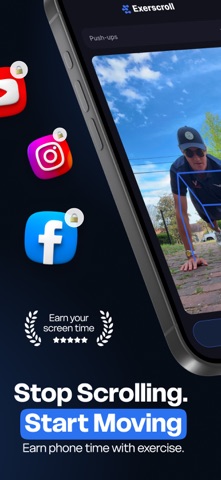





Description by Ty Switzer Written by the developer, not by AppBrain. Click to read.
Exerscroll is the screen time control app that makes you earn every minute of phone time with real movement. Push-ups, squats, lunges, jumping jacks — reps unlock minutes. No willpower required.
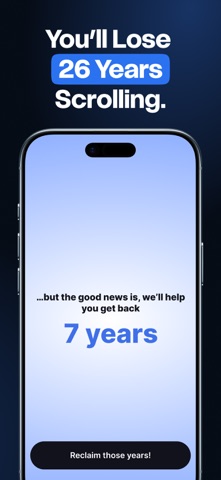
You know the feeling. You picked up your phone for one quick thing and twenty minutes vanished into TikTok, Instagram, or Reels. Doomscrolling won. Again.
Exerscroll changes the trade. Want to open a distracting app? Move first. The friction is the point — and so is the fitness.
How Exerscroll works
• Pick the apps that steal your time
• Lock them behind exercise with Screen Time controls
• Bank minutes by doing push-ups, squats, lunges, or jumping jacks
• Unlock only what you've earned
• Watch your reps, streaks, and saved minutes climb
Why Exerscroll beats a basic blocker
A timer can be dismissed. Willpower runs out by noon. Exerscroll adds the one thing every other screen time app is missing — a real cost. You don't just lock the app, you have to earn it back. So either you scroll less, or you get fitter. Both work.
Features
• Exercise-based app unlocks: push-ups, squats, lunges, jumping jacks (more coming)
• Smart blocker for social media and any app you choose
• Reps-to-minutes conversion you control
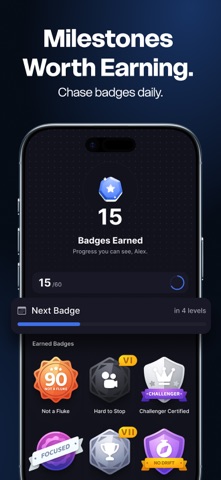
• Progress tracking: minutes earned, streaks, milestones
• Gamified levels and badges to keep momentum
• Works with iOS Screen Time controls
Built for people who want to
• Quit doomscrolling and brainrot
• Cut TikTok, Instagram, and Reels down to size
• Beat phone addiction
• Build focus and self-control
• Start a dopamine detox
• Live the "dumb phone" mindset without ditching the smartphone
• Replace wasted time with movement
• Be present, not scrolling past it
Whether you struggle with social media addiction, procrastination, or just want better screen time control, Exerscroll turns the time you'd waste into time you'd earn.
Your life should be spent living.
Not scrolling past it.
An active subscription is required to access all Exerscroll features.
Terms: https://exerscroll.com/terms-and-conditions
Privacy Policy: https://exerscroll.com/privacy-policy
Safety and technology
Found in the app by AppBrain- Price
- Free
- App size
- 205.4 MB
- Content rating
- Medium
Technologies used by Exerscroll Screen Time Control
Releases
Updates seen on the App Store- Version
- 1.3
- Launched
- April 2026
No changelog data
Alternatives
Similar apps and more from Ty SwitzerAlternatives to Exerscroll Screen Time Control


More from Ty Switzer

Rankings
App Store top chartsApp Store Rankings for Exerscroll Screen Time Control
About the app and developer
About Exerscroll Screen Time Control
Exerscroll Screen Time Control is a health & fitness app developed by Ty Switzer.
What is the rating of Exerscroll Screen Time Control?
Exerscroll Screen Time Control is rated 5.00 out of 5 stars, based on 14 ratings.
Is Exerscroll Screen Time Control free?
Exerscroll Screen Time Control is free. The app size is 205.42 MB. The latest version available is 1.3. The last update was on May 26, 2026.
What are the requirements for Exerscroll Screen Time Control?
The app has a content rating of Medium Maturity. The app has been available on the App Store since April 2026.
Developer information for Ty Switzer
Address: