Exhibition Room Creator is made and published by
hideyuki kubo.
AppBrain is an independent app data site and isn't affiliated with hideyuki kubo.
The app name, icon, screenshots and description belong to hideyuki kubo and are shown as
published on the App Store.
About Exhibition Room Creator
Exhibition Room Creator was a photo & video app developed by hideyuki kubo. It was removed from the App Store Aug 4, 2024.
User Ratings
The app had no ratings.
App Information
Exhibition Room Creator cost $0.99. The app size was 200.36 MB. The last available version was 1.1. The last update was on December 22, 2021.
Technical Requirements
The app had a content rating of Everyone. The app had been available on the App Store since August 2021.
Description by hideyuki kubo(from the App Store)
Memories of travel, growth records of children, family events, weddings and graduation memorials, other life milestones. Pictures of my hobbies, my own life where each piece is important. “I would like to decorate my boastful photo in the picture frame.” This is an application that will make such a thought come true.
Just by placing it in the picture frame and posting it in the exhibition room, the important pictures will further stand out and your thoughts will be emphasized. Let your own exhibition room in your device. as well as the album,If you organize the exhibition room for each event, the surprise of friends and acquaintances also increases. Exhibition rooms can be created in virtual space and augmented reality space. Please use all means.
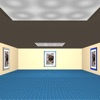
[About the exhibition room in virtual space] 1 You can create as many exhibition rooms as you like. 2 One exhibition room can be made up of 9 square sections as a basic unit. Square section can be arranged freely. 3 Up to 9 works can be posted in one section. (The maximum number of the first section is 11 when it is alone, and the maximum is 8 when the section is added next to it.) 4 One work can be changed to 4 sizes (extra large, large, medium, small). 5 You can change the wallpaper, floor carpet color (4 types), and ceiling color according to your preference. 6 You can freely change the brightness of the room. 7 The exhibited works can be individually spotlighted. However, there are up to 7 spotlights.
[About the exhibition room in augmented reality space] 1 You can create as many exhibition rooms as you like 2 Turn a real space, such as your room or a nearby park, into an exhibition room. 3 One work can be changed to 4 sizes (extra large, large, medium, small).
[About the picture frame] 1 Put each photo in the frame to make it stand out more. 2 There are 24 types of picture frames available. Please use the frame that fits each photo. 3 You can freely set the color of the color frame. 4 You can freely set the mat color. 5 You can also change the size of the frame, and the size of the mat.
[About file output] 1 The work put in the frame can be output as a single file. You can post it on SNS or post it on your own website. Send it to your friends and acquaintances. 2 Video output is also possible in the exhibition rooms of virtual space and augmented reality space. How to use it, such as various promotions, is up to you.
[About sharing works] 1 The created virtual space and augmented reality space exhibition room can be shared with other devices via Bluetooth. (Other devices must also have this app) 2 Share your exhibition room and the exhibition rooms of your friends and acquaintances to expand your presentation space.
Each subscription will automatically renew 3 days before the expiration date for
the same time period. Subscriptions can be cancelled at any time before the renewal.