

Expenses Excel
Expenses Excel is made and published by Vladyslav Tkachenko. AppBrain is an independent app data site and isn't affiliated with Vladyslav Tkachenko. The app name, icon, screenshots and description belong to Vladyslav Tkachenko and are shown as published on the App Store.
AppBrain's verdict
- Last updated
- September 9, 2026
Rankings
App Store top chartsApp Store Rankings for Expenses Excel
Competitors
Similar apps and more from Vladyslav TkachenkoAlternatives to Expenses Excel







More from Vladyslav Tkachenko

Releases
Updates seen on the App Store- Version
- 2.11.0
- Launched
- January 2025
No changelog data
User feedback
Ratings and reviews on the App StoreComments on Expenses Excel for iOS
We don't have enough comments to show example comments. Please check back later.
Technology
Found in the app by AppBrain- Price
- Free
- App size
- 83.4 MB
- Content rating
- Everyone
Technologies used by Expenses Excel
About the app and developer
About Expenses Excel
Expenses Excel is a finance app developed by Vladyslav Tkachenko.
What is the rating of Expenses Excel?
Expenses Excel has no ratings yet.
Is Expenses Excel free?
Expenses Excel is free. The app size is 83.44 MB. The latest version available is 2.11.0. The last update was on September 9, 2026.
What are the requirements for Expenses Excel?
The app has a content rating of Everyone. The app has been available on the App Store since January 2025.
Developer information for Vladyslav Tkachenko
Address:
Store listing
By Vladyslav Tkachenko, from the App Store
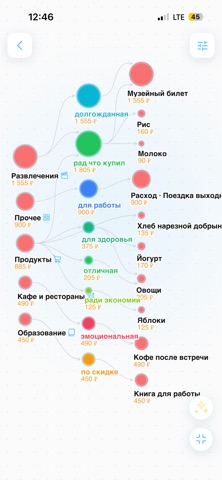
Description by Vladyslav Tkachenko Written by the developer, not by AppBrain. Click to read.
QUICK ENTRY
• Two fields: name and amount. Tap "Add", enter the next one, repeat.
• Popular items are suggested with one tap based on past entries.
• Save a batch of items in one action — no forced categories or long forms.
RECEIPT SCANNING
• Open the scanner, take a photo of the receipt.
• Built-in iOS text recognition (Apple Vision) reads the receipt directly on your device.
• A language model parses the text into clean items: name, amount, category.
• Review and adjust the result before saving.
EXPENSE LIST
• View expenses by period.
• Grouped by day — see where and how much you spent.
• Tap an item to edit or delete.
SETTINGS
• Show cents — on/off.
• Dark theme.
• 24 interface languages.
YOUR DATA
Expenses are stored on your device, not on our servers. Receipt photos are processed locally — only the recognized text (not the image) is sent to AI, without any personal data.
No ads, Just a fast way to know where your money goes.
Terms of Use (Apple Standard EULA): https://www.apple.com/legal/internet-services/itunes/dev/stdeula/