

Expenses Split is made and published by katuri dinesh. AppBrain is an independent app data site and isn't affiliated with katuri dinesh. The app name, icon, screenshots and description belong to katuri dinesh and are shown as published on the App Store.
AppBrain's verdict
Established- Rating on App Store
- 4.20
- 5 ratings
- Last updated
- July 7, 2026
It doesn't have enough ratings yet to judge what users think.
Rankings
App Store top chartsApp Store Rankings for Expenses Split
Competitors
Similar apps and more from katuri dineshAlternatives to Expenses Split


More from katuri dinesh


Releases
Updates seen on the App Store- Version
- 5.1
- Launched
- April 2016
No changelog data
User feedback
Ratings and reviews on the App StoreComments on Expenses Split for iOS
We don't have enough comments to show example comments. Please check back later.
Technology
Found in the app by AppBrain- Price
- Free
- App size
- 9.81 MB
- Content rating
- Everyone
Technologies used by Expenses Split
About the app and developer
About Expenses Split
Expenses Split is a finance app developed by katuri dinesh.
User Ratings
Expenses Split is rated 4.20 out of 5 stars. The rating is based on 5 ratings.
App Information
Expenses Split is freely available from the App Store. The app size is 9.81 MB. The latest version available is 5.1. The last update was on July 7, 2026.
Technical Requirements
The app has a content rating of Everyone. The app has been available on the App Store since April 2016.
Developer information for katuri dinesh
Address:
Frequently asked questions about Expenses Split
Is Expenses Split free?
Yes. Expenses Split is free on the App Store.
Is Expenses Split still available?
Yes. Expenses Split is on the App Store, and the last update we saw was on July 7, 2026.
How large is Expenses Split?
Expenses Split is 9.81 MB.
Is Expenses Split suitable for children?
App Store rates the content of Expenses Split as suitable for everyone.
How do people rate Expenses Split?
Expenses Split scores 4.20 out of 5 stars, from 5 ratings on the App Store.
Who made Expenses Split?
Expenses Split was developed by katuri dinesh. It is listed in the finance category on the App Store.
What are the best alternatives to Expenses Split?
People looking at Expenses Split also look at these finance apps: Together - Easy expense split, SplitX - Manage Group Expenses, Loopwise Zero, Splitter - Shared Expenses, Splitink: Split Bills & Budget.
Store listing
By katuri dinesh, from the App Store



Description by katuri dinesh Written by the developer, not by AppBrain. Click to read.
Split Expenses app supports push notifications for notifying any changes in a team’s expenses. Whenever user enters an expense into a team, a notification is sent to all members in the team and on clicking on the notification expense is auto synced to other members in the team.
Split Expenses support offline mode, if you don’t have Internet while you are adding expense, it will be synced next time you connect to Internet. Auto sync of latest team details happens on every launch and manual sync on click of sync button in teams screen.
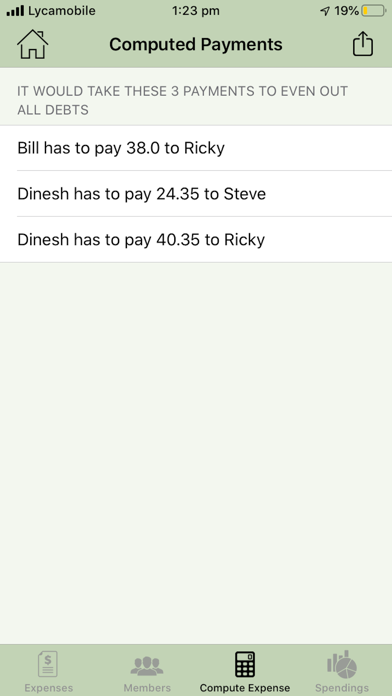
You can share team details across other Split Expenses users who are willing to join your team by just clicking share button in expenses screen. You can also share final computed debts list to any other interested parties through all popular sharing media.
Summarizing what you can do with split expense app: -
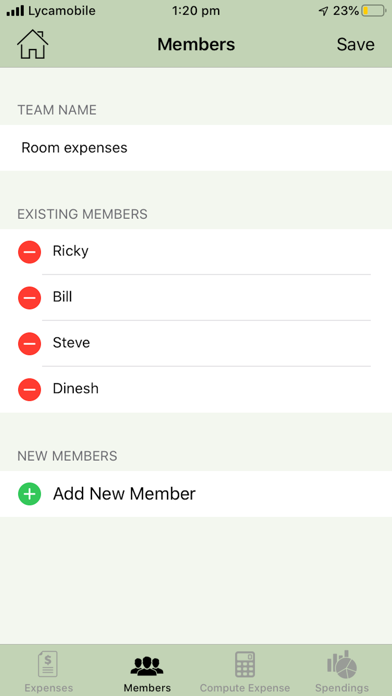
1) Create new team/page, where you can add involved members/ roommates.
2) Create a new expense, edit expense and delete expense when settled, automatically notifies other members in
3) Share team details with other teammates online by clicking share in Expenses screen of a Team.
4) Edit members and add new members, so that if new member joined a team, it’s useful
5) Automate the final expense and debt calculation
6) Share the final expense debts with the team members/others.
Difference when compared to Split Expense Lite: -
a. Multi user app
b. Can add expense, team, members online and offline and can sync data entered offline to online on launch or on click of sync button in Team screen
c. Share Team details using share button present in Expenses screen
d. Notifications will be broadcasted to all members with in a team whenever a new expense is added
Lots coming in future releases as well.
Future releases: -
Introducing graphs/charts, which tells user where he/she is spending more.