

EZ Print: Print & Scan PDF
EZ Print: Print & Scan PDF is made and published by 美肖 曹. AppBrain is an independent app data site and isn't affiliated with 美肖 曹. The app name, icon, screenshots and description belong to 美肖 曹 and are shown as published on the App Store.
AppBrain's verdict
- Rating on App Store
- 4.67
- 6 ratings
- Last updated
- March 3, 2023
- Size
- 19.3 MB
It doesn't have enough ratings yet to judge what users think.
User feedback
Ratings and reviews on the App StoreComments on EZ Print: Print & Scan PDF for iOS
We don't have enough comments to show example comments. Please check back later.
Store listing
By 美肖 曹, from the App Store

Description by 美肖 曹 Written by the developer, not by AppBrain. Click to read.
Features:
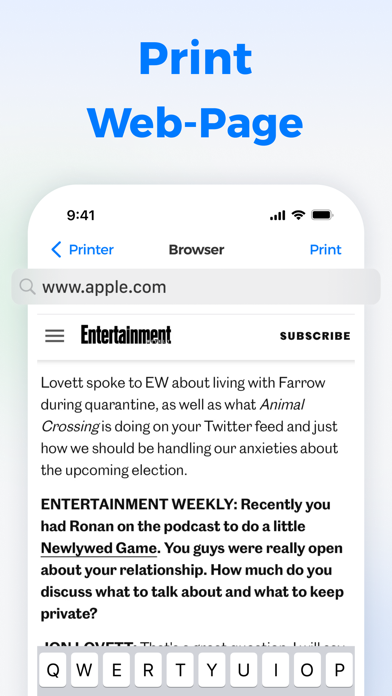
► Print Directly From iPhone
EZ Print can print directly from your device such as iPhone. You can select the document and file from your phone that your want to print, and connect to any wireless printer and print at any time with a simple connection.
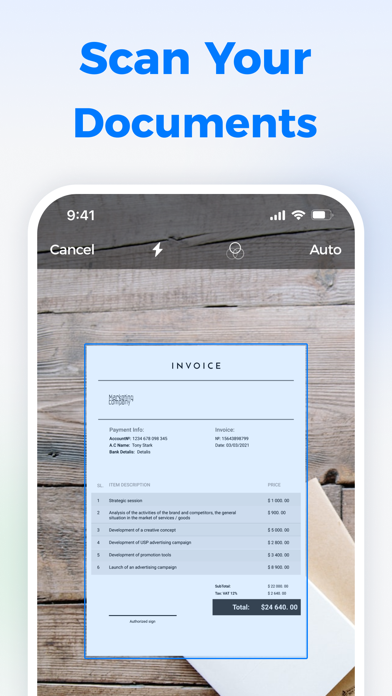
► Scan Documents and Photos
EZ Print can scan documents by the built-in scanner in a click. You can tap the Scan button and capture the document or photo with your camera. Then you can also print the scanned document as easily in just one click.
► Documents and Printers Supporting
EZ Print supporting all sorts of documents: PDF, Word DOC, Excel XLS, PowerPoint PPT, Photoshop PSD, JPEG, PNG, BMP, TIFF, GIF and etc.
EZ Print supporting all sorts of printers: Brother, Canon, Dell, Epson, HP, Kyocera, Lenovo, Lexmark, NRG, Oki, Olivetti, Panasonic, RICOH, Samsung, Sharp, Toshiba, Xerox and more.
EZ Print has the following subscriptions:
1-month subscription-$7.99
6-months subscription-$29.99
- Payment will be charged to iTunes Account at confirmation of purchase
- Subscription automatically renews unless auto-renew is turned off at least 24-hours before the end of the current period
- Account will be charged for renewal within 24-hours before the end of the current period, and identify the cost of the renewal
- Subscriptions may be managed by the user and auto-renewal may be turned off by going to the user's Account Settings after purchase
- Any unused portion of a free trial period, if offered, will be forfeited when the user purchases a subscription to that publication, where applicable
Terms of Use: https://sites.google.com/view/terms-of-use-printer/home
Privacy Policy: https://sites.google.com/view/ezprinter-privacy-policy/home
Safety and technology
Found in the app by AppBrain- Price
- Free
- App size
- 19.3 MB
- Content rating
- Everyone
Technologies used by EZ Print: Print & Scan PDF
Releases
Updates seen on the App Store- Version
- 1.0.3
- Launched
- January 2023
No changelog data
Alternatives
Similar apps and more from 美肖 曹Alternatives to EZ Print: Print & Scan PDF




More from 美肖 曹





Rankings
App Store top chartsApp Store Rankings for EZ Print: Print & Scan PDF
About the app and developer
About EZ Print: Print & Scan PDF
EZ Print: Print & Scan PDF is a business app developed by 美肖 曹.
User Ratings
EZ Print: Print & Scan PDF is rated 4.67 out of 5 stars. The rating is based on 6 ratings.
App Information
EZ Print: Print & Scan PDF is freely available from the App Store. The app size is 19.33 MB. The latest version available is 1.0.3. The last update was on March 3, 2023.
Technical Requirements
The app has a content rating of Everyone. The app has been available on the App Store since January 2023.
Developer information for 美肖 曹
Address: