File Cabinet Pro is made and published by
App Tyrant Corp.
AppBrain is an independent app data site and isn't affiliated with App Tyrant Corp.
The app name, icon, screenshots and description belong to App Tyrant Corp and are shown as
published on the App Store.
About File Cabinet Pro
File Cabinet Pro is an utilities app developed by App Tyrant Corp.
User Ratings
The app has no ratings yet.
App Information
File Cabinet Pro costs $29.99. The app size is 12.87 MB. The latest version available is 8.8.3. The last update was on May 19, 2026.
Technical Requirements
The app has a content rating of Everyone. The app has been available on the App Store since September 2016.
Description by App Tyrant Corp(from the App Store)
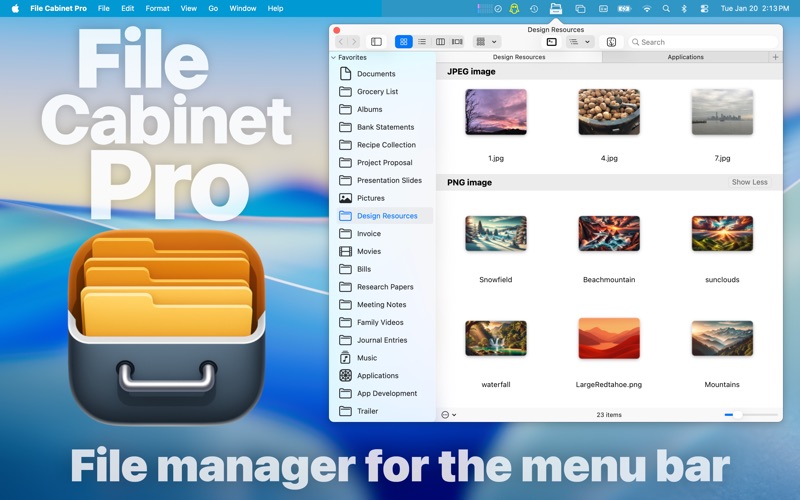
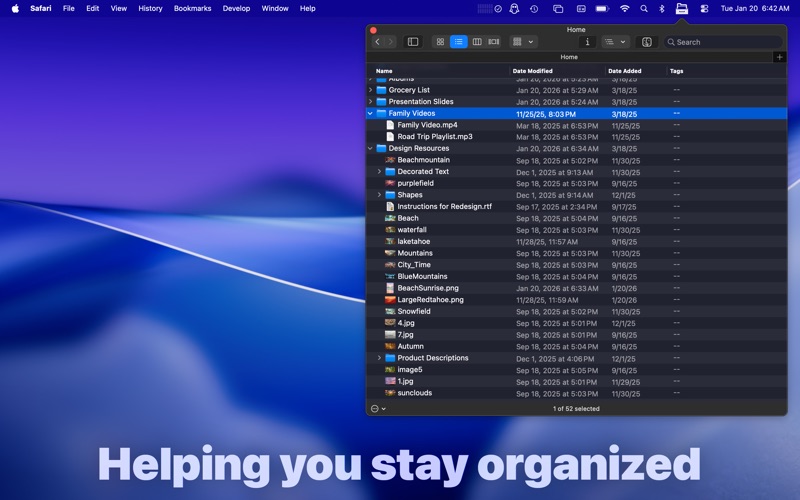
File Cabinet Pro is the file manager for the macOS menu bar. Quickly navigate to files without cluttering your desktop. Open, move, rename, compress, tag, trash, copy and paste files, all from the menu bar. You can open many file types natively in File Cabinet Pro or open files by launching other applications. It's easy to click into directories in icon view, drill through directories in list view, or navigate the file tree in column view.
File Cabinet Pro is also a document-based application that ships with a built-in text editor, image viewer, pdf viewer, and media player. Some of the file types File Cabinet Pro can open for editing/viewing include:
TEXT DOCUMENTS: -Plain text files (txt) -Rich Text Format (rtf) -Rich Text Format Directory (rtfd) -Markdown (md) -Portable Document Format (pdf)
IMAGE DOCUMENTS: -Portable Network Graphics (png) -Joint Photographic Experts Group (jpeg) -Tagged Image File Format (tiff, tif) -Bitmap image file (bmp) -Photoshop File Format (psd) Import only -Scalable Vector Graphics (svg) Import only
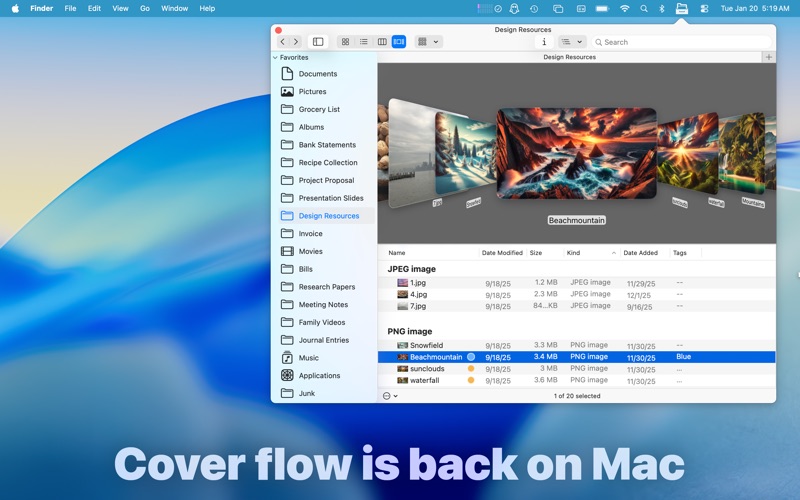
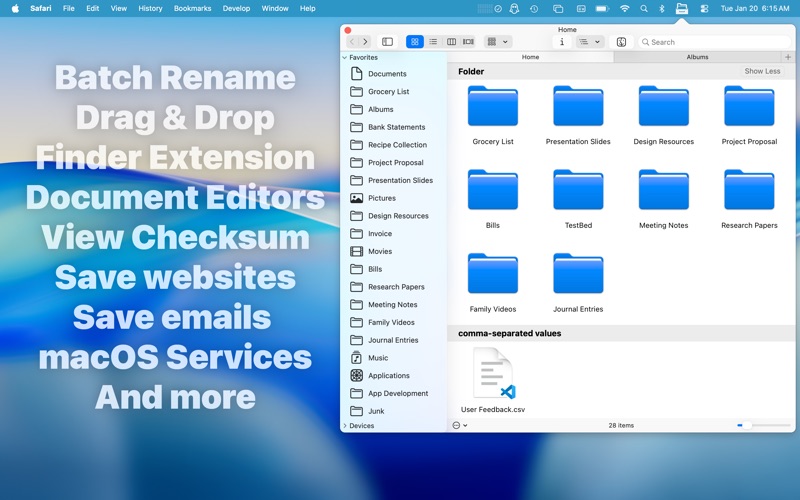
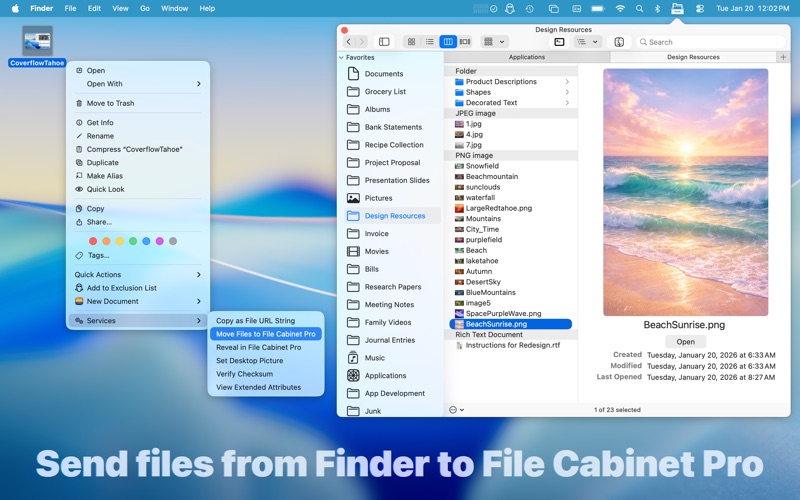
With File Cabinet Pro you can: ∙Create subdirectories. ∙Click into subdirectories and open documents. ∙Open directories in new tabs. ∙Tag files easily. Select files in File Cabinet Pro, right click, and then simply add or remove file tags from the control in the context menu. ∙Show selected files in Finder. ∙Rename files. ∙Copy and paste files. ∙Show hidden files. ∙Show package contents. ∙Compress files. ∙View file metadata in the customizable Preview panel. ∙Trash files. ∙View items as icons, in a list, or in columns. ∙Launch the application at login. You can have File Cabinet Pro automatically launch when you login to your Mac (optional feature, disabled by default). ∙Create a list of all your favorite directories in the sidebar. ∙Create and edit txt, rtf, rtfd, and .md files using the built in lightweight text editor. ∙Create txt, rtf, rtfd, and .md files from text data currently on the clipboard. ∙Create audio recordings. ∙Rotate images, crop images, and apply filters to images using the built in lightweight image editor. ∙Watch video and play audio files using the built in media player. ∙View pdf files using the built in pdf viewer. ∙Revert document versions for supported editable document types. ∙Set a Global Hotkey for showing and closing the File Cabinet Pro window (optional feature, disabled by default). ∙Preview selected files in Quicklook by pressing the spacebar. ∙Share files in apps that support Sharing extensions like Mail and Messages. ∙Create text documents from Finder using File Cabinet Pro's Document Creator Finder extension (Note: To use this feature, you have to enable the Finder extension in System Preferences under the "Extensions" tab). ∙Verify the SHA256, SHA1, or MD5 checksum of files using the "View Checksum in File Cabinet Pro" Service. ∙Save .webarchive files in File Cabinet Pro via the "Save Web Archive in File Cabinet Pro" Service. ∙Save website shortcuts (.webloc files) in File Cabinet Pro via the "Save Web Location in File Cabinet Pro" Service. ∙Save emails as RTF files directly in File Cabinet Pro from the Mail app via the "Save Email Contents in File Cabinet Pro" Service. ∙Save screenshots directly to File Cabinet Pro via the "Take screenshot to File Cabinet Pro" Service.
**This app supports the Touch Bar on supporting MacBook Pros.**
So what are you waiting for? Get File Cabinet Pro now!
Each subscription will automatically renew 3 days before the expiration date for
the same time period. Subscriptions can be cancelled at any time before the renewal.