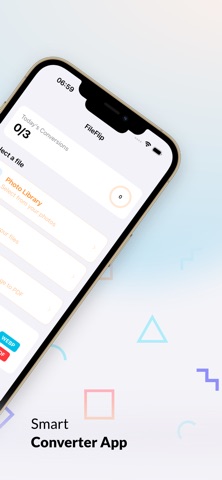
FileFlip: File Converter is made and published by
Deniz Demirel.
AppBrain is an independent app data site and isn't affiliated with Deniz Demirel.
The app name, icon, screenshots and description belong to Deniz Demirel and are shown as
published on the App Store.
About FileFlip: File Converter
FileFlip: File Converter is an utilities app developed by Deniz Demirel.
User Ratings
The app has no ratings yet.
App Information
FileFlip: File Converter is freely available from the App Store. The app size is 1.14 MB. The latest version available is 1.0. The last update was on March 9, 2026.
Technical Requirements
The app has a content rating of Everyone. The app has been available on the App Store since March 2026.
Description by Deniz Demirel(from the App Store)
Your iPhone just told you "format not supported." Sound familiar?
You need to send a photo for a visa application — but it only accepts JPG. Your professor wants the assignment as PDF — but you only have images. A client needs PNG files — but your phone saves everything as HEIC. You found the perfect video — but it's in the wrong format.
FileFlip fixes all of that. Instantly.
————————————————
THE FASTEST WAY TO CONVERT FILES ON iPHONE
FileFlip converts images, documents, and videos right on your device — no uploads, no waiting, no internet required. Pick your file, choose the format, tap once. Done in under 3 seconds.
Over 50 format combinations. One app. Zero complexity.
————————————————
CONVERT IMAGES — EVERY FORMAT YOU NEED
The most common conversion on iPhone is HEIC to JPG — and FileFlip does it faster than any other app. But that's just the beginning.
Supported image conversions: → HEIC to JPG — the #1 requested conversion on iPhone → HEIC to PNG — for transparent backgrounds and higher quality → PNG to JPG — reduce file size while keeping clarity → JPG to PNG — when you need transparency support → WebP to JPG — convert web images for universal sharing → Any image to PDF — create documents from photos instantly → TIFF, BMP, GIF — full professional format support
Every image conversion preserves original quality. You choose the compression level — from maximum quality to minimum file size, with a simple slider.
————————————————
CONVERT VIDEOS & AUDIO
Not just images. FileFlip handles video and audio conversions too — all processed on your device, no cloud servers involved.
→ MOV to MP4 — make iPhone videos play everywhere → MP4 to MOV — for Final Cut Pro and Apple workflows → M4A to MP3 — universal audio format → Video to audio — extract sound from any video → Trim and compress — reduce video file size before sharing
Perfect for content creators, students, and professionals who work with multiple media formats daily.
————————————————
CREATE PDFs FROM ANYTHING
Turn any image or group of images into a professional PDF document. Select multiple photos, arrange the order, and generate a polished PDF in seconds.
→ Photos to PDF — combine multiple images into one document → Web page to PDF — save any URL as a clean PDF file → Adjustable page size — A4, Letter, or custom dimensions → Control quality and compression
Ideal for scanning documents, preparing portfolios, creating study materials, or submitting forms that require PDF format.
————————————————
BATCH CONVERSION — CONVERT 50+ FILES AT ONCE
Select multiple files, choose one output format, and convert them all simultaneously. No more converting one file at a time. FileFlip handles batches of 50, 100, or even more files — with progress tracking for each one.
Whether you're a photographer converting an entire shoot from HEIC to JPG, or a student turning 30 assignment photos into a single PDF — batch processing saves hours of repetitive work.
————————————————
SHARE EXTENSION — CONVERT FROM ANY APP
See a file in the wrong format? Don't even open FileFlip. Just tap "Share" from Safari, Photos, Files, Mail, or any app — select FileFlip — and convert right there. The converted file is ready to share, save, or copy to clipboard instantly.
This means you can convert a HEIC image to JPG without ever leaving your Messages conversation. Or turn a web page into PDF without switching apps.
————————————————
PHOTO LIBRARY INTEGRATION
Converting iPhone photos? FileFlip connects directly to your Photo Library. Browse, select, and convert your HEIC photos to JPG or PNG without exporting anything first. The converted files save right back to your library or wherever you choose.
————————————————
QUALITY CONTROL IN YOUR HANDS
Every conversion gives you control. Adjust image quality with a precision slider — see the file size change in real time before you convert.
Each subscription will automatically renew 3 days before the expiration date for
the same time period. Subscriptions can be cancelled at any time before the renewal.