





AppBrain's verdict
EstablishedLoved by users- Rating on App Store
- 4.64
- 383 ratings
- Last updated
- September 15, 2026
- Size
- 94.3 MB
Users love it: 4.6 stars from 383 ratings.
User feedback
Ratings and reviews on the App StoreComments on FileMate for iOS
We don't have enough comments to show example comments. Please check back later.
Store listing
By JUNBO JIA, from the App StoreDescription by JUNBO JIA Written by the developer, not by AppBrain. Click to read.
FileMate is a powerful local file manager for iPhone that helps you easily manage, browse, transfer, and protect files.
View documents, photos, videos, and archives in one place.
Keep your private files safe with built-in privacy protection and password lock.
Simple, fast, and designed for everyday file management.
--------
Core Features
File Browser
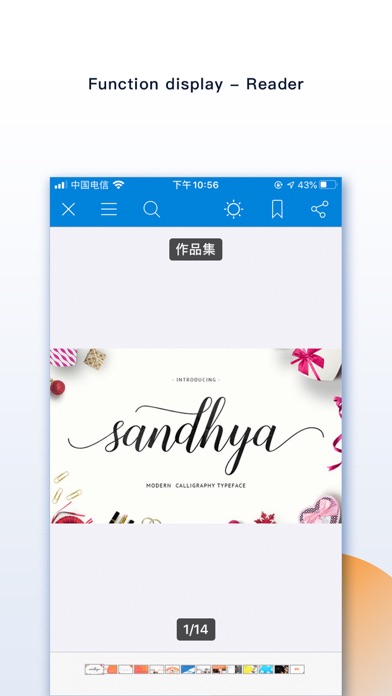
Quickly view and preview many file types:
• Office documents and PDF files
• Text files: txt, json, js, log, java, php, swift, xml
• High-resolution images and long screenshots
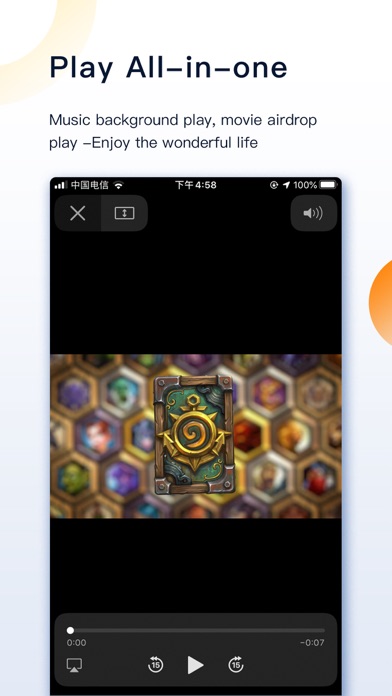
• Audio and video playback with an efficient media player
--------
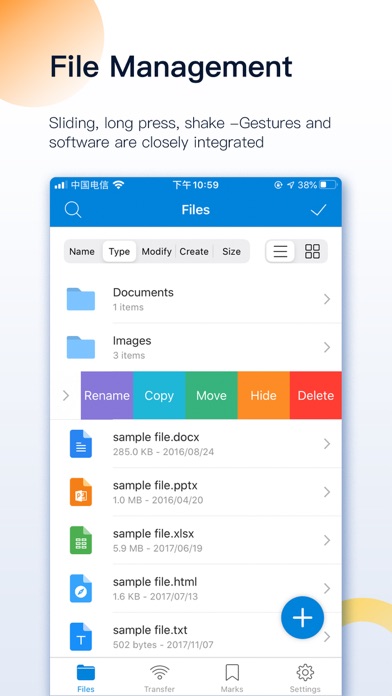
File Manager
Powerful tools to organize your files:
• Create folders and files
• Rename, copy, move, and delete files
• View file attributes
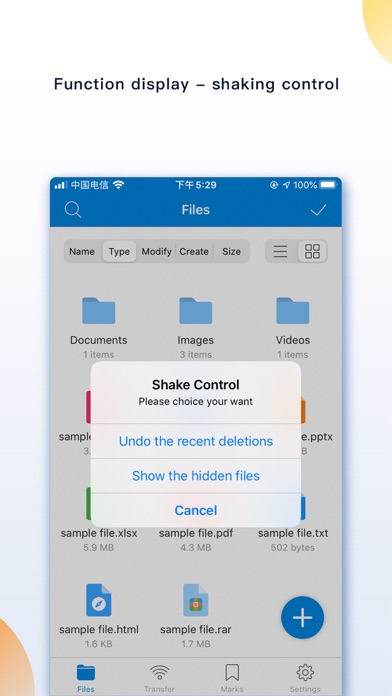
• Hide files for privacy
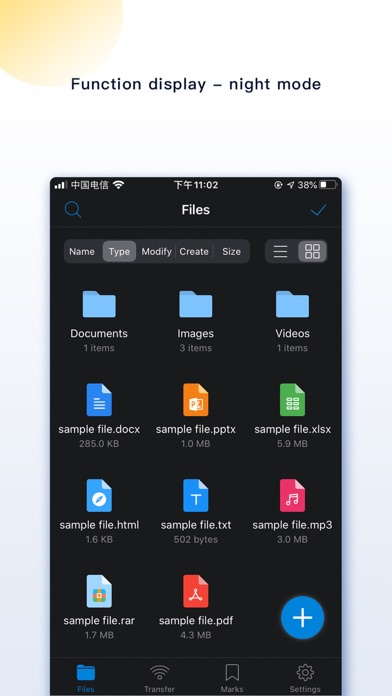
Sort files by name, type, time, or size.
--------
Privacy Protection
Protect your private files inside the app.
• Hide sensitive files
• Files remain isolated from other apps
• Optional password protection
--------
Key Functions
Add Files
Add files to FileMate in multiple ways:
• Create folders, text files, photos, and videos directly in the app
• Import files from Photos, Files, or other apps
• Transfer files between PC and iPhone via WiFi
• Transfer files between Mac and iPhone using Finder or iTunes
--------
Archive & Extract
FileMate supports common archive formats:
• 7z
• rar
• zip
• tar
Password-protected archives are supported.
--------
File Search
Quickly find files using:
• Fuzzy search
• Multi-keyword search
--------
File Marking
Mark important files for faster access and display them in custom sorting views.
--------
Hidden Files
Private files can be set as hidden.
Hidden files are not shown by default and can be revealed when needed.
--------
Password Lock
Protect access to the app:
• App password lock
• Face ID / Touch ID unlock
• Custom authentication timeout settings
--------
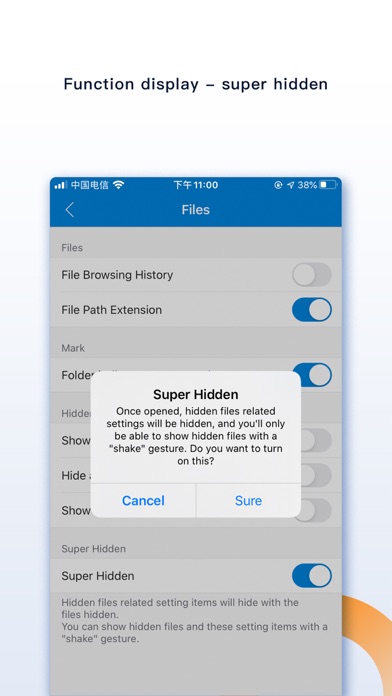
Super Hidden Mode
Hide all settings related to hidden files so only you know these features exist.
--------
Additional Features
Sharing Panel
• Import files into the app in batches
• Share files to other apps
Theme Settings
• Customize themes
• Adjust folder style, menus, and text size
Unread Reminder
• Set reminder times for unread files
--------
Contact & Feedback
If you have any questions or suggestions about the product, please feel free to contact us.
Email: orange_family@icloud.com
QQ group: 398168949
--------
[Auto-renewable subscription service]
1. Service: All Access, Removing Ad (1 Month)
2. Period: 1 Month
3. Price: $0.99 / Month
4. Payment will be charged to iTunes Account at confirmation of purchase
5. Subscription automatically renews unless auto-renew is turned off at least 24-hours before the end of the current period
6. Account will be charged for renewal within 24-hours prior to the end of the current period, and identify the cost of the renewal
7. Subscriptions may be managed by the user and auto-renewal may be turned off by going to the user's Account Settings after purchase
8. Terms of Use: http://www.orangestall.com/folder/subscription.html
9. Privacy Policy: http://www.orangestall.com/legal/privacy.html
1. Service: All Access, Removing Ad (1 Year)
2. Period: 1 Year
3. Price: $9.99 / Year
4. Payment will be charged to iTunes Account at confirmation of purchase
5. Subscription automatically renews unless auto-renew is turned off at least 24-hours before the end of the current period
6. Account will be charged for renewal within 24-hours prior to the end of the current period, and identify the cost of the renewal
7. Subscriptions may be managed by the user and auto-renewal may be turned off by going to the user's Account Settings after purchase
8. Terms of Use: http://www.orangestall.com/folder/subscription.html
9. Privacy Policy: http://www.orangestall.com/legal/privacy.html
Safety and technology
Found in the app by AppBrain- Price
- Free
- App size
- 94.3 MB
- Content rating
- Everyone
Technologies used by FileMate
Releases
Updates seen on the App Store- Version
- 13.7.1
- Launched
- April 2015
No changelog data
Alternatives
Similar apps and more from JUNBO JIAAlternatives to FileMate


More from JUNBO JIA


Rankings
App Store top chartsApp Store Rankings for FileMate
About the app and developer
About FileMate
FileMate is a productivity app developed by JUNBO JIA.
What is the rating of FileMate?
FileMate is rated 4.64 out of 5 stars, based on 380 ratings.
Is FileMate free?
FileMate is free. The app size is 94.32 MB. The latest version available is 13.7.1. The last update was on September 15, 2026.
What are the requirements for FileMate?
The app has a content rating of Everyone. The app has been available on the App Store since April 2015.
FileMate is made and published by JUNBO JIA. AppBrain is an independent app data site and isn't affiliated with JUNBO JIA. The app name, icon, screenshots and description belong to JUNBO JIA and are shown as published on the App Store.
Developer information for JUNBO JIA
Address:
Frequently asked questions about FileMate
Is FileMate free?
Yes. FileMate is free on the App Store.
Is FileMate still available?
Yes. FileMate is on the App Store, and the last update we saw was on September 15, 2026.
How large is FileMate?
FileMate is 94.32 MB.
Is FileMate suitable for children?
App Store rates the content of FileMate as suitable for everyone.
How do people rate FileMate?
FileMate scores 4.64 out of 5 stars, from 383 ratings on the App Store.
Who made FileMate?
FileMate was developed by JUNBO JIA. It is listed in the productivity category on the App Store.
What are the best alternatives to FileMate?
People looking at FileMate also look at these productivity apps: eFiles: File Manager, FSharing - Files, File Manager, ES File Explorer, FileBrowserGO: File Manager, File Manager Document Explorer.