

FineReader PDF: OCR Converter
FineReader PDF: OCR Converter is made and published by ABBYY USA Software House Inc. AppBrain is an independent app data site and isn't affiliated with ABBYY USA Software House Inc. The app name, icon, screenshots and description belong to ABBYY USA Software House Inc and are shown as published on the App Store.
AppBrain's verdict
- Last updated
- January 31, 2024
Rankings
App Store top chartsApp Store Rankings for FineReader PDF: OCR Converter
Competitors
Similar apps and more from ABBYY USA Software House IncMore from ABBYY USA Software House Inc


Releases
Updates seen on the App Store- Version
- 15.2.14
- Launched
- April 2021
No changelog data
User feedback
Ratings and reviews on the App StoreComments on FineReader PDF: OCR Converter for iOS
We don't have enough comments to show example comments. Please check back later.
Technology
Found in the app by AppBrain- Price
- Free
- App size
- 890.9 MB
- Content rating
- Everyone
Technologies used by FineReader PDF: OCR Converter
About the app and developer
About FineReader PDF: OCR Converter
FineReader PDF: OCR Converter is a productivity app developed by ABBYY USA Software House Inc.
User Ratings
The app has no ratings yet.
App Information
FineReader PDF: OCR Converter is freely available from the App Store. The app size is 890.92 MB. The latest version available is 15.2.14. The last update was on January 31, 2024.
Technical Requirements
The app has a content rating of Everyone. The app has been available on the App Store since April 2021.
Developer information for ABBYY USA Software House Inc
Address:
Store listing
By ABBYY USA Software House Inc, from the App Store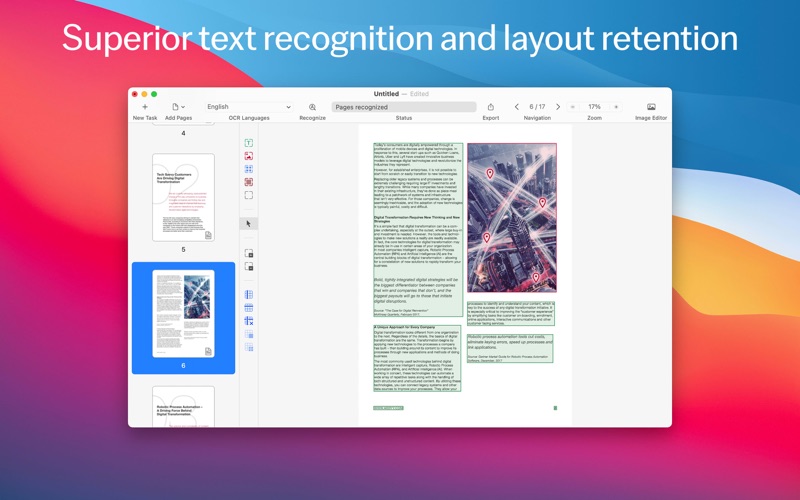

Description by ABBYY USA Software House Inc Written by the developer, not by AppBrain. Click to read.
FEATURES
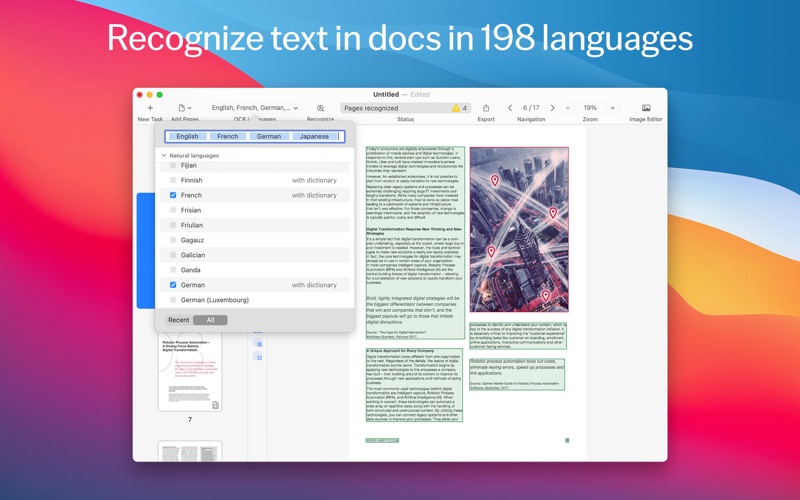
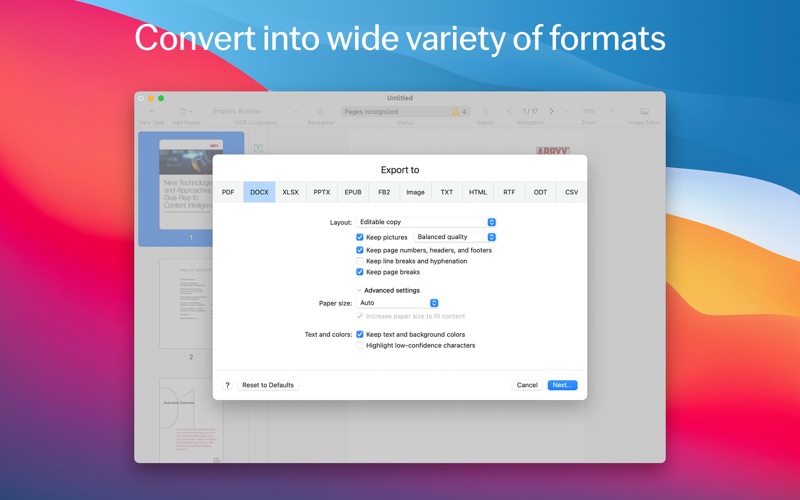
• Extract, reuse, and edit content of PDFs, paper documents, and their scanned images by converting them to editable formats such as DOCX, XLSX, RTF, ODT, and others.
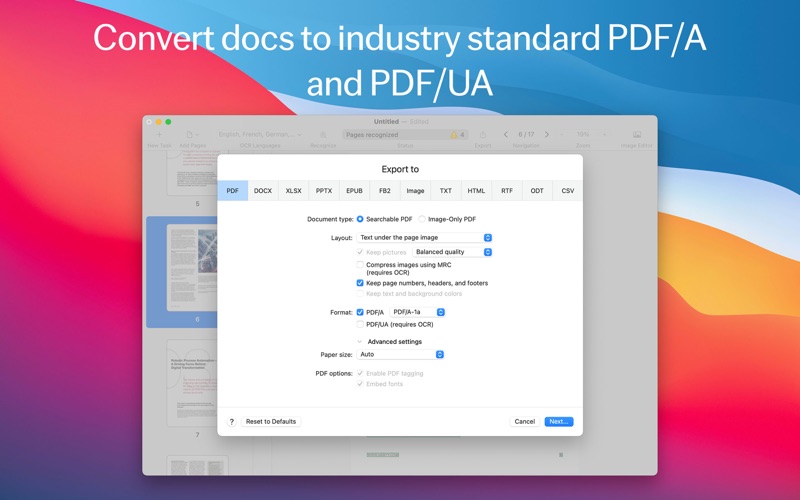
• Digitize the documents into PDFs to work with, archive, or share:
• searchable PDFs for easy retrieval,
• industry-standard PDF/A for reliable long-term archiving,
• PDF/UA to ensure accessibility.
• Protect documents digitized into PDFs with passwords.
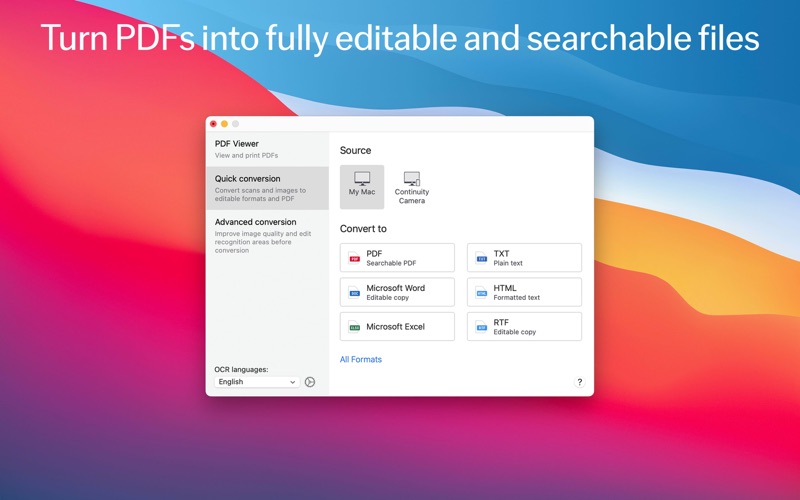
• Manage document conversion: choose between Quick conversion scenarios to get the task done in a few clicks, or Advanced conversion to control all details of the process.
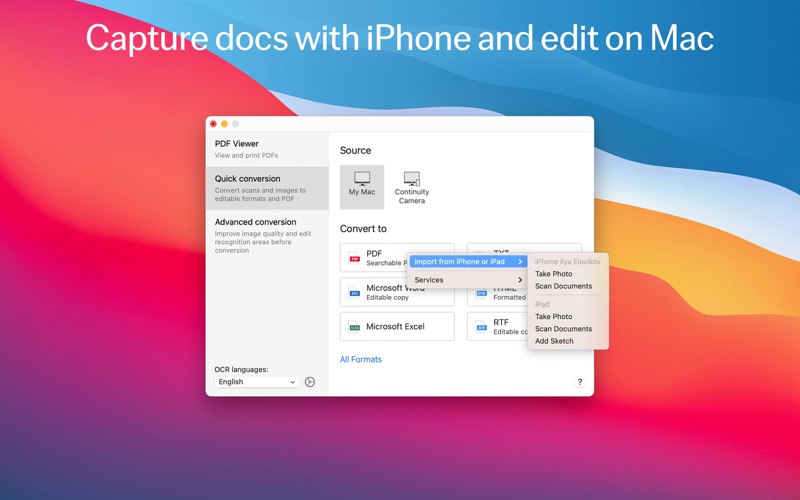
• Digitize without a scanner: capture the documents with iPhone® or iPad® directly to FineReader PDF with Continuity Camera, or transfer images taken earlier to convert them.
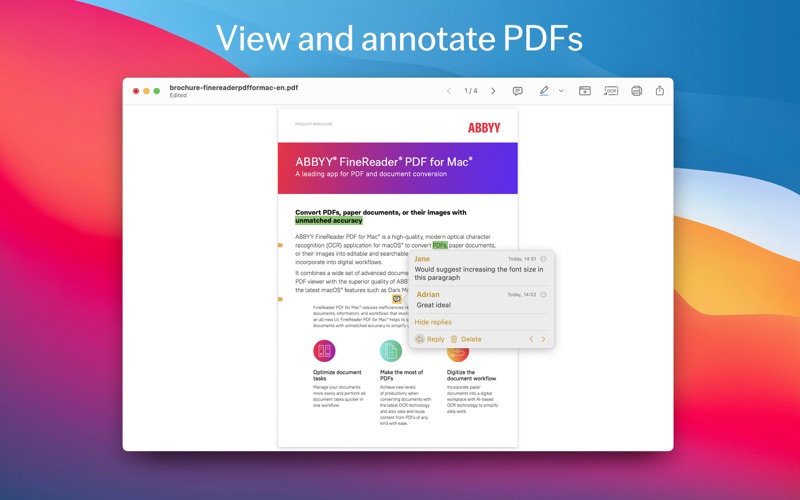
• Preview, read, annotate and print your PDF documents with a built-in PDF Viewer.
• Support of Apple Silicon chip (via Rosetta 2).
• Image Editor to improve the quality of document photos and scans.
WHEN TO USE
• Edit information “sealed” in a PDF, scan, or paper document
• Reuse it! Extract portions of text for further quotation, copying/pasting, and translation
• Protect your digital documents
• Create reliable and searchable archives of PDF documents
• Make your documents accessible
• Create document copies for reading on the go
• Capture your documents with a mobile device and edit on a computer
• Correct photos and images of documents for best conversion results
WHO NEEDS FINEREADER PDF
Suitable for anyone who works with PDFs, scans, and paper documents on a day to day basis and need to edit and reuse their content, digitize them, or convert them to formats suitable for sharing, storing, and archiving. Especially useful in:
• Legal Services
• Government / Public Sector
• Education
FREE TRIAL, FREE INTRODUCTORY OFFER, AND PREMIUM
The app is free to download. It provides a Free Trial with full access to all features for 7 days, with a 100-page limit on saving/exporting conversion results. After the Free Trial is over, to continue using all features of the software, enable Premium by choosing one of the following:
• 1-year paid subscription plan with annual auto-renewal. It provides a free introductory offer at the beginning (additional 7 days for free without page limitation before the paid 1-year period starts)
• 1-month paid subscription plan with monthly auto-renewal.
You can also choose to stay with the Free plan, with the app functionality limited to viewing and commenting in PDF files only, and no time limitation.
The subscription is automatically renewed at the end of every subscription period unless you choose to cancel it at least 24 hours before the end of the current period. Payment will be charged to your iTunes Account at confirmation of purchase. You can manage your subscription and switch off the auto-renewal by accessing your Account Settings after purchase. When you purchase a subscription, any unused portion of the Free Trial period will be forfeited.
LICENSING FOR BUSINESS
Progressive volume discounts are available starting from 5 licenses to maximize savings across your organization. To learn more, please contact ABBYY.
Do you like FineReader PDF? Please leave a review in Mac App Store, G2 or Capterra software comparison platforms.