

Fing - Network Scanner
Fing - Network Scanner is made and published by Fing Limited. AppBrain is an independent app data site and isn't affiliated with Fing Limited. The app name, icon, screenshots and description belong to Fing Limited and are shown as published on the App Store.
AppBrain's verdict
EstablishedLoved by users- Best rank
- #58
- Top Free, Mexico
- Rating on App Store
- 4.65
- 116,431 ratings
- Last updated
- September 11, 2026
Users love it: 4.6 stars from 116,431 ratings. Its best ranking is #58 in Top Free, Productivity in Mexico.
Rankings
App Store top charts- Highest rank
- #58
- Chart
- Top Free
- Productivity
- Country
- Mexico
App Store Rankings for Fing - Network Scanner
Top rankings
| Rank | Country | Category | List |
|---|---|---|---|
| 58 | Mexico | Productivity | Top Free |
| 73 | Slovakia | Productivity | Top Grossing |
| 76 | India | Productivity | Top Free |
| 86 | Indonesia | Productivity | Top Free |
| 89 | Saudi Arabia | Productivity | Top Free |
Ranking history in Mexico
Competitors
Similar apps and more from Fing LimitedAlternatives to Fing - Network Scanner







Releases
Updates seen on the App Store- Version
- 12.13.4
- Launched
- April 2011
No changelog data
User feedback
Ratings and reviews on the App StoreComments on Fing - Network Scanner for iOS
We don't have enough comments to show example comments. Please check back later.
Technology
Found in the app by AppBrain- Price
- Free
- App size
- 224.9 MB
- Content rating
- Everyone
Technologies used by Fing - Network Scanner
About the app and developer
About Fing - Network Scanner
Fing - Network Scanner is a productivity app developed by Fing Limited.
What is the rating of Fing - Network Scanner?
Fing - Network Scanner is rated 4.65 out of 5 stars, based on 120 thousand ratings.
Is Fing - Network Scanner free?
Fing - Network Scanner is free. The app size is 224.92 MB. The latest version available is 12.13.4. The last update was on September 11, 2026.
What are the requirements for Fing - Network Scanner?
The app has a content rating of Everyone. The app has been available on the App Store since April 2011.
Developer information for Fing Limited
Address:
Frequently asked questions about Fing - Network Scanner
Is Fing - Network Scanner free?
Yes. Fing - Network Scanner is free on the App Store.
Is Fing - Network Scanner still available?
Yes. Fing - Network Scanner is on the App Store, and the last update we saw was on September 11, 2026.
How large is Fing - Network Scanner?
Fing - Network Scanner is 224.92 MB.
Is Fing - Network Scanner suitable for children?
App Store rates the content of Fing - Network Scanner as suitable for everyone.
How do people rate Fing - Network Scanner?
Fing - Network Scanner scores 4.65 out of 5 stars, from 116,431 ratings on the App Store.
Who made Fing - Network Scanner?
Fing - Network Scanner was developed by Fing Limited. It is listed in the productivity category on the App Store.
What are the best alternatives to Fing - Network Scanner?
People looking at Fing - Network Scanner also look at these productivity apps: Router Keygen: WiFi Passwords, iWifi - AR speed & signal test, UniFi, Wi-Fi SweetSpots, Mi Wi-Fi.
Store listing
By Fing Limited, from the App Store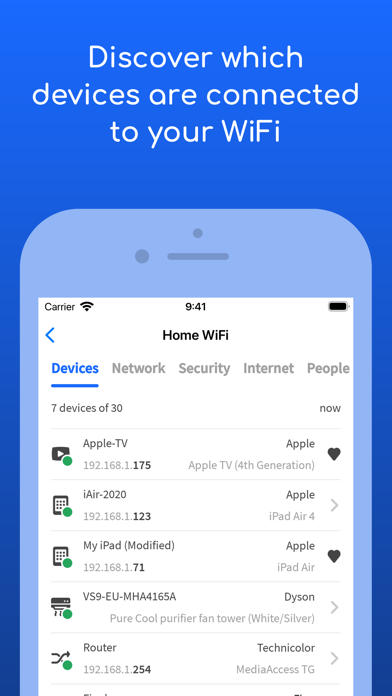
Description by Fing Limited Written by the developer, not by AppBrain. Click to read.
• Who's on my WiFi
• Is someone stealing my WiFi and broadband?
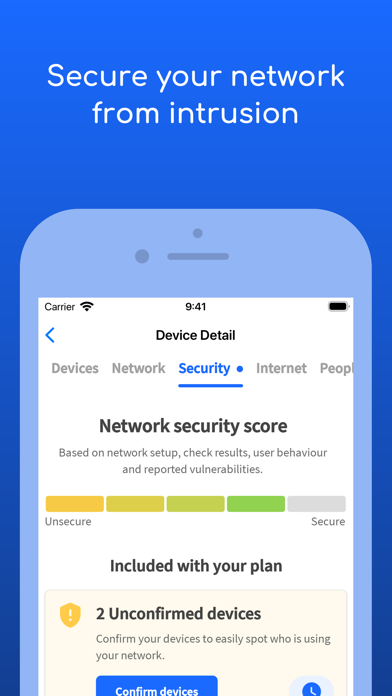
• Have I been hacked? Is my network secure?
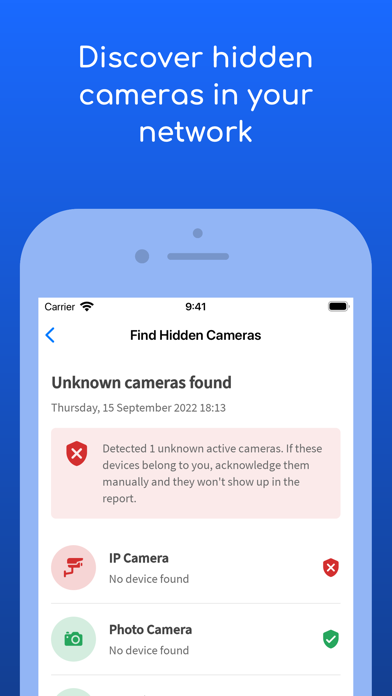
• Are there hidden cameras in the B&B I'm staying in?
• Why has Netflix started buffering?
• Is my internet provider giving me the speed I pay for?
Fing is the #1 Network Scanner: discovers all the devices connected to your WiFi and identifies them, with our patented technology used by router manufacturers and antivirus companies worldwide.
With Fing App’s free tools and utilities help you:
• Scan networks with Fing’s Wi-Fi & LAN network scanner and discover all devices connected to any network
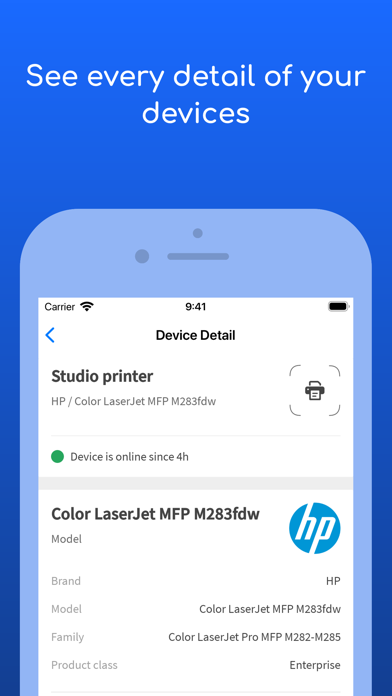
• Get the most accurate device recognition of IP address, MAC address, device name, model, vendor, and manufacturer
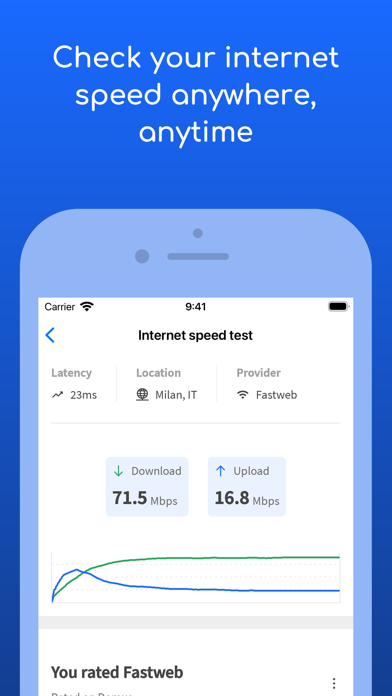
• Run WiFi and Cellular internet speed tests, download speed and upload speed analysis, and latency
• Browse internet outages in your area, ISP ratings, reviews, and speed statistics
• Advanced device analysis of NetBIOS, UPnP, SNMP, and Bonjour names, properties and device types
• Includes port scanning, device ping, traceroute, and DNS lookup
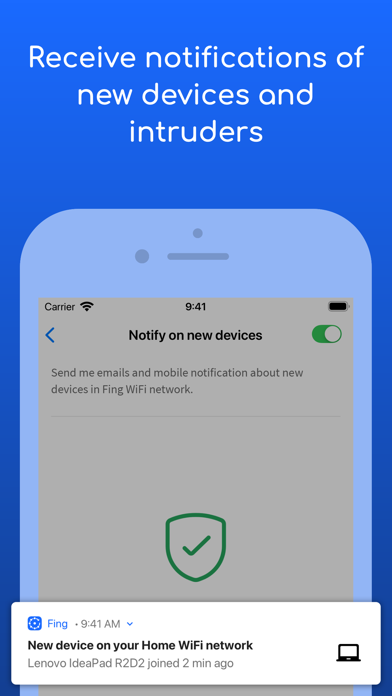
• Receive network security and device alerts to your phone and email
Add Fingbox to unlock advanced network protection and smart home troubleshooting features:
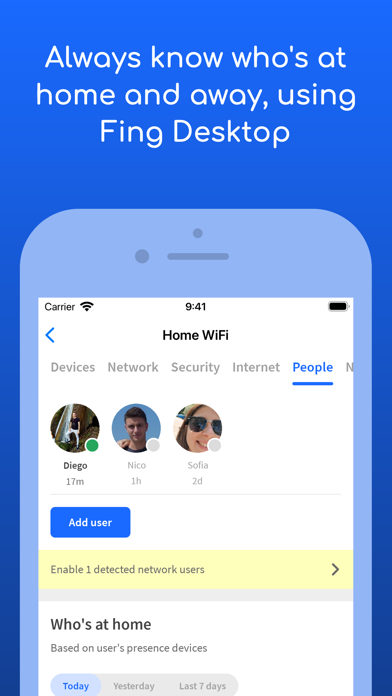
• Know who’s home while you’re not there with Digital Presence
• See devices near your home with Digital Fence
• Block intruders and unknown devices automatically before they join your network
• Set parental control features to schedule screen time and pause internet access
• Analyze bandwidth usage by device
• Find Wi-Fi sweet spots
• Automate network speed tests and get reports for benchmarking ISP performance
• Secure your home network with opened port detection and network vulnerability analysis
You can find all the details about the terms of use for in-app purchases and Fing account usage at https://www.fing.com/fing-terms-of-service.