

D-Link Wi-Fi
D-Link Wi-Fi is made and published by D-Link Corporation. AppBrain is an independent app data site and isn't affiliated with D-Link Corporation. The app name, icon, screenshots and description belong to D-Link Corporation and are shown as published on the App Store.
AppBrain's verdict
EstablishedWell rated- Rating on App Store
- 4.25
- 5,480 ratings
- Last updated
- July 26, 2023
- Size
- 283.4 MB
Users rate it well: 4.2 stars from 5,480 ratings.
User feedback
Ratings and reviews on the App StoreComments on D-Link Wi-Fi for iOS
We don't have enough comments to show example comments. Please check back later.
Store listing
By D-Link Corporation, from the App Store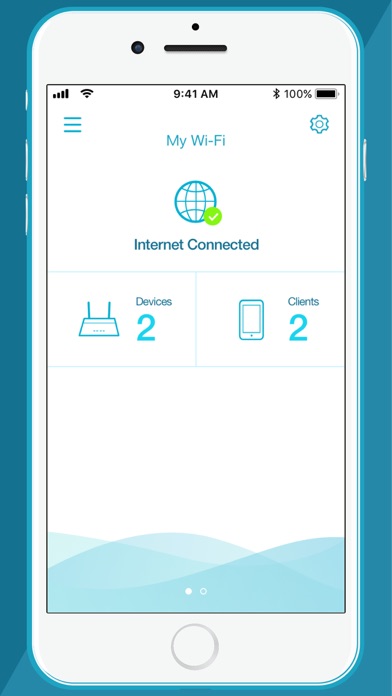
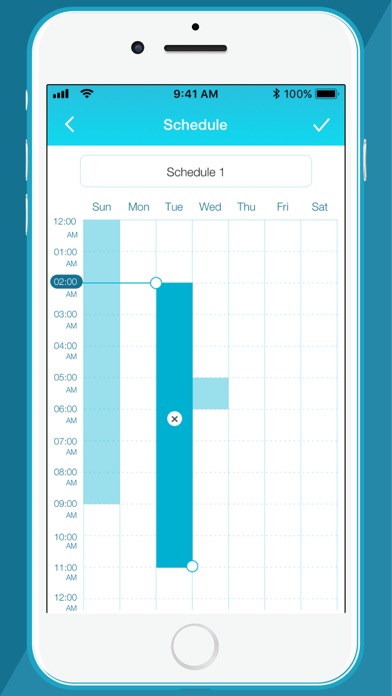
Description by D-Link Corporation Written by the developer, not by AppBrain. Click to read.
Network Management, Made Smarter.
WONDERING WHAT'S UP WITH YOUR WI-FI?
• View your entire network at a glance
• Check your connection status
• Find out who/what is connected to your network instantly
NETWORK MANAGEMENT IN THE PALM OF YOUR HAND
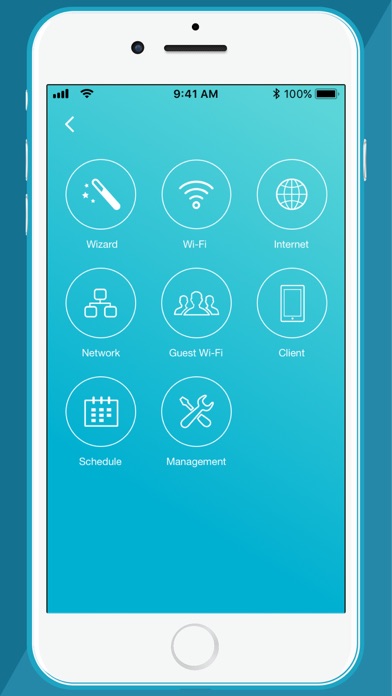
• The new D-Link Wi-Fi makes it easy to setup and control your home network without having to turn on your computer
• Intuitive interface lets you find what you need quickly
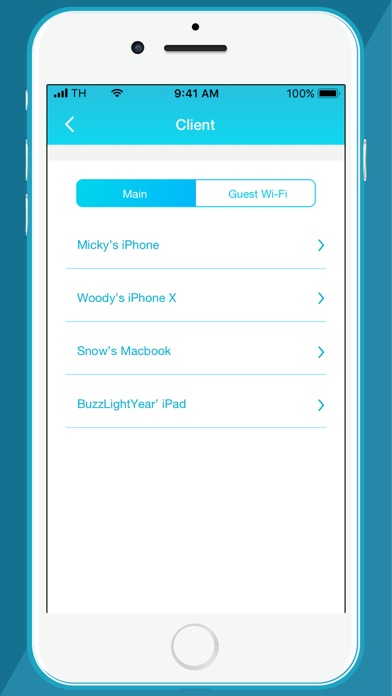
• Find out who's on your network with your mobile device
• Instantly block unauthorized devices with one tap
INTERNET INTERFERING WITH FAMILY CONNECTIONS?
• Make room for more family time with access Schedules
• Restrict your kids' device access with Parental Controls
GUESTS COMING OVER?
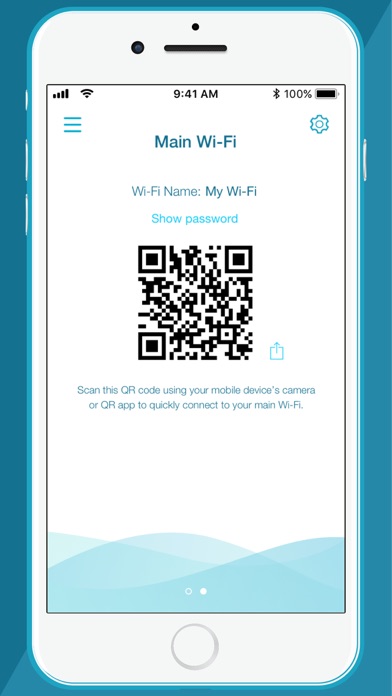
• Enable Guest-Wi-Fi without exposing your main Wi-Fi password
• Tap and share your Guest Wi-Fi instantly with QR Code or messaging apps
FIRMWARE UPGRADES WON'T AFFECT YOUR DAILY USAGE
• Device firmware upgrades are scheduled at less active times to let you fully enjoy streaming, online gaming, and fast file transfers.
For other D-Link router products, refer to the QRS Mobile app.
Notes:
The D-Link Wi-Fi app is for local access only. Your smartphone or tablet must be connected to your Wi-Fi system to use this app.
To access advanced features of the Wi-Fi System, you should use the web interface by going to http://covr.local./ or http://dlinkrouter.local./ from a computer or mobile device connected to the system.
System Requirements:
iOS 11.0 or later.
If you are experiencing issues, contact mydlinksupport@dlinkcorp.com.
Safety and technology
Found in the app by AppBrain- Price
- Free
- App size
- 283.4 MB
- Content rating
- Everyone
Technologies used by D-Link Wi-Fi
Releases
Updates seen on the App Store- Version
- 1.4.7
- Launched
- July 2017
No changelog data
Alternatives
Similar apps and more from D-Link CorporationAlternatives to D-Link Wi-Fi



More from D-Link Corporation






Rankings
App Store top chartsApp Store Rankings for D-Link Wi-Fi
About the app and developer
About D-Link Wi-Fi
D-Link Wi-Fi is a productivity app developed by D-Link Corporation.
User Ratings
D-Link Wi-Fi is rated 4.25 out of 5 stars. The rating is based on 5.5 thousand ratings.
App Information
D-Link Wi-Fi is freely available from the App Store. The app size is 283.36 MB. The latest version available is 1.4.7. The last update was on July 26, 2023.
Technical Requirements
The app has a content rating of Everyone. The app has been available on the App Store since July 2017.
Developer information for D-Link Corporation
Address: