

mydlink Lite
mydlink Lite is made and published by D-Link Corporation. AppBrain is an independent app data site and isn't affiliated with D-Link Corporation. The app name, icon, screenshots and description belong to D-Link Corporation and are shown as published on the App Store.
AppBrain's verdict
EstablishedWell rated- Rating on App Store
- 4.09
- 3,193 ratings
- Last updated
- October 7, 2026
Users rate it well: 4.1 stars from 3,193 ratings.
Rankings
App Store top chartsApp Store Rankings for mydlink Lite
Competitors
Similar apps and more from D-Link Corporation












Releases
Updates seen on the App Store- Version
- 3.8.18
- Launched
- May 2010
No changelog data
User feedback
Ratings and reviews on the App StoreComments on mydlink Lite for iOS
We don't have enough comments to show example comments. Please check back later.
Technology
Found in the app by AppBrain- Price
- Free
- App size
- 42.9 MB
- Content rating
- Everyone
Technologies used by mydlink Lite
About the app and developer
About mydlink Lite
mydlink Lite is a productivity app developed by D-Link Corporation.
What is the rating of mydlink Lite?
mydlink Lite is rated 4.09 out of 5 stars, based on 3.2 thousand ratings.
Is mydlink Lite free?
mydlink Lite is free. The app size is 42.94 MB. The latest version available is 3.8.18. The last update was on October 7, 2026.
What are the requirements for mydlink Lite?
The app has a content rating of Everyone. The app has been available on the App Store since May 2010.
Developer information for D-Link Corporation
Address:
Frequently asked questions about mydlink Lite
Is mydlink Lite free?
Yes. mydlink Lite is free on the App Store.
Is mydlink Lite still available?
Yes. mydlink Lite is on the App Store, and the last update we saw was on October 7, 2026.
How large is mydlink Lite?
mydlink Lite is 42.94 MB.
Is mydlink Lite suitable for children?
App Store rates the content of mydlink Lite as suitable for everyone.
How do people rate mydlink Lite?
mydlink Lite scores 4.09 out of 5 stars, from 3,193 ratings on the App Store.
Who made mydlink Lite?
mydlink Lite was developed by D-Link Corporation. It is listed in the productivity category on the App Store.
What are the best alternatives to mydlink Lite?
People looking at mydlink Lite also look at these productivity apps: D-Link Wi-Fi, IP Cam Viewer Lite, TP-LINK tpCamera, RealVNC Viewer: Remote Desktop, Wi-Fi SweetSpots.
Store listing
By D-Link Corporation, from the App Store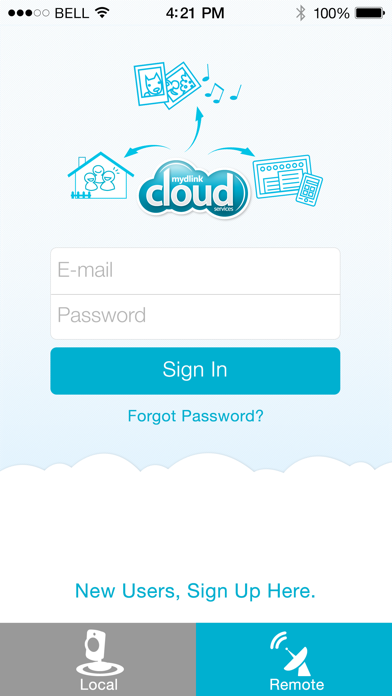
Description by D-Link Corporation Written by the developer, not by AppBrain. Click to read.
You can also check your Cloud Router’s current upload/download bandwidth, or manage your wireless network security and status. Parental controls let you see what sites your children have visited when you were away, and you can even block or unblock network access for individual devices.
For more information, go to mydlink.com or dlink.com
Features:
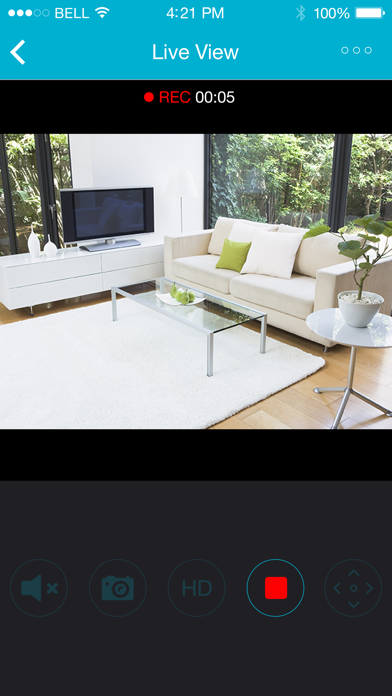
- View live video from your Cloud Camera, including a full-screen view. iPad users may purchase the mydlink+ app for multiple camera viewing.
- Supports H.264 video streaming for smooth high-quality video (specific models only.)
- Listen to audio from your camera’s microphone (audio-enabled models only)
- Save snapshots of your camera’s video to your iPhone or iPod Touch
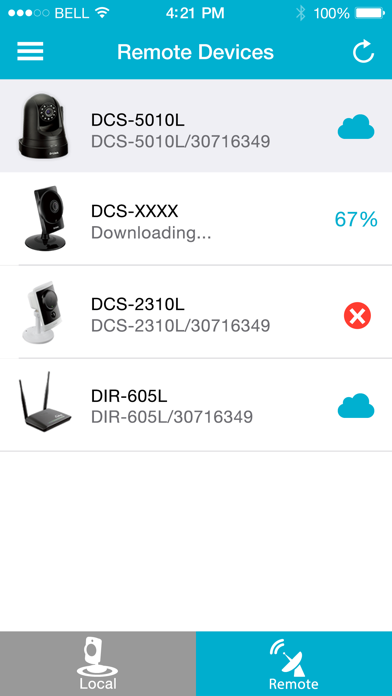
- View the online status of your Cloud Cameras and Cloud Routers
- Remotely monitor and configure your Cloud Routers
- Access and view your camera's video feed (without audio) through your NVR.
- Support remote viewing period of five minutes in relay mode. Helpful 60 second left countdown timer.
- Touch and drag to move your view around for non-PT cameras. Pinch to zoom in/out.
- Toggle camera's view modes between Night mode, Day mode, and Automatic mode.
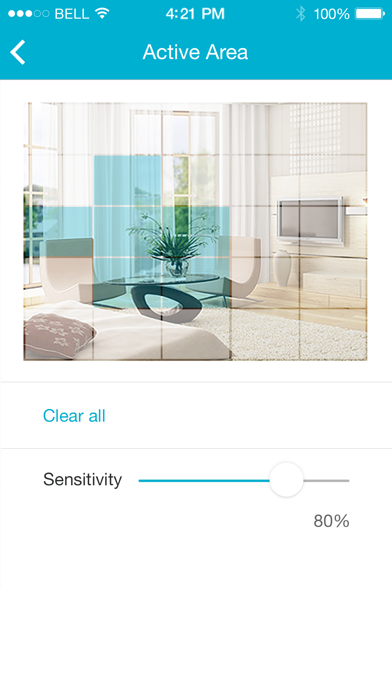
- After initial settings on the mydlink website, you can enable/disable motion/sound detection from the app for supported cameras.
- You can talk back with 2-way audio support (for DCS-942L, DCS-5211L, DCS-5222L, DCS-2132L, DCS-2310L, DCS-7010L, DCS-6010L), and cameras will mute their microphones to avoid feedback during two-way audio communication.
- SD Card Playback (for DCS-942L, DCS-5211L, DCS-5222L)
- Camera Firmware upgrade feature
- Support push notifications: Tap to select which device you want to receive push notifications from.
- Support local mode: Allow users to explore and access nearby cameras that are connected to the same LAN network with your phone.
- Online setup: Users can follow the online setup feature to configure new cameras. This app will lead you to configure your camera from A to Z.
- White light light-emitting diode feature of DCS-2136L
- Chat mode selection (OFF to mute camera's microphone) for DCS-942L two-way audio feature
This app is compatible with the following models:
- Cloud Cameras: DCS-930L,DCS-932L,DCS-933L,DCS-931L,DCS-942L,DCS-5211L,DCS-5222L,DCS-2332L,DCS-6010L,DCS-2132L,DCS-2310L,DCS-7010L,DCS-5020L,DCS-5010L,DCS-2136L,DCS-5222LB1,DCS-2330L,DCS-6004L
- Cloud Routers: DAP-1160L,DAP-1360L,DIR-140L,DIR-505L,DIR-600L,DIR-600LW,DIR-602L,DIR-605L,DIR-605LW,DIR-619L,DIR-626L,DIR-636L,DIR-640L,DIR-645L,DIR-810L,DIR-820L,DIR-820LW,DIR-826L,DIR-836L,DIR-840L,DIR-845L,DIR-850L,DIR-855L,DIR-860L,DIR-865L,DIR-868L,DIR-880L,DIR-900L,DIR-905L,DSL-2770L,DSL-2870B,DSL-2890AL,DSL-2900AL,DSL-3590L
- NVR: DNR-322L
Note: For Cloud Storage support, please download the mydlink Access-NAS app.
* The mydlink Lite app is linked to the FFmpeg shared video decoding library, which is compiled to contain LGPL decoders and splitters only. The repository can be cloned from git://github.com/dlinker/mydlink-Lite.git using the git clone command.
* HD H264 feature doesn't work for DCS-931L,DCS-933L,DCS-5010L,DCS-5020L, DCS-5009L, DCS-6045L so far.