My Cloud OS 5 is made and published by
Western Digital Technologies, Inc.
AppBrain is an independent app data site and isn't affiliated with Western Digital Technologies, Inc.
The app name, icon, screenshots and description belong to Western Digital Technologies, Inc. and are shown as
published on the App Store.
About My Cloud OS 5
My Cloud OS 5 is a productivity app developed by Western Digital Technologies, Inc.
User Ratings
My Cloud OS 5 is rated 4.77 out of 5 stars. The rating is based on 16 thousand ratings.
App Information
My Cloud OS 5 is freely available from the App Store. The app size is 104.50 MB. The latest version available is 4.30.2. The last update was on July 3, 2026.
Technical Requirements
The app has a content rating of High Maturity. The app has been available on the App Store since September 2020.
Description by Western Digital Technologies, Inc.(from the App Store)
Introducing My Cloud OS 5 Welcome to our fresh new My Cloud NAS software ecosystem featuring our latest security updates for enhanced data privacy, improved stability and reliability, a modern mobile and web app experience, and improved photo/video viewing and sharing capabilities.
My Cloud OS 5 helps you easily back up and organize high volumes of content from multiple computers, smartphones, and tablets on your My Cloud NAS, on your own private network, and without costly subscriptions. Use the mobile or web app to remotely access and share files, photos and videos you save on your My Cloud NAS from anywhere with an Internet connection.
COLLECT YOUR CONTENT IN ONE PLACE Set up automatic backups to save content from your multiple devices on your private My Cloud NAS. And with your files, photos, and videos organized in one place on your own network, you can easily streamline access to manage your projects and optimize workflows.
ACCESS REMOTELY The My Cloud OS 5 mobile app makes your content available to your smartphone or tablet with an Internet connection, whether you’re at home or away. Stop lugging around external drives when you travel and simply access your important files with your smartphone or tablet.
EASY SHARING AND COLLABORATION Easily share content with friends, family, and colleagues, or invite them to access your My Cloud NAS for seamless collaboration. My Cloud OS 5 makes it easy to share high-res photos and videos, a single file, or an entire folder using your smartphone or tablet.
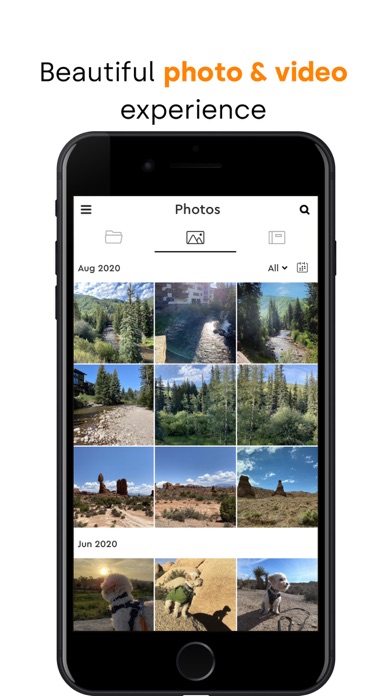
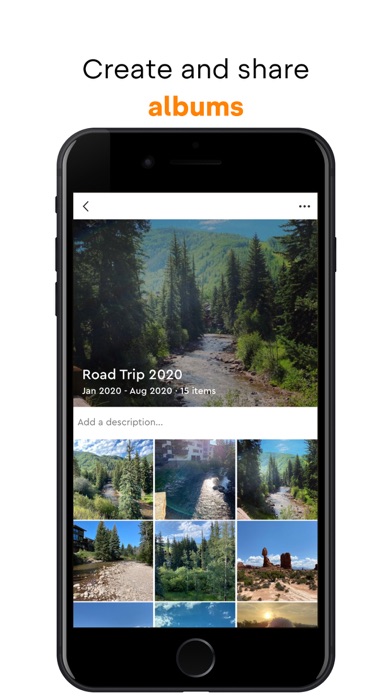
OPTIMIZED MULTI-MEDIA EXPERIENCE My Cloud OS 5 delivers a beautiful photo and video viewing experience, so you get the most out of your multi-media library. • Better Photo Viewing and Sharing: Preview RAW and HEIC photos before sending. Create albums to collect and organize photos for projects, special events, or just memories you want to share. Then, you can invite others to view or even add in their own photos. • Sharper Video Sharing: Share high-quality video with friends, family or clients without compromising on resolution. • Smooth Streaming: Download the Twonky Server or Plex Media Server to smoothly stream movies and music playlists stored on your My Cloud NAS to your TV, home entertainment system or mobile device. Key App Features: - Easily back up and organize high volumes of content from multiple smartphones and tablets on your private My Cloud NAS - Remotely access all the content saved on your private My Cloud NAS without costly subscriptions - Share high-res photos and videos, a single file, or an entire folder using your smartphone or tablet - Create an Album so you can easily share photos and videos with colleagues, clients, or family - Smoothly stream movies and music playlists stored on your My Cloud NAS to your mobile device
For more information on Western Digital’s Vulnerability Disclosure Policy please visit: https://www.westerndigital.com/support/product-security/vulnerability-disclosure-policy
Each subscription will automatically renew 3 days before the expiration date for
the same time period. Subscriptions can be cancelled at any time before the renewal.