

Finger Numbers
Finger Numbers is made and published by Christian Urff. AppBrain is an independent app data site and isn't affiliated with Christian Urff. The app name, icon, screenshots and description belong to Christian Urff and are shown as published on the App Store.
AppBrain's verdict
Established- Rating on App Store
- 5.00
- 1 ratings
- Last updated
- November 20, 2025
It doesn't have enough ratings yet to judge what users think.
Rankings
App Store top chartsApp Store Rankings for Finger Numbers
Competitors
Similar apps and more from Christian UrffAlternatives to Finger Numbers





More from Christian Urff


Releases
Updates seen on the App Store- Version
- 3.3
- Launched
- August 2011
No changelog data
User feedback
Ratings and reviews on the App StoreComments on Finger Numbers for iOS
We don't have enough comments to show example comments. Please check back later.
Technology
Found in the app by AppBrain- Price
- $1.99
- App size
- 80.8 MB
- Content rating
- Everyone
Technologies used by Finger Numbers
About the app and developer
About Finger Numbers
Finger Numbers is an education app developed by Christian Urff.
User Ratings
Finger Numbers is rated 5.00 out of 5 stars. The rating is based on one rating ratings.
App Information
Finger Numbers costs $1.99. The app size is 80.75 MB. The latest version available is 3.3. The last update was on November 20, 2025.
Technical Requirements
The app has a content rating of Everyone. The app has been available on the App Store since August 2011.
Developer information for Christian Urff
Address:
Store listing
By Christian Urff, from the App StoreDescription by Christian Urff Written by the developer, not by AppBrain. Click to read.
What children practice:
- Recognizing quantities at a glance and matching them with finger touches
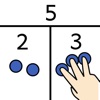
- Automating number decompositions, complements to 10, and strategies like the “Power of 5”
- Moving fluently between representations (fingers, dots, mixed)
Game and practice modes:
- Basics: Fingers, Dots, Mixed
- Pattern Recognition: structured arrangements
- Calculation Strategies: Power of 5, complements to 10, How many are missing?, decompositions
- Two Hands: cooperative/competitive split‑screen number decomposition
- Jump and Run: an action mini‑game controlled by finger numbers
Adapt to each learner:
- Flexible number range from 3 to 10 fingers (start with 3-5 Fingers for learning the input)
- Time pressure can be enabled/disabled as needed
- Visual aids and flash‑view controls
- Multi‑user profiles with individual progress; Guest mode without recording
For teachers
- Diagnostic reports with solution times, success rates, and strategy insights
- Protected area to review learning progress
- AI‑powered summaries with didactic guidance
Note: On iPad, system gestures (e.g., 4–5‑finger gestures) may interfere with multi‑finger input. Consider disabling multitasking gestures in system settings if needed.
Languages: German, English, Spanish, French, Japanese, Chinese (Simplified)