It doesn't have enough ratings yet to judge what users think.
FloatCue - Teleprompter is made and published by
Yanjun Zeng.
AppBrain is an independent app data site and isn't affiliated with Yanjun Zeng.
The app name, icon, screenshots and description belong to Yanjun Zeng and are shown as
published on the App Store.
About FloatCue - Teleprompter
FloatCue - Teleprompter is a photo & video app developed by Yanjun Zeng.
User Ratings
FloatCue - Teleprompter is rated 5.00 out of 5 stars. The rating is based on one rating ratings.
App Information
FloatCue - Teleprompter is freely available from the App Store. The app size is 42.76 MB. The latest version available is 1.1.0. The last update was on December 29, 2025.
Technical Requirements
The app has a content rating of Everyone. The app has been available on the App Store since November 2025.
Description by Yanjun Zeng(from the App Store)
FloatCue - Your Professional Teleprompter for Seamless Video Recording. Transform your video content creation with FloatCue, the floating teleprompter designed for content creators, presenters, and live streamers. Stay on script while maintaining natural eye contact with your camera.
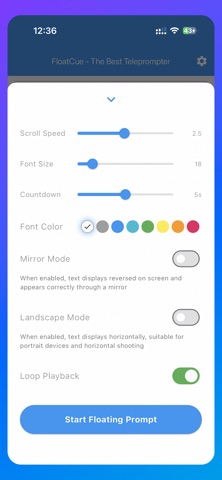
KEY FEATURES: • Floating Overlay Window • Keep your script visible over any app • Adjust transparency and position freely • Works seamlessly during video recording
ADVANCED SCROLLING CONTROL • Adjustable scroll speed for natural delivery • Pause with a double tap • Loop playback for repeated takes
MIRROR MODE • Perfect for teleprompter rigs with mirrors • Text displays reversed on screen • Appears correctly when reflected
LANDSCAPE MODE • Horizontal text display • Optimized for portrait device orientation • Ideal for horizontal shooting scenarios
CUSTOMIZATION OPTIONS • Multiple font sizes for optimal readability • Color customization for different lighting conditions • Countdown timer to prepare before recording
COUNTDOWN TIMER • 3, 5, or 10-second countdowns • Audio cues for perfect timing • Get ready before recording starts
LOOP PLAYBACK • Automatically restart your script • Perfect for practice sessions • Ideal for multiple takes
Perfect for Content Creators • YouTube videos and tutorials • Live streaming and broadcasts • Professional presentations • Social media content creation
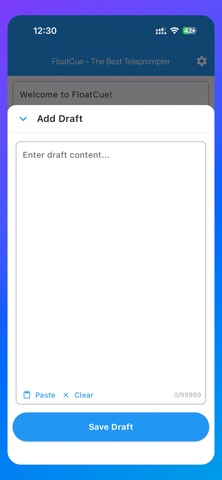
User-Friendly Design • Clean, distraction-free interface • Easy script management • Smooth scrolling control • Customizable text size and speed
Professional Use Cases • Conference speeches and presentations • Video podcasts and interviews • Online teaching and training • Product demonstrations
WHY FLOATCUE? Stay natural on camera - no more awkward pauses or forgetting lines Boost productivity - record perfect takes faster Maintain eye contact - look professional and confident Multi-tasking ready - works alongside your recording apps
Whether you're a seasoned content creator or just starting out, FloatCue helps you deliver polished, professional videos every time.
Download FloatCue today and elevate your video content!
Legal Information Terms of Use: https://www.biry.net/floatcue-terms-of-service-en/ Privacy Policy: https://www.biry.net/privacy-policy-for-floatcue-en/
Each subscription will automatically renew 3 days before the expiration date for
the same time period. Subscriptions can be cancelled at any time before the renewal.