FloJourney is made and published by
骏 刘.
AppBrain is an independent app data site and isn't affiliated with 骏 刘.
The app name, icon, screenshots and description belong to 骏 刘 and are shown as
published on the App Store.
About FloJourney
FloJourney is a travel app developed by 骏 刘.
User Ratings
The app has no ratings yet.
App Information
FloJourney is freely available from the App Store. The app size is 15.86 MB. The latest version available is 1.3.5. The last update was on September 22, 2026.
Technical Requirements
The app has a content rating of Everyone. The app has been available on the App Store since September 2026.
Description by 骏 刘(from the App Store)
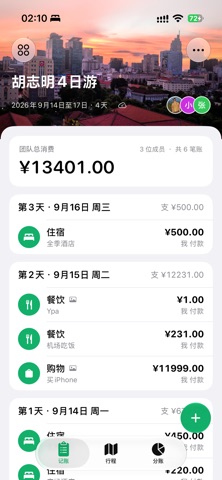
FloJourney is a lightweight shared space for group trips, bringing expense tracking, automatic settlement, and daily planning together. See who paid, who participated, and who owes whom at a glance.
SPLIT TRIP EXPENSES
Quickly record the amount, category, payer, and participants
Support for multiple currencies and exchange-rate snapshots
Attach a receipt image to each expense
Review a complete history of expense changes
Exclude special expenses from settlement when needed
SETTLE UP EASILY
Automatically calculate each member’s payments, share, and balance
Clearly show who should pay and who should receive
Generate a simplified set of suggested transfers
PLAN EVERY DAY
Create a daily schedule from your trip dates
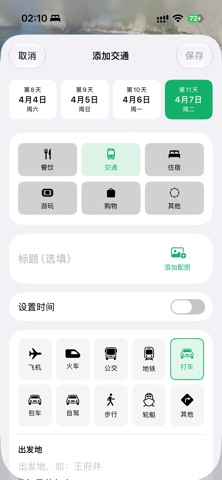
Organize sights, transportation, and hotels
Add times, per-person costs, notes, and photos
Enter navigation locations manually or select them on the map
Open saved locations directly in a supported maps app
SHARED TRIP SPACES
Manage multiple trips with custom covers
Add companions without the app as local members for expense splitting
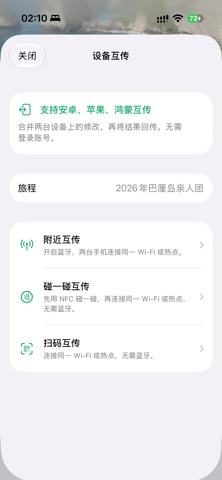
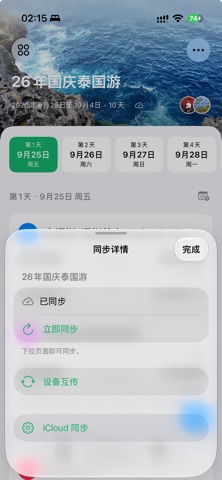
Upgrade to Pro for iCloud sync across devices and live collaboration
Invited companions can join a shared trip without purchasing Pro
YOUR DATA, YOUR CONTROL FloJourney does not require a separate account. Local content stays on your device. When sync or collaboration is enabled, data is stored through your Apple Account and iCloud CloudKit. FloJourney contains no advertising and does not sell personal data.
Local features are free. FloJourney Pro unlocks iCloud sync across devices and the ability to create collaboration invitations. Pro is available as an auto-renewable monthly subscription or a one-time lifetime purchase. Prices are displayed on the App Store purchase screen.
Payment is charged to your Apple Account upon confirmation. The monthly subscription renews automatically unless canceled at least 24 hours before the end of the current period. You can manage or cancel it in your Apple Account subscription settings.
Terms of Use (EULA): https://www.apple.com/legal/internet-services/itunes/dev/stdeula/ Privacy Policy: https://fy.vkr.me/mac/privacy/
Each subscription will automatically renew 3 days before the expiration date for
the same time period. Subscriptions can be cancelled at any time before the renewal.