

Focura: Focus Trainer
Focura: Focus Trainer is made and published by Firat Kocoglu. AppBrain is an independent app data site and isn't affiliated with Firat Kocoglu. The app name, icon, screenshots and description belong to Firat Kocoglu and are shown as published on the App Store.
AppBrain's verdict
- Rating on App Store
- 3.00
- 2 ratings
- Last updated
- October 7, 2026
It doesn't have enough ratings yet to judge what users think.
Rankings
App Store top chartsApp Store Rankings for Focura: Focus Trainer
Releases
Updates seen on the App Store- Version
- 2.0.0
- Launched
- April 2026
No changelog data
User feedback
Ratings and reviews on the App StoreComments on Focura: Focus Trainer for iOS
We don't have enough comments to show example comments. Please check back later.
Technology
Found in the app by AppBrain- Price
- Free
- App size
- 36.8 MB
- Content rating
- Everyone
Technologies used by Focura: Focus Trainer
About the app and developer
About Focura: Focus Trainer
Focura: Focus Trainer is a productivity app developed by Firat Kocoglu.
User Ratings
Focura: Focus Trainer is rated 3.00 out of 5 stars. The rating is based on 2 ratings.
App Information
Focura: Focus Trainer is freely available from the App Store. The app size is 36.80 MB. The latest version available is 2.0.0. The last update was on October 7, 2026.
Technical Requirements
The app has a content rating of Everyone. The app has been available on the App Store since April 2026.
Developer information for Firat Kocoglu
Address:
Store listing
By Firat Kocoglu, from the App Store



Description by Firat Kocoglu Written by the developer, not by AppBrain. Click to read.
Start with a concrete task and a manageable session. Keep your current task in view, capture other thoughts for later, and leave yourself a small next step when you pause.
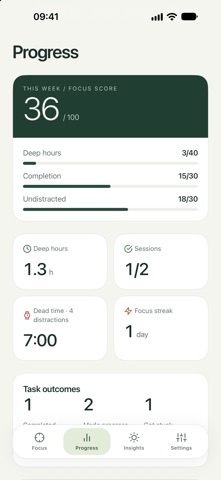
Review what you completed, moved forward or got stuck on. Focura brings your week together and uses your recorded sessions to suggest one thing to try next when there is enough evidence.
- Plan tasks and choose where to start.
- Save distracting thoughts without leaving your session.
- Return to your work with a clear next step.
- Review weekly focus and work progress.
- Try personal suggestions and review the recorded results.
- Keep your session in view with widgets and Live Activities.
Session history is stored on your device. You can export and import your data from Settings. Suggestions describe recorded patterns; they do not guarantee a result.