

Formbook
Formbook is made and published by Mathieu Morgensztern. AppBrain is an independent app data site and isn't affiliated with Mathieu Morgensztern. The app name, icon, screenshots and description belong to Mathieu Morgensztern and are shown as published on the App Store.
AppBrain's verdict
Established- Rating on App Store
- 4.50
- 32 ratings
- Last updated
- January 27, 2025
It doesn't have enough ratings yet to judge what users think.
Rankings
App Store top chartsApp Store Rankings for Formbook
Competitors
Similar apps and more from Mathieu MorgenszternAlternatives to Formbook




More from Mathieu Morgensztern



Releases
Updates seen on the App Store- Version
- 2.7.3
- Launched
- August 2021
No changelog data
User feedback
Ratings and reviews on the App StoreComments on Formbook for iOS
We don't have enough comments to show example comments. Please check back later.
Technology
Found in the app by AppBrain- Price
- Free
- App size
- 10.2 MB
- Content rating
- Everyone
Technologies used by Formbook
About the app and developer
About Formbook
Formbook is a productivity app developed by Mathieu Morgensztern.
User Ratings
Formbook is rated 4.50 out of 5 stars. The rating is based on 32 ratings.
App Information
Formbook is freely available from the App Store. The app size is 10.24 MB. The latest version available is 2.7.3. The last update was on January 27, 2025.
Technical Requirements
The app has a content rating of Everyone. The app has been available on the App Store since August 2021.
Developer information for Mathieu Morgensztern
Address:
Frequently asked questions about Formbook
Is Formbook free?
Yes. Formbook is free on the App Store.
Is Formbook still available?
Yes. Formbook is on the App Store, and the last update we saw was on January 27, 2025.
How large is Formbook?
Formbook is 10.24 MB.
Is Formbook suitable for children?
App Store rates the content of Formbook as suitable for everyone.
How do people rate Formbook?
Formbook scores 4.50 out of 5 stars, from 32 ratings on the App Store.
Who made Formbook?
Formbook was developed by Mathieu Morgensztern. It is listed in the productivity category on the App Store.
What are the best alternatives to Formbook?
People looking at Formbook also look at these productivity apps: Collections Database, MobiDB Database, easyAsPieDB Database App, Ikes: Idea Notes, Memento Database.
Store listing
By Mathieu Morgensztern, from the App Store
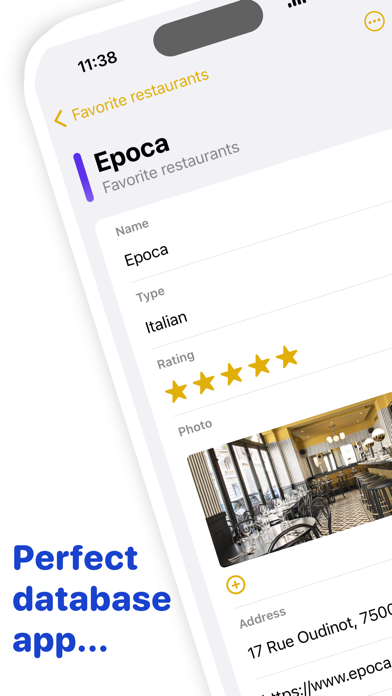


Description by Mathieu Morgensztern Written by the developer, not by AppBrain. Click to read.
Formbook is a new generation database app in which you create form based notes to easily store information.
Formbook is the perfect app for structured information note taking. With Formbook, notes behave like database forms: create a notebook and define the fields you need to store your information.
Form based notes have amazing benefits:
- Gain a huge amount of time while taking notes as you just need to fill in form fields.
- Instantly obtain chart stats on the data contained in your notebooks.
- Share notebooks for collaboration with other Formbook users.
Here are some usage examples. Create notebooks to:
- Keep track of your progress in sport training.
- Remember your favorite restaurants in places you visit.
- Store your recipes.
- Follow to do tasks.
- Prepare a trip by describing the places to visit.
- Keep track of any object inventory (with barcode reader).
Formbook comes with a powerful dashboard feature that visually displays charts on your data. Personalize your charts and analyse data in detail.
Formbook is cross device: notes are automatically synchronized on your iPhone, iPad, Mac and Apple Watch via iCloud.
Formbook is also available on your Apple Watch: access your notes and notebooks directly from you Apple Watch.
Formbook is powered by AI: save time with the new automated form builder. Enter your notebook name and Formbook infers the database fields.
Choose among 30 form field types when conceiving your notebook structure:
- Short text field
- Long text field
- Secret text field revealed by FaceID or TouchID
- Code text field (programming languages)
- Number
- Currency
- Stepper (number)
- Slider (number)
- Calculation (using the data from other fields)
- Yes/No button
- Date and Time fields
- Duration
- Images and photos
- List of elements (with optional checkboxes)
- List of tags
- Rating (with stars)
- Email (with compose button)
- Address (with map access)
- Phone number (with compose button)
- URL (with browse button)
- Barcode and QR code (with scan button)
- Current location (latitude, longitude, address)
Export your notes as PDF file and CSV file to use the data with spreadsheet apps.