

FoxioAI-PDF scanner edit&sign
FoxioAI-PDF scanner edit&sign is made and published by Shandong Junyou Information Technology Co., Ltd. AppBrain is an independent app data site and isn't affiliated with Shandong Junyou Information Technology Co., Ltd. The app name, icon, screenshots and description belong to Shandong Junyou Information Technology Co., Ltd and are shown as published on the App Store.
AppBrain's verdict
- Rating on App Store
- 5.00
- 1 ratings
- Last updated
- December 23, 2025
It doesn't have enough ratings yet to judge what users think.
Rankings
App Store top chartsApp Store Rankings for FoxioAI-PDF scanner edit&sign
Competitors
Similar apps and more from Shandong Junyou Information Technology Co., LtdAlternatives to FoxioAI-PDF scanner edit&sign


Releases
Updates seen on the App Store- Version
- 1.3
- Launched
- December 2025
No changelog data
User feedback
Ratings and reviews on the App StoreComments on FoxioAI-PDF scanner edit&sign for iOS
We don't have enough comments to show example comments. Please check back later.
Technology
Found in the app by AppBrain- Price
- Free
- App size
- 31.7 MB
- Content rating
- Everyone
Technologies used by FoxioAI-PDF scanner edit&sign
About the app and developer
About FoxioAI-PDF scanner edit&sign
FoxioAI-PDF scanner edit&sign is an utilities app developed by Shandong Junyou Information Technology Co., Ltd.
User Ratings
FoxioAI-PDF scanner edit&sign is rated 5.00 out of 5 stars. The rating is based on one rating ratings.
App Information
FoxioAI-PDF scanner edit&sign is freely available from the App Store. The app size is 31.69 MB. The latest version available is 1.3. The last update was on December 23, 2025.
Technical Requirements
The app has a content rating of Everyone. The app has been available on the App Store since December 2025.
Developer information for Shandong Junyou Information Technology Co., Ltd
Frequently asked questions about FoxioAI-PDF scanner edit&sign
Is FoxioAI-PDF scanner edit&sign free?
Yes. FoxioAI-PDF scanner edit&sign is free on the App Store.
Is FoxioAI-PDF scanner edit&sign still available?
Yes. FoxioAI-PDF scanner edit&sign is on the App Store, and the last update we saw was on December 23, 2025.
How large is FoxioAI-PDF scanner edit&sign?
FoxioAI-PDF scanner edit&sign is 31.69 MB.
Is FoxioAI-PDF scanner edit&sign suitable for children?
App Store rates the content of FoxioAI-PDF scanner edit&sign as suitable for everyone.
How do people rate FoxioAI-PDF scanner edit&sign?
FoxioAI-PDF scanner edit&sign has one rating of 5.00 stars on the App Store.
Who made FoxioAI-PDF scanner edit&sign?
FoxioAI-PDF scanner edit&sign was developed by Shandong Junyou Information Technology Co., Ltd. It is listed in the utilities category on the App Store.
What are the best alternatives to FoxioAI-PDF scanner edit&sign?
People looking at FoxioAI-PDF scanner edit&sign also look at these utilities apps: Cardio Log Heart, v2doc, Storage Cleaner: Clean Up Easy, AI Bot Clean-photos delete app, SprintHR Attendance System.
Store listing
By Shandong Junyou Information Technology Co., Ltd, from the App Store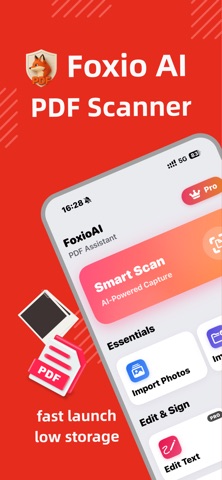




Description by Shandong Junyou Information Technology Co., Ltd Written by the developer, not by AppBrain. Click to read.
KEY FEATURES:
HD Document Scanning • Auto-Detection: Smart algorithms detect document edges automatically. • Image Enhancement: Clears shadows and perspective for professional-looking PDFs. • Batch Scanning: Efficiently scan multiple pages into a single document.
Text Recognition (OCR) • Extract Text: Convert scanned images into editable text using advanced vision technology. • Multi-Language: Supports recognition for English, Chinese, French, German, and Spanish. • Copy & Share: Copy text to clipboard or share via other apps.
E-Signatures • Easy Signing: Add your signature to documents directly on your device. • Customizable: Resize and position signatures to fit any form or contract.
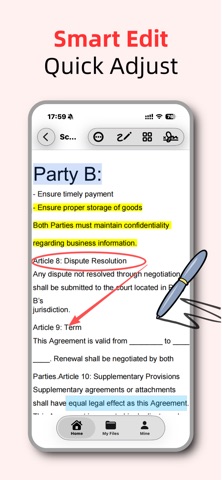
File Management • PDF Editor: Make quick adjustments to your PDF files. • Organize: Keep your documents sorted and accessible. • Export Options: Share as PDF or image files via AirDrop or Email.
Privacy First • Document processing is performed locally on your device to help protect your data privacy.
---
Subscription Details: Unlock unlimited access to all premium features with our subscription plans:
Weekly Subscription
Yearly Subscription
Additional Information:
Payment will be charged to your iTunes Account upon confirmation of purchase.
Subscription automatically renews unless auto-renew is turned off at least 24-hours before the end of the current period.
Account will be charged for renewal within 24-hours prior to the end of the current period.
Subscriptions may be managed by the user and auto-renewal may be turned off by going to the user's Account Settings after purchase.
Any unused portion of a free trial period, if offered, will be forfeited when the user purchases a subscription to that publication, where applicable.
Privacy Policy: :https://privacypolicypdf.moonspace.workers.dev/
Terms of Use: https://termsofuspdf.moonspace.workers.dev/