

Frequency Generator:Sound Wave
Frequency Generator:Sound Wave is made and published by Emre Atik. AppBrain is an independent app data site and isn't affiliated with Emre Atik. The app name, icon, screenshots and description belong to Emre Atik and are shown as published on the App Store.
AppBrain's verdict
- Last updated
- January 29, 2026
Rankings
App Store top chartsApp Store Rankings for Frequency Generator:Sound Wave
Competitors
Similar apps and more from Emre AtikAlternatives to Frequency Generator:Sound Wave


More from Emre Atik





Releases
Updates seen on the App Store- Version
- 1.2.0
- Launched
- September 2025
No changelog data
User feedback
Ratings and reviews on the App StoreComments on Frequency Generator:Sound Wave for iOS
We don't have enough comments to show example comments. Please check back later.
Technology
Found in the app by AppBrain- Price
- Free
- App size
- 282.3 MB
- Content rating
- Everyone
Technologies used by Frequency Generator:Sound Wave
About the app and developer
About Frequency Generator:Sound Wave
Frequency Generator:Sound Wave is a productivity app developed by Emre Atik.
User Ratings
The app has no ratings yet.
App Information
Frequency Generator:Sound Wave is freely available from the App Store. The app size is 282.27 MB. The latest version available is 1.2.0. The last update was on January 29, 2026.
Technical Requirements
The app has a content rating of Everyone. The app has been available on the App Store since September 2025.
Developer information for Emre Atik
Address:
Store listing
By Emre Atik, from the App Store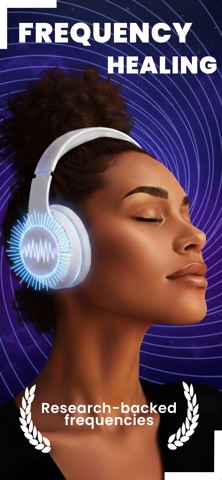


Description by Emre Atik Written by the developer, not by AppBrain. Click to read.
Highlights
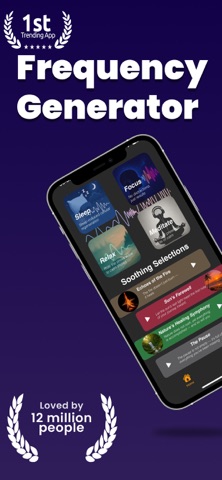
• 4 modes: Sleep, Focus, Relax, Meditate — each with curated starter presets.
• Binaural beats: Pick the beat frequency (e.g., 2–40 Hz) for your goal. Best experienced with stereo headphones.
• Full frequency control: Choose Alpha, Beta, Delta, Gamma, SMR (≈12–15 Hz) or type any custom value.
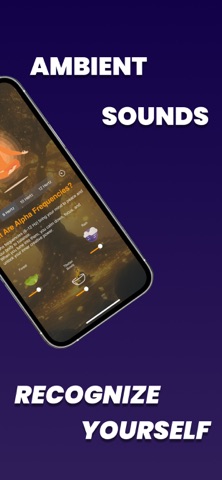
• Ambience mixer: Rain, forest, fire, ocean, wind, pink noise, and more — blend your perfect soundscape.
• Background + Lock Screen: Keep playing with the screen off and control from the Lock Screen.
• Timer: Set your session length; Sona stops automatically.
• Clean, distraction-free design: Create, save, and reuse your favorite sessions in seconds.
Brainwave primer
• Delta (~0.5–4 Hz): Deep sleep and recovery
• Theta (~4–8 Hz): Creativity and deep relaxation
• Alpha (~8–12 Hz): Calm wakefulness
• SMR (~12–15 Hz): Smooth, steady focus
• Beta (~15–30 Hz): Active thinking and energy
• Gamma (~30–40 Hz): Learning and integrative attention
Tips
• Use stereo headphones for binaural beats.
• Start at a low volume and adjust gradually.
• Pick a mode for your goal; fine-tune the beat frequency in small steps.
Important
Sona is not a medical device and does not diagnose or treat any condition. Do not use while driving or performing tasks that require full attention.
Craft your sound universe with Sona — and gently guide your mind toward what you want to feel.
Auto-Renewable Subscription Terms:
• The payment will be charged to your Apple ID Account at confirmation of purchase.
• The subscription renews automatically unless the auto-renew is turned off at least 24 hours before the end of the current billing period.
• Your account will be charged for renewal within 24 hours before the end of your selected subscription.
• Your subscriptions can be managed, and auto-renewal can be turned off by going to your App Store Account Settings.
Terms: https://eatkdevtermsofuse.carrd.co