

GirishConnect is made and published by Yogesh Sharma. AppBrain is an independent app data site and isn't affiliated with Yogesh Sharma. The app name, icon, screenshots and description belong to Yogesh Sharma and are shown as published on the App Store.
AppBrain's verdict
- Last updated
- October 19, 2026
Rankings
App Store top chartsApp Store Rankings for GirishConnect
Competitors
Similar apps and more from Yogesh SharmaAlternatives to GirishConnect




More from Yogesh Sharma


Releases
Updates seen on the App Store- Version
- 2.0.1
- Launched
- August 2019
No changelog data
User feedback
Ratings and reviews on the App StoreComments on GirishConnect for iOS
We don't have enough comments to show example comments. Please check back later.
Technology
Found in the app by AppBrain- Price
- Free
- App size
- 59.1 MB
- Content rating
- Everyone
Technologies used by GirishConnect
About the app and developer
About GirishConnect
GirishConnect is an utilities app developed by Yogesh Sharma.
User Ratings
The app has no ratings yet.
App Information
GirishConnect is freely available from the App Store. The app size is 59.12 MB. The latest version available is 2.0.1. The last update was on October 19, 2026.
Technical Requirements
The app has a content rating of Everyone. The app has been available on the App Store since August 2019.
Developer information for Yogesh Sharma
Address:
Frequently asked questions about GirishConnect
Is GirishConnect free?
Yes. GirishConnect is free on the App Store.
Is GirishConnect still available?
Yes. GirishConnect is on the App Store, and the last update we saw was on October 19, 2026.
How large is GirishConnect?
GirishConnect is 59.12 MB.
Is GirishConnect suitable for children?
App Store rates the content of GirishConnect as suitable for everyone.
Who made GirishConnect?
GirishConnect was developed by Yogesh Sharma. It is listed in the utilities category on the App Store.
What are the best alternatives to GirishConnect?
People looking at GirishConnect also look at these utilities apps: Goldmedal-Star, Name And Photo On Cakes, All Language Translate App, MyCrompton, Microtek Connect.
Store listing
By Yogesh Sharma, from the App Store


Description by Yogesh Sharma Written by the developer, not by AppBrain. Click to read.
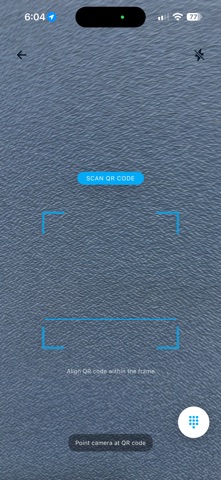
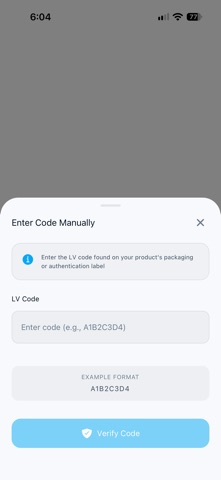
To avail points:
1. Scratch the holographic tape on the label
2. Scan QR Code or Enter LVCode.
3. Confirmation message for successful points avail will be shown.
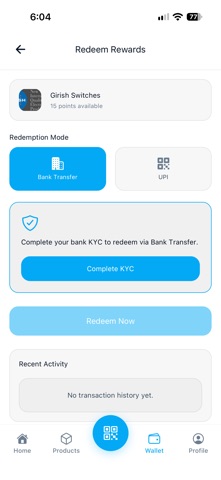
To redeem:
1. Go to Girish Wallet section
2. Enter the number of points to redeem according to slab.
3. Select PayTM or Bank Transfer for redemption.
Please make sure your phone number has PayTM account and KYC for PayTM is completed.
For Bank transfer, enter bank account details in the GirishConnect app KYC section and see if the account details are verified by the GirishConnect App.