

GPS Map Camera & Timestamp
GPS Map Camera & Timestamp is made and published by Darshan Navapariya. AppBrain is an independent app data site and isn't affiliated with Darshan Navapariya. The app name, icon, screenshots and description belong to Darshan Navapariya and are shown as published on the App Store.
AppBrain's verdict
- Last updated
- September 8, 2025
Rankings
App Store top chartsApp Store Rankings for GPS Map Camera & Timestamp
Competitors
Similar apps and more from Darshan NavapariyaAlternatives to GPS Map Camera & Timestamp



More from Darshan Navapariya


Releases
Updates seen on the App Store- Version
- 1.1.1
- Launched
- May 2025
No changelog data
User feedback
Ratings and reviews on the App StoreComments on GPS Map Camera & Timestamp for iOS
We don't have enough comments to show example comments. Please check back later.
Technology
Found in the app by AppBrain- Price
- Free
- App size
- 24.0 MB
- Content rating
- Everyone
Technologies used by GPS Map Camera & Timestamp
About the app and developer
About GPS Map Camera & Timestamp
GPS Map Camera & Timestamp is a navigation app developed by Darshan Navapariya.
User Ratings
The app has no ratings yet.
App Information
GPS Map Camera & Timestamp is freely available from the App Store. The app size is 24.01 MB. The latest version available is 1.1.1. The last update was on September 8, 2025.
Technical Requirements
The app has a content rating of Everyone. The app has been available on the App Store since May 2025.
Developer information for Darshan Navapariya
Address:
Store listing
By Darshan Navapariya, from the App Store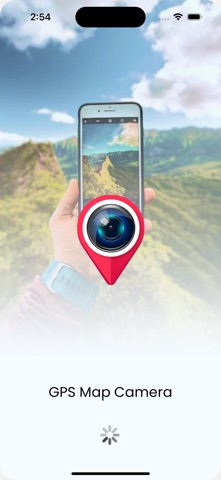



Description by Darshan Navapariya Written by the developer, not by AppBrain. Click to read.
Ever need to prove exactly where and when a photo was taken? Wish your travel photos had a map right on them for context? GPS Map Camera & Timestamp is the ultimate tool to automatically add precise, fully customizable stamps to your photos in real-time.
Turn your phone into a powerful notecam. For every photo you take, automatically embed a rich overlay of data including GPS coordinates, location address, a live map, date and time, weather, and more. It's the perfect geotagging application for professionals, travelers, and anyone who needs to capture photos with verifiable context.
KEY FEATURES:
GPS Location & Map Stamps
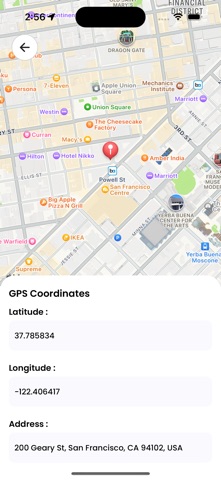
* Coordinates: Add precise Latitude & Longitude in both DMS and Decimal formats.
* Live Map: Overlay a real-time Map view directly onto your photo. Choose from Normal, Satellite, Terrain, or Hybrid styles.
* Full Address: Automatically fetch and stamp the current street address.
* Accuracy & Altitude: Record GPS accuracy and elevation data for precise documentation.
Date & Timestamp
* Automatic Timestamping: Capture the exact date and time a photo is taken.
* Custom Formats: Choose from numerous professional date and time formats to suit your needs.
Weather & Environmental Data
* Live Weather: Stamp the current temperature (C/F), humidity, and wind speed.
* Atmospheric Details: Include pressure and magnetic field data for comprehensive field reports.
Complete Customization
* Professional Templates: Select from a range of clean, professional templates and arrange stamps exactly how you want them.
* Your Logo & Notes: Add your own brand logo as a watermark and write custom notes directly on the image.
* Hashtags: Include relevant hashtags to organize your projects or social media posts.
Full-Featured Camera
* Enjoy a powerful built-in camera with Grid, Aspect Ratio, Flash, Focus Control, Timer, and Front/Selfie camera support.
PERFECT FOR:
* Construction & Engineering: Document site progress, surveys, and reports with verifiable location and timestamps.
* Real Estate Professionals: Capture property photos with accurate address, coordinates, and date for listings and client updates.
* Travelers & Explorers: Create a visual travel diary. Never forget where you took that amazing shot.
* Field Workers & Surveyors: Gather evidence and create location-stamped records for any job.
* Journalists & Event Organizers: Add verifiable proof of location and time to your photos.
* Anyone Creating Memories: Give your photos the context they deserve, remembering every detail of your special moments.
HOW IT WORKS IN 3 SIMPLE STEPS:
1. Customize Your Stamps: Open the app and choose the template, data, and formats you want to display.
2. Point & Shoot: Use the in-app camera to take a photo. All your selected data is stamped automatically and in real-time.
3. Save & Share: Your geotagged photo is saved to your gallery, ready to be shared with clients, colleagues, friends, or family.
Stop taking simple photos; start creating detailed visual records.
Download GPS Map Camera & Timestamp today and add unbeatable context to every shot!