

Guitar Buddy - Ear Training
Guitar Buddy - Ear Training is made and published by Thomas Sempf. AppBrain is an independent app data site and isn't affiliated with Thomas Sempf. The app name, icon, screenshots and description belong to Thomas Sempf and are shown as published on the App Store.
AppBrain's verdict
- Rating on App Store
- 3.67
- 3 ratings
- Last updated
- July 22, 2026
It doesn't have enough ratings yet to judge what users think.
Rankings
App Store top chartsApp Store Rankings for Guitar Buddy - Ear Training
Competitors
Similar apps and more from Thomas SempfAlternatives to Guitar Buddy - Ear Training


Releases
Updates seen on the App Store- Version
- 1.4.0
- Launched
- December 2025
No changelog data
User feedback
Ratings and reviews on the App StoreComments on Guitar Buddy - Ear Training for iOS
We don't have enough comments to show example comments. Please check back later.
Technology
Found in the app by AppBrain- Price
- Free
- App size
- 75.8 MB
- Content rating
- Everyone
Technologies used by Guitar Buddy - Ear Training
About the app and developer
About Guitar Buddy - Ear Training
Guitar Buddy - Ear Training is a music app developed by Thomas Sempf.
What is the rating of Guitar Buddy - Ear Training?
Guitar Buddy - Ear Training is rated 3.67 out of 5 stars, based on 3 ratings.
Is Guitar Buddy - Ear Training free?
Guitar Buddy - Ear Training is free. The app size is 75.84 MB. The latest version available is 1.4.0. The last update was on July 22, 2026.
What are the requirements for Guitar Buddy - Ear Training?
The app has a content rating of Everyone. The app has been available on the App Store since December 2025.
Developer information for Thomas Sempf
Address:
Frequently asked questions about Guitar Buddy - Ear Training
Is Guitar Buddy - Ear Training free?
Yes. Guitar Buddy - Ear Training is free on the App Store.
Is Guitar Buddy - Ear Training still available?
Yes. Guitar Buddy - Ear Training is on the App Store, and the last update we saw was on July 22, 2026.
How large is Guitar Buddy - Ear Training?
Guitar Buddy - Ear Training is 75.84 MB.
Is Guitar Buddy - Ear Training suitable for children?
App Store rates the content of Guitar Buddy - Ear Training as suitable for everyone.
How do people rate Guitar Buddy - Ear Training?
Guitar Buddy - Ear Training scores 3.67 out of 5 stars, from 3 ratings on the App Store.
Who made Guitar Buddy - Ear Training?
Guitar Buddy - Ear Training was developed by Thomas Sempf. It is listed in the music category on the App Store.
What are the best alternatives to Guitar Buddy - Ear Training?
People looking at Guitar Buddy - Ear Training also look at these music apps: StrumForge: Chord Progressions, BackBeat Drums & Metronome Pro, Train My Ear, PulseMaster: Rhythm Trainer, AxeLog - AI Guitar Coach.
Store listing
By Thomas Sempf, from the App Store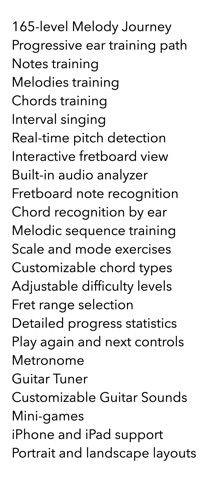
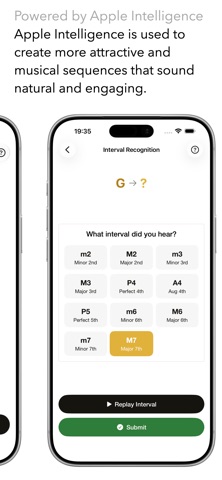
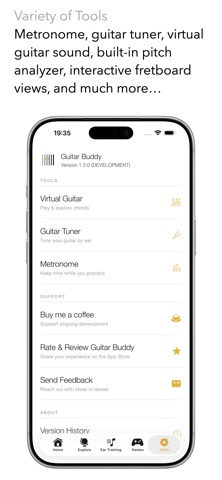
Description by Thomas Sempf Written by the developer, not by AppBrain. Click to read.
Master the Fretboard by Ear – Notes, Chords, Melodies & Real‑Time Pitch Detection
Unlock the guitar fretboard and train your musical ear with Guitar Buddy – a focused practice companion for guitarists who want to really know what they're playing, not just where to put their fingers.
Whether you're a beginner learning the notes on the neck or an experienced player sharpening your chord recognition, melodic ear, and intonation, Guitar Buddy guides you through structured, interactive training sessions.
KEY FEATURES
MELODY JOURNEY – PROGRESSIVE 165-LEVEL ADVENTURE:
Embark on a structured ear training path that takes you from beginner to expert.
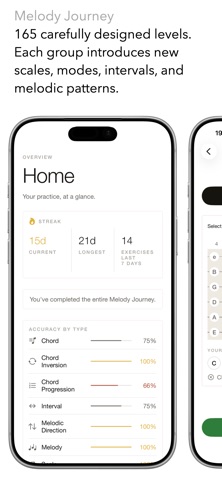
• 165 carefully designed levels organized into 33 topic groups
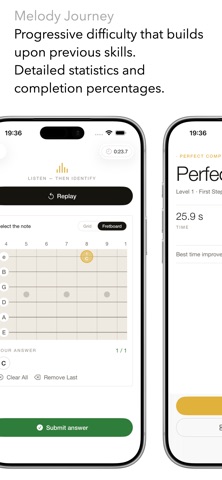
• Progressive difficulty that builds upon previous skills
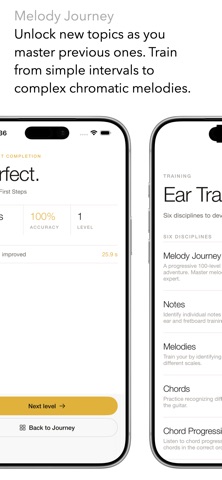
• Train with everything from simple intervals to complex chromatic melodies
• Track your progress with detailed statistics and completion percentages
• Unlock new topics as you master previous ones
Perfect for guitarists who want a clear roadmap to fretboard mastery, one level at a time.
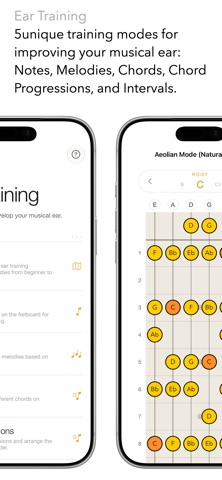
FIVE FOCUSED TRAINING MODES
NOTES TRAINING:
Learn every note on the fretboard and finally make sense of the neck layout. Practice note recognition across the entire fretboard, with focus on specific fret ranges.
MELODIES TRAINING:
Train your ear to identify melodic sequences based on different scales. Choose from various difficulty levels and melody lengths.
CHORDS TRAINING:
Develop your chord vocabulary by ear and by shape. Train with a wide variety of chord types, enable inversions, and challenge yourself with "guess first" style sessions.
CHORD PROGRESSIONS TRAINING:
Listen to a chord progression and identify each chord in sequence. Three difficulty levels take you from common two-chord patterns to complex four-chord sequences.
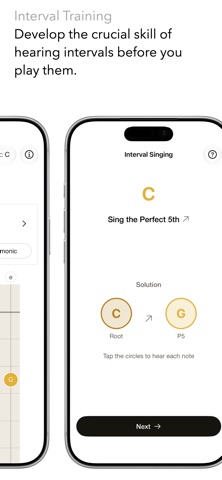
INTERVAL SINGING:
Train your inner ear by singing intervals before you play them. Listen to a root note, sing the target interval, then verify your pitch against a chord. Three difficulty levels covering all 11 intervals. Choose ascending, descending, or mixed direction.
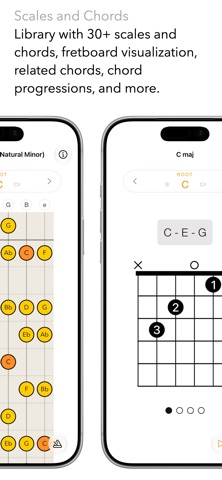
EXPLORE: SCALES, CHORDS & INTERVALS
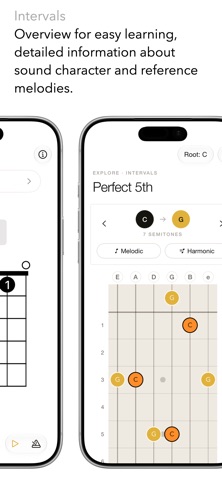
Browse an interactive reference covering scales, chords, and intervals – all visualized on the fretboard.
• See every chord shape with correct note names and play it back directly
• Browse all intervals with visual highlights and famous reference melodies you can play
• Explore scale patterns across the full neck
INTERACTIVE FRETBOARD VIEW
A beautifully designed virtual fretboard shows you exactly where notes and chords appear on the neck. Optimized for portrait and landscape on iPhone, iPad and Mac.
BUILT-IN AUDIO ANALYZER
• Enable the microphone-based analyzer to detect what you play in real time
• See the detected note name and octave as you play on your own instrument
• Use it to check intonation, pitch accuracy, and ear-to-fretboard connection
FLEXIBLE PRACTICE SETTINGS
• Choose your training focus: Journey, Notes, Melodies, Chords, Chord Progressions, or Interval Singing
• Limit practice to specific fret ranges
• Select chord types to include, with optional inversion challenges
• Choose interval playback as melodic or harmonic, and set direction
• Adjust difficulty levels across all training modes
DESIGNED FOR REAL PROGRESS
Guitar Buddy is a focused training tool – not a game with distractions. It helps you:
• Internalize note locations across the entire fretboard
• Recognize chords by name and structure
• Develop your inner ear for intervals and melodies
• Build long-term fretboard fluency
IDEAL FOR
• Guitarists who know shapes but want to understand the actual notes
• Students preparing for music theory exams
• Self-taught players filling in fretboard and harmony gaps
• Musicians developing melodic ear and interval recognition
Take control of your fretboard knowledge and ear training.
Download Guitar Buddy and start turning guesswork into confidence – one note, one chord, and one melody at a time.