

Habit Management - Pomodoro
Habit Management - Pomodoro is made and published by Shinya Okazaki. AppBrain is an independent app data site and isn't affiliated with Shinya Okazaki. The app name, icon, screenshots and description belong to Shinya Okazaki and are shown as published on the App Store.
AppBrain's verdict
- Last updated
- March 16, 2022
- Size
- 22.6 MB
User feedback
Ratings and reviews on the App StoreComments on Habit Management - Pomodoro for iOS
We don't have enough comments to show example comments. Please check back later.
Store listing
By Shinya Okazaki, from the App Store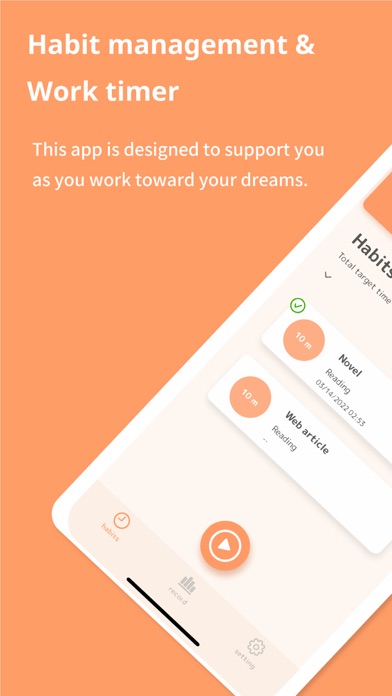


Description by Shinya Okazaki Written by the developer, not by AppBrain. Click to read.
Please use this application to continue your daily efforts, which are indispensable for realizing your "dreams" and "goals".
This application has the following functions.
- Daily habit management
- Work timer" to help you concentrate on your work
[ How to use the app ]
# Fat Habit Management
First, register the habits you need to make your dreams come true in this application.
The following information can be set for each habit.
- Habit name (e.g., language study, writing, illustration, etc.) Register any habit you like)
- Work classification (e.g., studying for certifications, reading, etc.) You can specify any classification you like)
- Target work hours (set a target for the amount of work you want to complete in a day)
# Fat work timer
When you start working, open the "Work Timer" screen of this app.
By using the "Work Timer," you can decide how long you want to work from start to finish, and concentrate on your work during that time.
[How to use the "Work Timer]
1. tap the orange button in the center of the screen or tap the habit list to go to the "Work Timer" screen
2. Decide on a "target time for the task" and tap the "Start Work" button.
3. Concentrate on the work until the target time for the task.
4. When the target time has elapsed, you will be notified that your work is finished.
(Work can be interrupted or finished before the target time.)
[ Fat statistical functions]
This application is equipped with a wealth of statistical functions.
You can look back on your daily efforts right from the app!
--------
Credit notation
Material
icon lauk: https://www.iconfinder.com/andhikairfani / Creative Commons (Attribution 3.0 Unported)
Chanut is Industries: https://www.iconfinder.com/iconsets/space-flat-galaxy-radio / Creative Commons (Attribution 3.0 Unported)
Safety and technology
Found in the app by AppBrain- Price
- Free
- App size
- 22.6 MB
- Content rating
- Everyone
Technologies used by Habit Management - Pomodoro
Releases
Updates seen on the App Store- Version
- 1.0
- Launched
- March 2022
No changelog data
Alternatives
Similar apps and more from Shinya OkazakiAlternatives to Habit Management - Pomodoro






More from Shinya Okazaki


Rankings
App Store top chartsApp Store Rankings for Habit Management - Pomodoro
About the app and developer
About Habit Management - Pomodoro
Habit Management - Pomodoro is a productivity app developed by Shinya Okazaki.
User Ratings
The app has no ratings yet.
App Information
Habit Management - Pomodoro is freely available from the App Store. The app size is 22.59 MB. The latest version available is 1.0. The last update was on March 16, 2022.
Technical Requirements
The app has a content rating of Everyone. The app has been available on the App Store since March 2022.
Developer information for Shinya Okazaki
Address: