

Hidden Spy: Camera Detector
Hidden Spy: Camera Detector is made and published by RIGAS SILTUMS AS. AppBrain is an independent app data site and isn't affiliated with RIGAS SILTUMS AS. The app name, icon, screenshots and description belong to RIGAS SILTUMS AS and are shown as published on the App Store.
AppBrain's verdict
- Rating on App Store
- 4.43
- 60 ratings
- Last updated
- September 22, 2026
It doesn't have enough ratings yet to judge what users think.
Rankings
App Store top chartsApp Store Rankings for Hidden Spy: Camera Detector
Releases
Updates seen on the App Store- Version
- 1.0.12
- Launched
- February 2026
No changelog data
User feedback
Ratings and reviews on the App StoreComments on Hidden Spy: Camera Detector for iOS
We don't have enough comments to show example comments. Please check back later.
Technology
Found in the app by AppBrain- Price
- Free
- App size
- 17.4 MB
- Content rating
- Everyone
Technologies used by Hidden Spy: Camera Detector
About the app and developer
About Hidden Spy: Camera Detector
Hidden Spy: Camera Detector is an utilities app developed by RIGAS SILTUMS AS.
User Ratings
Hidden Spy: Camera Detector is rated 4.43 out of 5 stars. The rating is based on 60 ratings.
App Information
Hidden Spy: Camera Detector is freely available from the App Store. The app size is 17.38 MB. The latest version available is 1.0.12. The last update was on September 22, 2026.
Technical Requirements
The app has a content rating of Everyone. The app has been available on the App Store since February 2026.
Developer information for RIGAS SILTUMS AS
Address:
Store listing
By RIGAS SILTUMS AS, from the App Store

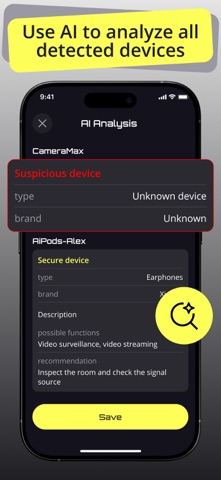


Description by RIGAS SILTUMS AS Written by the developer, not by AppBrain. Click to read.
What You Can Do:
1) Visual Scan via Camera
Use your device’s camera to spot reflections that may indicate lenses. The real-time view highlights potential points, and you can capture snapshots for later review.
2) Network Scan in Wi-Fi
Analyze your current Wi-Fi network and view devices connected to it. See basic details such as MAC address, manufacturer (when available), and quickly assess unfamiliar items.
3) Bluetooth Device Search
Detect nearby Bluetooth devices with signal strength indicators. Mark items as suspicious and keep track of repeated detections.
4) Reports
Access mini-reports showing the date, scan type, and key findings from each check. All results from camera, Wi-Fi, and Bluetooth scans are organized in one place.
5) Quick Guides
Each scan mode includes a short tutorial shown on first launch and available anytime through the “?” button.
Free vs Premium
• Free users can perform one scan of each type.
• Unlimited scans and access to reports are available with Premium.
Privacy Policy: https://docs.google.com/document/d/1EbcQK6-zHD-JmCMv_7MdhlYVBtT6FOm2rlbTDpEW1tM/edit?usp=sharing
Term of Use: https://docs.google.com/document/d/17KXM9sUiGt1WEQ-kPmvncIpTPwvzHMXb2J2d0EigkXc/edit?usp=sharing