

Himekuri Calendar
Himekuri Calendar is made and published by MIFUMI YOSHIDA. AppBrain is an independent app data site and isn't affiliated with MIFUMI YOSHIDA. The app name, icon, screenshots and description belong to MIFUMI YOSHIDA and are shown as published on the App Store.
AppBrain's verdict
- Last updated
- December 28, 2024
- Size
- 12.2 MB
User feedback
Ratings and reviews on the App StoreComments on Himekuri Calendar for iOS
We don't have enough comments to show example comments. Please check back later.
Store listing
By MIFUMI YOSHIDA, from the App Store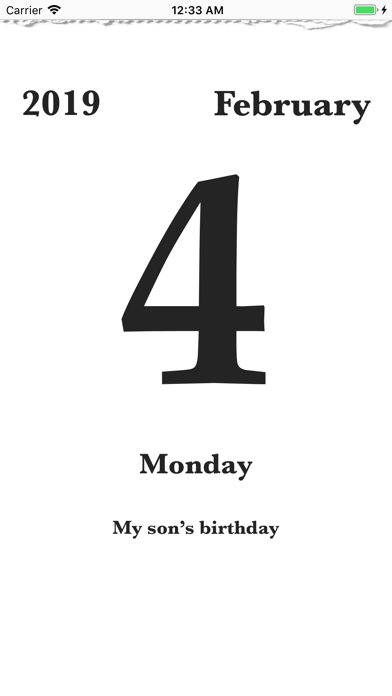
Description by MIFUMI YOSHIDA Written by the developer, not by AppBrain. Click to read.
This is an app that mimics a "Daily Calendar" (which is called "Himekuri" in Japanese).
There are many calendar apps, and most of them update automatically and they're useful.
However, do you not feel that it is unsatisfactory? You were looking forward to turning the calendar in a childhood, weren't you?
We no longer look at a "Daily Calendar" almost in recent years. But, if you use this app, you can taste the pleasure to turn a "Daily Calendar" every day at hand.
It's more meaningful that "you turn it every day" than that it's practical.
FEATURES
- It's a daily calendar in conjunction with iOS standard calendar.
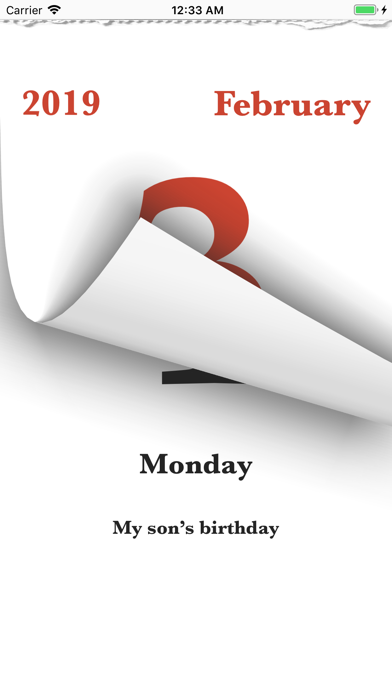
- You need to turn it properly in every day. (It will not be turned automatically.)
- You can view events that are registered in the iOS standard calendar.
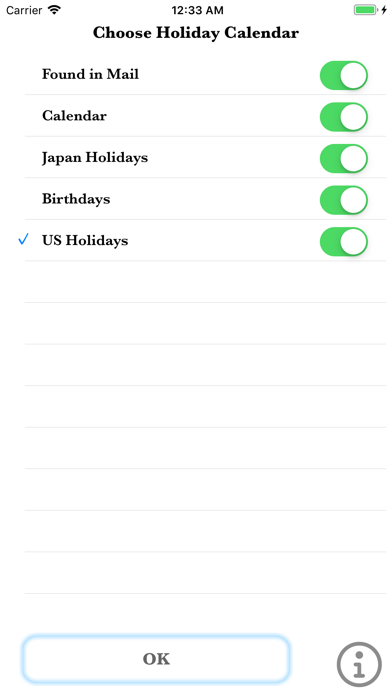
- You can also view holidays if you download a holiday calendar.
USAGE
A. TURN THE CALENDAR
(1)Trace from the bottom to the top of the screen, you can turn the calendar.
(2)Trace from the top to the bottom conversely, you can return the calendar turned over.
B. SET HOLIDAY CALENDAR
(1)Tap around "weekday" on the screen.
(2)Then "Choose Holiday Calendar" button is displayed. And press it.
(3)"Choose Holiday Calendar" screen opens, and press "OK" button to choose the calendar you want to display as a holiday.
In addition, you can get holiday calendar data from "iCal Calendars"(the official site of Apple Inc.).
http://www.apple.com/downloads/macosx/calendars/index.html
C. CHANGE BG-IMAGE OF HOLIDAYS
(1)Tap an item named "Himekuri" in the Settings app.
(2)Tap the "Background", when the setting screen appears.
(3)The selected symbol will be used as the background of the date of the holiday.
Safety and technology
Found in the app by AppBrain- Price
- Free
- App size
- 12.2 MB
- Content rating
- Everyone
Technologies used by Himekuri Calendar
Releases
Updates seen on the App Store- Version
- 1.7
- Launched
- January 2014
No changelog data
Alternatives
Similar apps and more from MIFUMI YOSHIDAAlternatives to Himekuri Calendar


More from MIFUMI YOSHIDA




Rankings
App Store top chartsApp Store Rankings for Himekuri Calendar
About the app and developer
About Himekuri Calendar
Himekuri Calendar is an utilities app developed by MIFUMI YOSHIDA.
What is the rating of Himekuri Calendar?
Himekuri Calendar has no ratings yet.
Is Himekuri Calendar free?
Himekuri Calendar is free. The app size is 12.16 MB. The latest version available is 1.7. The last update was on December 28, 2024.
What are the requirements for Himekuri Calendar?
The app has a content rating of Everyone. The app has been available on the App Store since January 2014.
Developer information for MIFUMI YOSHIDA
Address: