

HiraMemo - Voice & Text Memo
HiraMemo - Voice & Text Memo is made and published by Yusei Suenaga. AppBrain is an independent app data site and isn't affiliated with Yusei Suenaga. The app name, icon, screenshots and description belong to Yusei Suenaga and are shown as published on the App Store.
AppBrain's verdict
- Last updated
- August 18, 2026
Rankings
App Store top chartsApp Store Rankings for HiraMemo - Voice & Text Memo
Competitors
Similar apps and more from Yusei SuenagaAlternatives to HiraMemo - Voice & Text Memo


More from Yusei Suenaga

Releases
Updates seen on the App Store- Version
- 1.3
- Launched
- August 2026
No changelog data
User feedback
Ratings and reviews on the App StoreComments on HiraMemo - Voice & Text Memo for iOS
We don't have enough comments to show example comments. Please check back later.
Technology
Found in the app by AppBrain- Price
- Free
- App size
- 7.23 MB
- Content rating
- Everyone
Technologies used by HiraMemo - Voice & Text Memo
About the app and developer
About HiraMemo - Voice & Text Memo
HiraMemo - Voice & Text Memo is a productivity app developed by Yusei Suenaga.
User Ratings
The app has no ratings yet.
App Information
HiraMemo - Voice & Text Memo is freely available from the App Store. The app size is 7.23 MB. The latest version available is 1.3. The last update was on August 18, 2026.
Technical Requirements
The app has a content rating of Everyone. The app has been available on the App Store since August 2026.
Developer information for Yusei Suenaga
Address:
Store listing
By Yusei Suenaga, from the App Store
Description by Yusei Suenaga Written by the developer, not by AppBrain. Click to read.
Don’t organize them on the spot. Simply leave them in a clean, simple space and come back to them later.
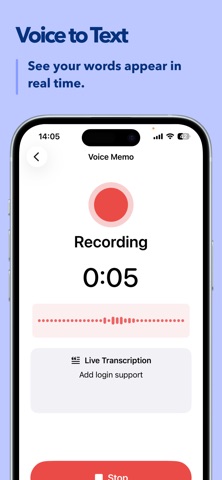
With Voice Memos, you can transcribe your recording in real time as you speak.
With Text Memos, you can quickly capture your thoughts in writing.
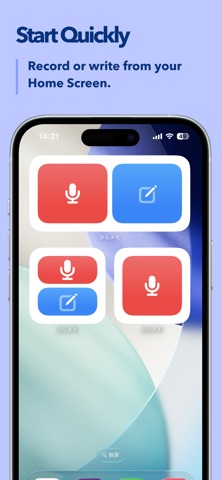
Start a Voice Memo or Text Memo directly from your Home Screen widget.
At a time you choose, HiraMemo sends a notification to remind you to revisit what you captured.
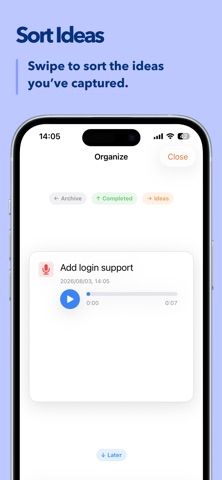
Open Organize from the notification and review each memo one by one.
Swipe to sort them into Ideas, Completed, or Archive.
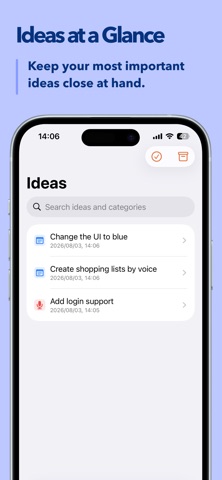
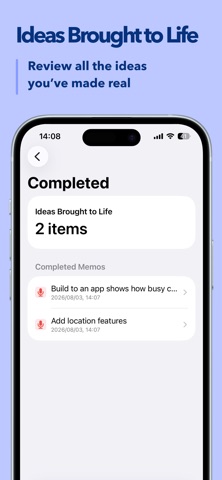
Keep important thoughts as Ideas, and look back on what you’ve brought to life on the Completed page.
Main Features
• Voice memo recording
• Real-time transcription while recording
• Text memos
• Home Screen widget
• Review reminders via notifications
• Swipe-based organization
• Manage Ideas, Completed, and Archive
• Search ideas
Premium Features
• Organize by categories
• Custom theme colors
• Custom widget colors
• iCloud sync
• Statistics
When inspiration strikes, just leave it here.
Come back later, decide what matters, and keep your best ideas moving forward.
Terms of Use (Apple Standard EULA)
https://www.apple.com/legal/internet-services/itunes/dev/stdeula/