

HomeBudget with Sync
HomeBudget with Sync is made and published by Anishu, Inc. AppBrain is an independent app data site and isn't affiliated with Anishu, Inc. The app name, icon, screenshots and description belong to Anishu, Inc. and are shown as published on the App Store.
AppBrain's verdict
EstablishedLoved by usersTop 10- Best rank
- #1
- Top Paid, Czech Republic
- Rating on App Store
- 4.63
- 1,255 ratings
- Last updated
- May 14, 2026
Users love it: 4.6 stars from 1,255 ratings. Its best ranking is #1 in Top Paid, Finance in Czech Republic.
Rankings
App Store top charts- Highest rank
- #1
- Chart
- Top Paid
- Finance
- Country
- Czech Republic
App Store Rankings for HomeBudget with Sync
Top rankings
| Rank | Country | Category | List |
|---|---|---|---|
| 1 | Czech Republic | Finance | Top Paid |
| 2 | France | Finance | Top Paid |
| 2 | Slovakia | Finance | Top Paid |
| 3 | Finland | Finance | Top Paid |
| 4 | Denmark | Finance | Top Paid |
| 4 | Saudi Arabia | Finance | Top Paid |
| 5 | Norway | Finance | Top Paid |
| 5 | Portugal | Finance | Top Paid |
| 6 | Poland | Finance | Top Paid |
| 7 | Indonesia | Finance | Top Paid |
Ranking history in Czech Republic
Competitors
Similar apps and more from Anishu, Inc.Alternatives to HomeBudget with Sync


More from Anishu, Inc.





Releases
Updates seen on the App Store- Version
- 3.6.5
- Launched
- before 2010
No changelog data
User feedback
Ratings and reviews on the App StoreComments on HomeBudget with Sync for iOS
We don't have enough comments to show example comments. Please check back later.
Technology
Found in the app by AppBrain- Price
- $4.99
- App size
- 19.0 MB
- Content rating
- Everyone
Technologies used by HomeBudget with Sync
About the app and developer
About HomeBudget with Sync
HomeBudget with Sync is a finance app developed by Anishu, Inc.
What is the rating of HomeBudget with Sync?
HomeBudget with Sync is rated 4.63 out of 5 stars, based on 1.3 thousand ratings.
Is HomeBudget with Sync free?
HomeBudget with Sync costs $4.99. The app size is 19.01 MB. The latest version available is 3.6.5. The last update was on May 14, 2026.
What are the requirements for HomeBudget with Sync?
The app has a content rating of Everyone. The app has been available on the App Store since before 2010.
Developer information for Anishu, Inc.
Address:
Frequently asked questions about HomeBudget with Sync
Is HomeBudget with Sync free?
No. HomeBudget with Sync costs $4.99 on the App Store.
Is HomeBudget with Sync still available?
Yes. HomeBudget with Sync is on the App Store, and the last update we saw was on May 14, 2026.
How large is HomeBudget with Sync?
HomeBudget with Sync is 19.01 MB.
Is HomeBudget with Sync suitable for children?
App Store rates the content of HomeBudget with Sync as suitable for everyone.
How do people rate HomeBudget with Sync?
HomeBudget with Sync scores 4.63 out of 5 stars, from 1,255 ratings on the App Store.
Who made HomeBudget with Sync?
HomeBudget with Sync was developed by Anishu, Inc. It is listed in the finance category on the App Store.
What are the best alternatives to HomeBudget with Sync?
People looking at HomeBudget with Sync also look at these finance apps: Money Manager (Remove Ads), Pocket Expense 6, Money Pro: Personal Finance AR, Family Budget Book, Accounts 3 Checkbook.
Store listing
By Anishu, Inc., from the App Store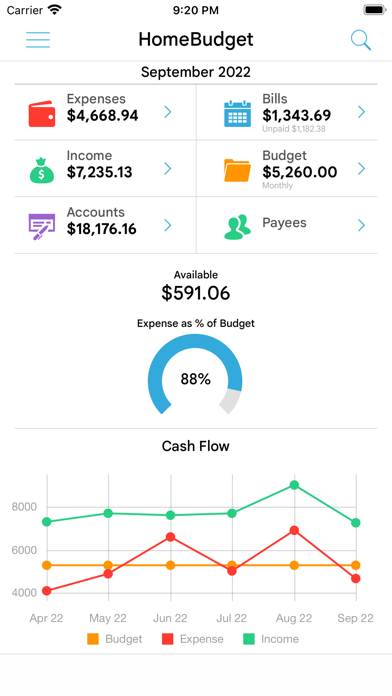




Description by Anishu, Inc. Written by the developer, not by AppBrain. Click to read.
A lite version of HomeBudget is available under the free applications category. Give it a try.
Contact support@anishu.com, if you need help. We have no way of contacting you if you post an issue as a review.
--
HomeBudget is an integrated expense tracker designed to help you track your expenses, income, bills-due and account balances. It offers support for budgeting, and allows analysis of your expenses and income, including charts and graphs. Two key differentiating features of HomeBudget are:
1. Integrated set of features. The features within HomeBudget are well integrated such that a bill can become an expense (when you pay for it) and also adjust the account balance at the same time.
2. Family sync. HomeBudget includes Family Sync, an advanced feature that allows a group of devices within the household to exchange expense and income information, and work together within a single budget. Once setup, the devices sync with each other automatically over the air. Family Sync works across all features including Bills and Accounts. Please refer to the Family Sync Quick Start guide at http://www.anishu.com for information on configuring Family Sync.
KEY FEATURES:
Expenses:
- Create/Edit/Delete expenses and recurring expenses
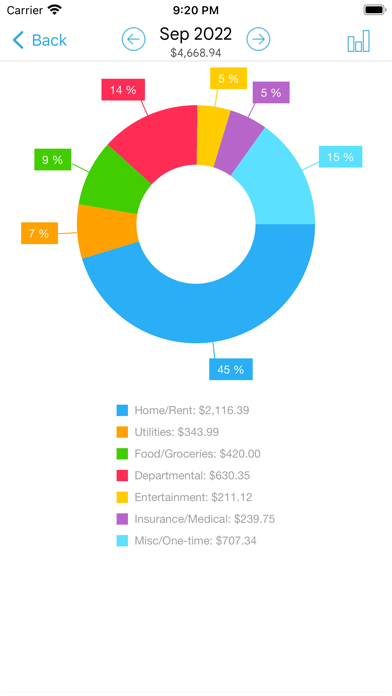
- Browse expense entries by month, by category/date with the ability to drill-down
- Optionally associate an account and payee with an expense
- Attach photo images of receipts; drag and resize images on screen
- Support for multiple currencies and automatic exchange rate conversion
- Search expense entries
Income:
- Create/Edit/Delete income and recurring income
- Optionally associate an account with the income
Bills
- Create/Edit/Delete bills and recurring bills
- Support for Payees, and track payments by Payee.
- Make payment on bills either an as expense or as a transfer (to avoid double accounting your expenses)
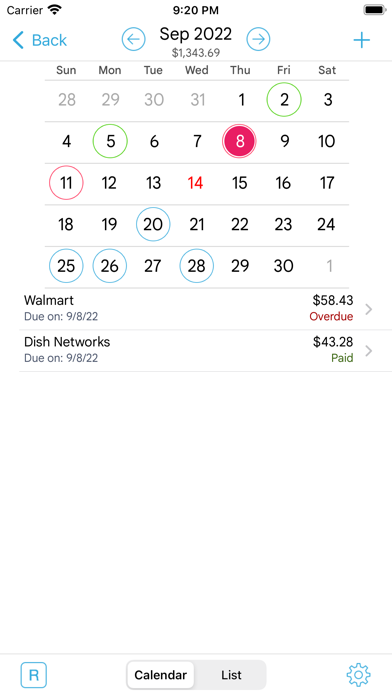
- Calendar and list view of Bills
- Bill reminders
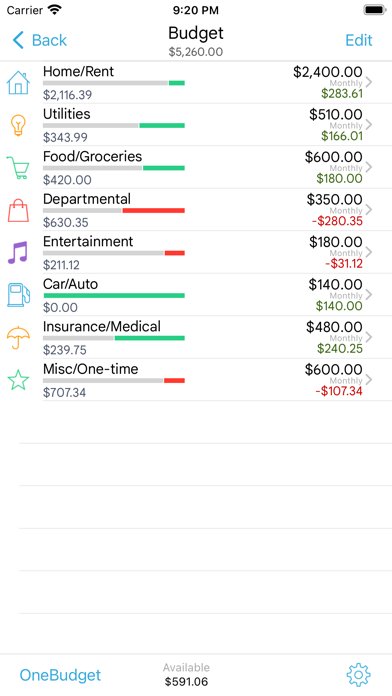
Categories and Budget
- Create/Edit/Delete expense categories and sub-categories
- Set a budget, and track expenses at the category/sub-category level.
- Associate icons with the categories and reorder category display order
- Budget rollover
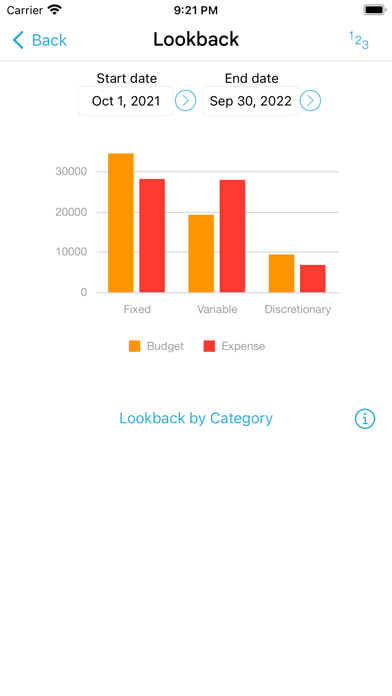
- Classify expenses into fixed, variable and discretionary and compute your disposable income
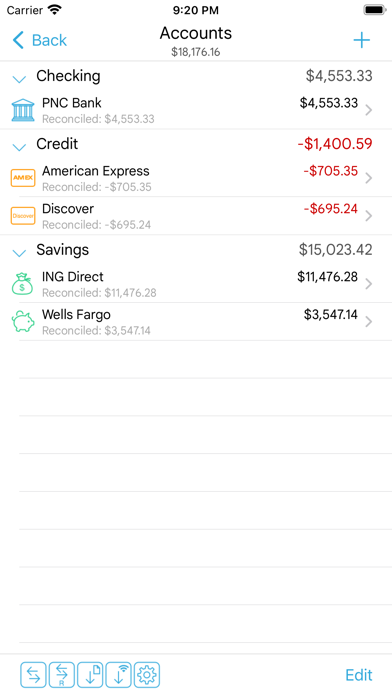
Accounts
- Support for Accounts such as Checking, Savings, Credit, Debit, Cash, etc.
- Associate your expense and income entries with your accounts and accurately track account balances.
- View transactions, and do transfer between accounts.
- Ability to choose a different base currency for each account
Reports
- Trend chart for Expense, Budget and Income for the last 6 months
- Pie/Bar charts for expense break-down (Available in the Expenses screen).
- Export data/reports by email or via WiFi
Family Sync
- Automatically sync multiple devices (iPhone, iPad, iTouch) in the household and see the same numbers on all devices over 3G and WiFi
- Work within the same budget with other members of the household
Other
- Backup/Restore complete application data, including all receipts
- Ability to upload your own list of category icons
- Large numeric keypad for expense/income amount entry
- HomeBudget follows the locale/region setting on your device and shows date and currency symbols appropriate for your region
Visit http://www.anishu.com to see more screenshots, and to download the user guide (PDF, 42 pages).