
iGotYou is made and published by Niv Gutherz. AppBrain is an independent app data site and isn't affiliated with Niv Gutherz. The app name, icon, screenshots and description belong to Niv Gutherz and are shown as published on the App Store.
AppBrain's verdict
Established- Rating on App Store
- 1.17
- 6 ratings
- Last updated
- July 27, 2019
It doesn't have enough ratings yet to judge what users think.
Rankings
App Store top chartsApp Store Rankings for iGotYou
Competitors
Similar apps and more from Niv GutherzAlternatives to iGotYou





More from Niv Gutherz



Releases
Updates seen on the App Store- Version
- 3.0
- Launched
- May 2012
No changelog data
User feedback
Ratings and reviews on the App StoreComments on iGotYou for iOS
We don't have enough comments to show example comments. Please check back later.
Technology
Found in the app by AppBrain- Price
- $0.99
- App size
- 8.65 MB
- Content rating
- Everyone
Technologies used by iGotYou
About the app and developer
About iGotYou
iGotYou is an utilities app developed by Niv Gutherz.
What is the rating of iGotYou?
iGotYou is rated 1.17 out of 5 stars, based on 6 ratings.
Is iGotYou free?
iGotYou costs $0.99. The app size is 8.65 MB. The latest version available is 3.0. The last update was on July 27, 2019.
What are the requirements for iGotYou?
The app has a content rating of Everyone. The app has been available on the App Store since May 2012.
Developer information for Niv Gutherz
Address:
Store listing
By Niv Gutherz, from the App Store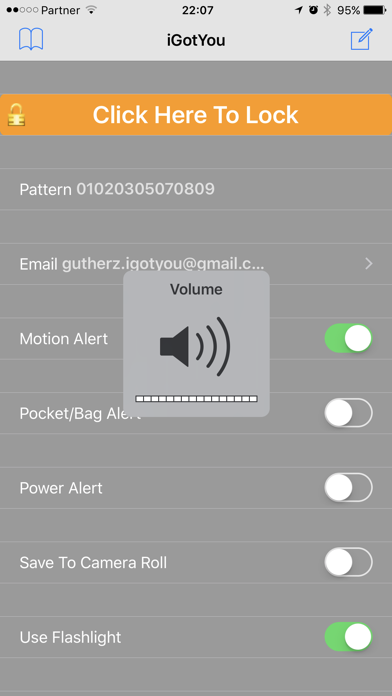
Description by Niv Gutherz Written by the developer, not by AppBrain. Click to read.
Supports iPhone, iPod and iPad.
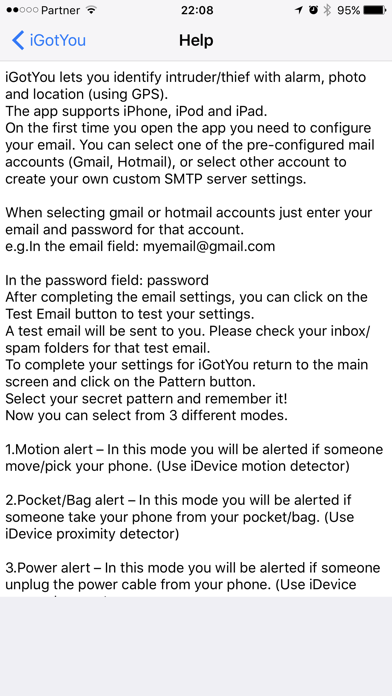
On the first time you open the app you need to configure your email.
The preferred method is to create a dedicated iGotYou email account from gmail or hotmail. E.g create a new email account: yourname.igotyou@gmail.com. You might need to enable less secure settings in gmail if test mail does not work. (https://myaccount.google.com/lesssecureapps)
Once you have created a new email account for iGotYou please enter the following information in iGotYou:
email field: yourname.igotyou@gmail.com
password field: password
After completing the email settings, you can click on the Test Email button to test your settings.
A test email will be sent to you. Please check your inbox/spam folders for that test email.
To complete your settings for iGotYou return to the main screen and click on the Pattern button.
Select your secret pattern and remember it!
Now you can select from 3 different modes.
1.Motion alert – In this mode you will be alerted if someone move/pick your phone. (Use iDevice motion detector)
2.Pocket/Bag alert – In this mode you will be alerted if someone take your phone from your pocket/bag. (Use iDevice proximity detector)
3.Power alert – In this mode you will be alerted if someone unplug the power cable from your phone. (Use iDevice power detector)
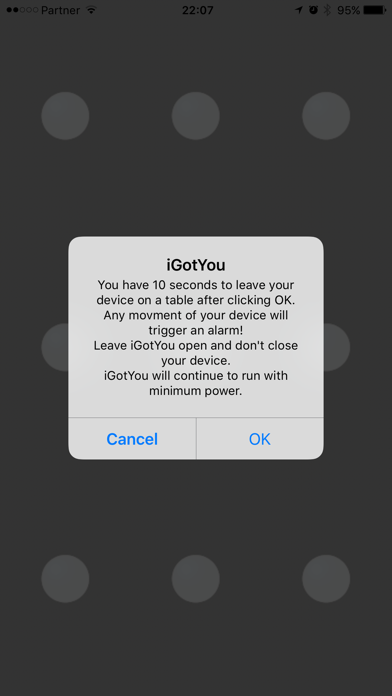
Once you selected your alert mode, click on the “click Here To Lock” button to activate the app.
A popup message telling you what do will be displayed.
- In case you selected the Motion alert mode, after clicking OK you will have 10 seconds to put your phone on a table.
Don’t close the app or your phone!
After 10 seconds the app will dim the screen and continue to run with minimum power.
When someone (including you) will pick up/move the phone a short beep will be heard and a picture will be taken from the front and rear camera.
An email with a picture + device location will be sent to your configured email.
You have 15 seconds to disarm the app by selecting your secret pattern before hearing an alarm.
The alarm will be stopped after the configured time (“Sound Duration”) or by selecting the right pattern.
- In case you selected the Pocket/Bag alert mode, after clicking OK you will have 10 seconds to put your phone in your pocket/bag.
Don’t close the app or your phone!
After 10 seconds the app will dim the screen and continue to run with minimum power.
When someone (including you) will take the phone from your pocket/bag a short beep will be heard and a picture will be taken from the front and rear camera.
An email with a picture + device location will be sent to your configured email.
You have 15 seconds ... (Same as before)
- In case you selected the Power alert mode, after clicking OK you will have 10 seconds to connect your phone to a power source.
Don’t close the app or your phone!
After 10 seconds the app will dim the screen and continue to run with minimum power.
When someone (including you) will unplug the phone from the power source a short beep will be heard and a picture will be taken from the front and rear camera.
An email... (same as other modes)
In addition you can enable/disable the use of flashlight when alarm is triggered.
You can also enable/disable the option to save the photo to your photo album. (Camera roll).
Retry Count – configure how many times you can try to enter your secret patter before triggering an alarm.
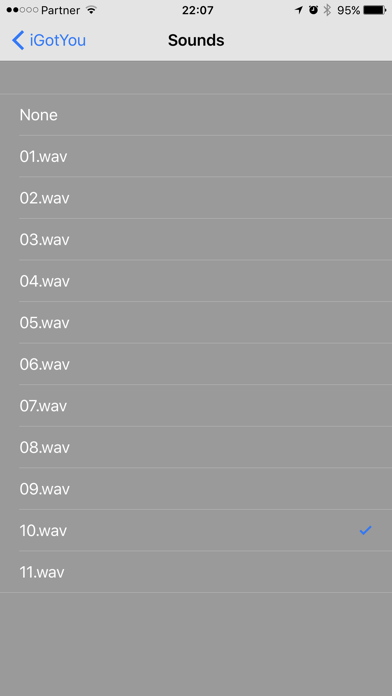
Sound – Select the preferred sound from list of sounds. (Including None for no sound)
Sound Duration – Select the time in seconds that you hear the alarm.
Play Beep - If enabled will play a short beep sound when intruder is detected.
Pattern reset: Delete the app from the task bar and open it again in case you forgot your pattern and the app is locked.
Double click on the Home button to open the task bar.
have a question regarding iGotYou?
please feel free to contact us at support@novniv.com