

Image resizer, converter iSize
Image resizer, converter iSize is made and published by VeprIT. AppBrain is an independent app data site and isn't affiliated with VeprIT. The app name, icon, screenshots and description belong to VeprIT and are shown as published on the App Store.
AppBrain's verdict
Loved by users- Rating on App Store
- 4.62
- 133 ratings
- Last updated
- December 12, 2024
- Size
- 197.5 MB
Users love it: 4.6 stars from 133 ratings.
User feedback
Ratings and reviews on the App StoreComments on Image resizer, converter iSize for iOS
We don't have enough comments to show example comments. Please check back later.
Store listing
By VeprIT, from the App Store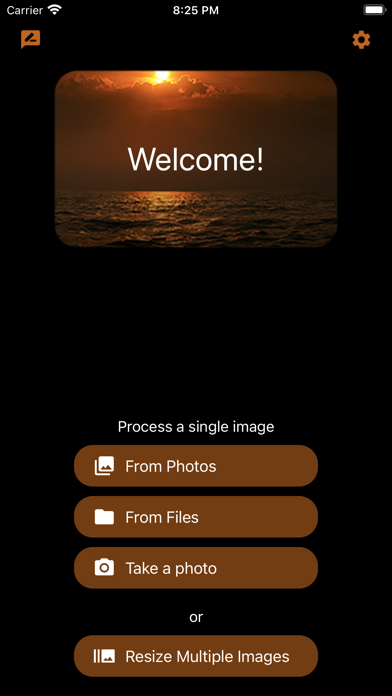





Description by VeprIT Written by the developer, not by AppBrain. Click to read.
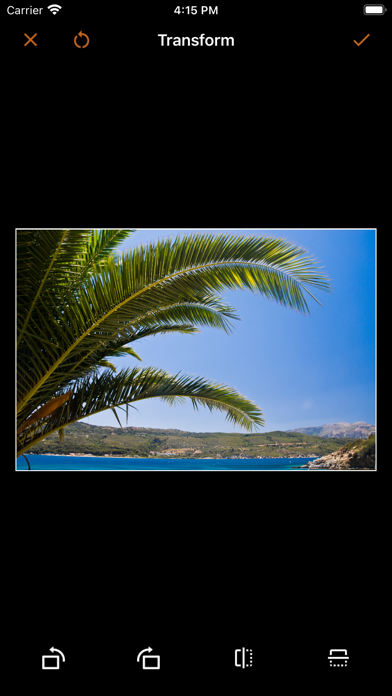
Effortlessly resize, crop, transform, and print your photos with precision. Edit metadata, prepare images for social media, or handle professional graphic design tasks—all in one flexible tool.
Key Features
• Advanced Resize: Choose how to handle the image aspect ratio change, enlarge images, and more.
• Batch Resize: Process multiple images at once to save time.
• Export in Multiple Sizes: Create images for every need, for example @2x and @3x.
• Seamless Import: Pull images from Photos, Files, or your camera.
• Transparent Image Support: Perfect for logos and design work.
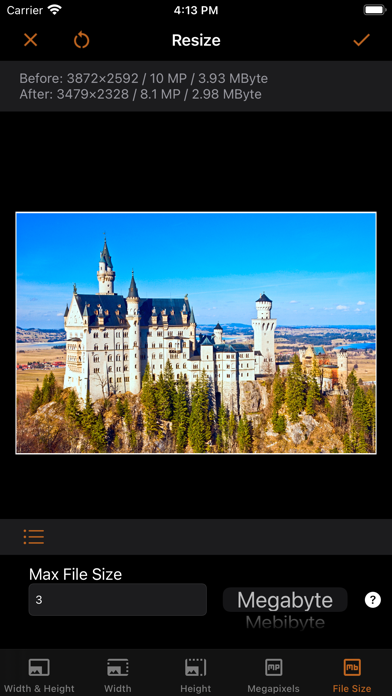
• Live Previews: See pixel dimensions, megapixels, and file size before exporting.
• Time-Saving Presets: Customize and sync presets across your devices via iCloud.
• Metadata Editing: View and modify EXIF, IPTC, GPS data, and more.
• Printing: Print at exact dimensions or scale to fit the page.
Try it for free!
----
Advanced Resizing Modes
Tailor image size to your needs with these flexible options:
• Define width, height, or both.
• Set resolution by megapixels (e.g., create a 5 MP image).
• Limit file size (e.g., keep images under 1 MB).
Handle aspect ratio changes with:
• Cropping (customize to your liking).
• Deformation.
• Border addition in any color.
For small images, enlarge with AI or add borders to meet size requirements.
Define dimensions in:
• Pixels, percentages, inches, centimeters, or millimeters.
For printing, specify resolution in:
• Pixels per inch (PPI).
• Pixels per centimeter (PPCM).
Set file size limits in:
• Bytes, kilobytes (KB), kibibytes (KiB), megabytes (MB), or mebibytes (MiB).
----
Supported Formats
Save images in:
• JPEG, HEIC (iPhone 7 or later), TIFF, PNG, GIF, or BMP.
Customize format-specific settings:
• Compression quality for JPEG and HEIC.
• Lossless compression for TIFF.
Control file size with precise format adjustments.
----
Terms of Use: https://veprit.com/eula.html
Privacy Policy: https://veprit.com/VeprIT-PrivacyPolicy.pdf
Safety and technology
Found in the app by AppBrain- Price
- Free
- App size
- 197.5 MB
- Content rating
- Everyone
Technologies used by Image resizer, converter iSize
Releases
Updates seen on the App Store- Version
- 2.4.3
- Launched
- November 2021
No changelog data
Alternatives
Similar apps and more from VeprITAlternatives to Image resizer, converter iSize








More from VeprIT


Rankings
App Store top chartsApp Store Rankings for Image resizer, converter iSize
About the app and developer
About Image resizer, converter iSize
Image resizer, converter iSize is a graphics & design app developed by VeprIT.
What is the rating of Image resizer, converter iSize?
Image resizer, converter iSize is rated 4.62 out of 5 stars, based on 130 ratings.
Is Image resizer, converter iSize free?
Image resizer, converter iSize is free. The app size is 197.54 MB. The latest version available is 2.4.3. The last update was on December 12, 2024.
What are the requirements for Image resizer, converter iSize?
The app has a content rating of Everyone. The app has been available on the App Store since November 2021.
Developer information for VeprIT
Address:
Frequently asked questions about Image resizer, converter iSize
Is Image resizer, converter iSize free?
Yes. Image resizer, converter iSize is free on the App Store.
Is Image resizer, converter iSize still available?
Yes. Image resizer, converter iSize is on the App Store, and the last update we saw was on December 12, 2024.
How large is Image resizer, converter iSize?
Image resizer, converter iSize is 197.54 MB.
Is Image resizer, converter iSize suitable for children?
App Store rates the content of Image resizer, converter iSize as suitable for everyone.
How do people rate Image resizer, converter iSize?
Image resizer, converter iSize scores 4.62 out of 5 stars, from 133 ratings on the App Store.
Who made Image resizer, converter iSize?
Image resizer, converter iSize was developed by VeprIT. It is listed in the graphics & design category on the App Store.
What are the best alternatives to Image resizer, converter iSize?
People looking at Image resizer, converter iSize also look at these graphics & design apps: Create NFT Art!, Product Photo White Background, Background Editor - Bg Changer, PANO Carousel Collage Panorama, PxlCut - AI Background Remover.