

Image to PDF Converter: TapPDF
Image to PDF Converter: TapPDF is made and published by Bayram Utku Uzunlar. AppBrain is an independent app data site and isn't affiliated with Bayram Utku Uzunlar. The app name, icon, screenshots and description belong to Bayram Utku Uzunlar and are shown as published on the App Store.
AppBrain's verdict
- Rating on App Store
- 4.67
- 3 ratings
- Last updated
- May 18, 2026
It doesn't have enough ratings yet to judge what users think.
Rankings
App Store top chartsApp Store Rankings for Image to PDF Converter: TapPDF
Competitors
Similar apps and more from Bayram Utku UzunlarAlternatives to Image to PDF Converter: TapPDF


More from Bayram Utku Uzunlar


Releases
Updates seen on the App Store- Version
- 1.3
- Launched
- February 2026
No changelog data
User feedback
Ratings and reviews on the App StoreComments on Image to PDF Converter: TapPDF for iOS
We don't have enough comments to show example comments. Please check back later.
Technology
Found in the app by AppBrain- Price
- Free
- App size
- 36.3 MB
- Content rating
- Everyone
Technologies used by Image to PDF Converter: TapPDF
About the app and developer
About Image to PDF Converter: TapPDF
Image to PDF Converter: TapPDF is an utilities app developed by Bayram Utku Uzunlar.
What is the rating of Image to PDF Converter: TapPDF?
Image to PDF Converter: TapPDF is rated 4.67 out of 5 stars, based on 3 ratings.
Is Image to PDF Converter: TapPDF free?
Image to PDF Converter: TapPDF is free. The app size is 36.34 MB. The latest version available is 1.3. The last update was on May 18, 2026.
What are the requirements for Image to PDF Converter: TapPDF?
The app has a content rating of Everyone. The app has been available on the App Store since February 2026.
Developer information for Bayram Utku Uzunlar
Address:
Store listing
By Bayram Utku Uzunlar, from the App Store

Description by Bayram Utku Uzunlar Written by the developer, not by AppBrain. Click to read.
TapPDF makes it effortless — just pick a photo, tap once, and get a crisp, professional PDF. No sign-ups. No learning curve. No nonsense.
Whether it's a receipt from lunch, a signed contract, homework for class, or a stack of handwritten notes — TapPDF handles it all in seconds.
What makes TapPDF different?
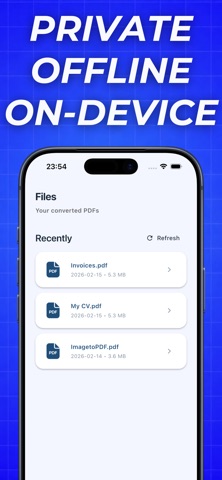
Your files never leave your device — every conversion happens locally, right on your phone. No uploads, no servers, no tracking. Your privacy isn't a feature — it's a promise.
No watermarks. No ads. No distractions. Just clean, sharp PDFs that look exactly the way they should.
Works completely offline — convert anywhere, anytime. No Wi-Fi needed.
Try it free
Your first PDF export is completely free — no credit card, no commitment. Experience the speed and simplicity yourself. Love it? Upgrade anytime for unlimited conversions and full access to every feature.
People use TapPDF for:
→ Scanning receipts and invoices
→ Converting photos of notes and whiteboards
→ Creating PDF files from documents and contracts
→ Sharing professional files in seconds
→ Everyday productivity on the go
One tap. That's all it takes.
Download TapPDF and see why the simplest converter is also the best one.
Terms of Use: https://www.apple.com/legal/internet-services/itunes/dev/stdeula/
Privacy Policy: https://quiet-cornucopia-c59.notion.site/Privacy-Policy-306e20caf4ea8049a422f3ef1c8893f9?source=copy_link